Care:Usage Tips:
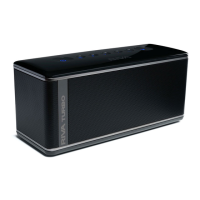
RIVA S TIPS:
Usage & Care Tips
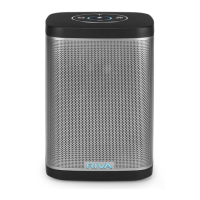
Capacitive Touch
• Since the RIVA S’ buttons are capacitive touch, a
gentle tap will suce.
Picking Up RIVA While Playing
• We recommend picking up the RIVA S in the center
to avoid accidentally tapping the Power button.
(Visit rivaaudio.com/support for additional information.)
• We recommend that you unplug and turn OFF the
BATTERY ON/OFF button before cleaning your RIVA S.
• Do not clean your RIVA while it is charging because doing
so could result in electric shock.
• Clean your RIV
A S with a soft, dry cloth, preferably
microfiber. Do not use steel wool, grill brushes, or other
abrasive cleaners.
• If your RIVA S isn’t feeling its best, contact us at
support@rivaaudio.com Remember, you have a warranty,
and we know how to make them feel better.
Volume
• If you hold down the or , the volume will go
multiple steps in the direction of the button you are
holding.
• Some audio recordings are louder or quieter than
others. Adjust the volume level accordingly.
23
TABLE OF CONTENTS


 To Next Page