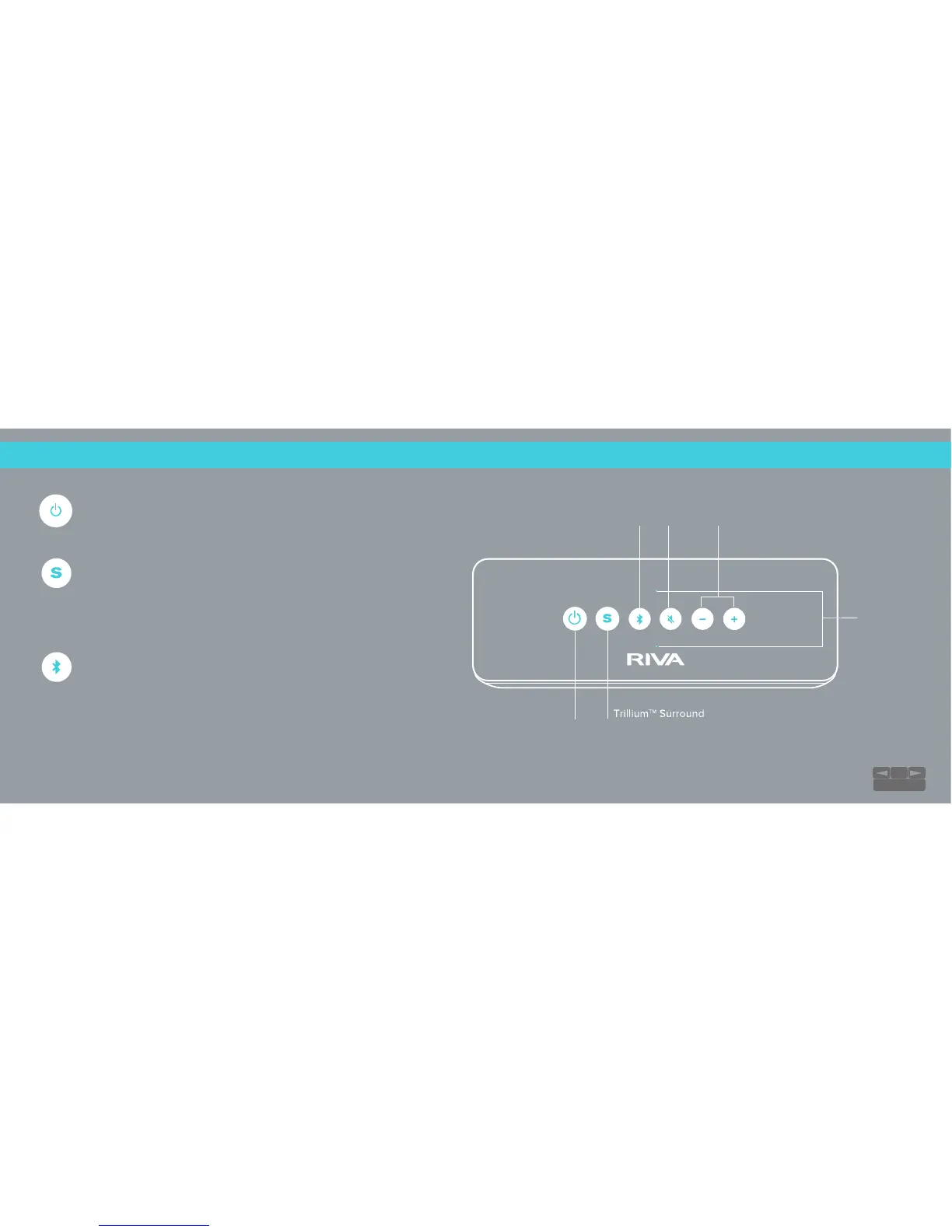
Power On/O
Power On: Tap the Power button.
Power O: Tap the Power button.
Trllium™ Surround
Surround On: Tap the surround button. The Surround icon
will remain blue while in Surround mode.
Surround O: Tap the Surround button again to turn o.
Input
Press and hold the Input button to enter Bluetooth® pairing
mode. To switch to AUX, plug in a device and pause all audio
on your Bluetooth device. The light will change depending on
the connection:
Bluetooth® Input: Solid Blue
Auxiliary 3.5 mm Input: Flashing Green
NOTE: Solid Green is when connected to a Bluetooth® device
TAKE CONTROL:
Controls
Microphone
Power
Volume Up/Down
Mute
Input
18
TABLE OF CONTENTS


 To Next Page