Instructions for useRev.v. 01
|
9600- 0099
|
© 2022 RIVACOLD srl
2.1.2
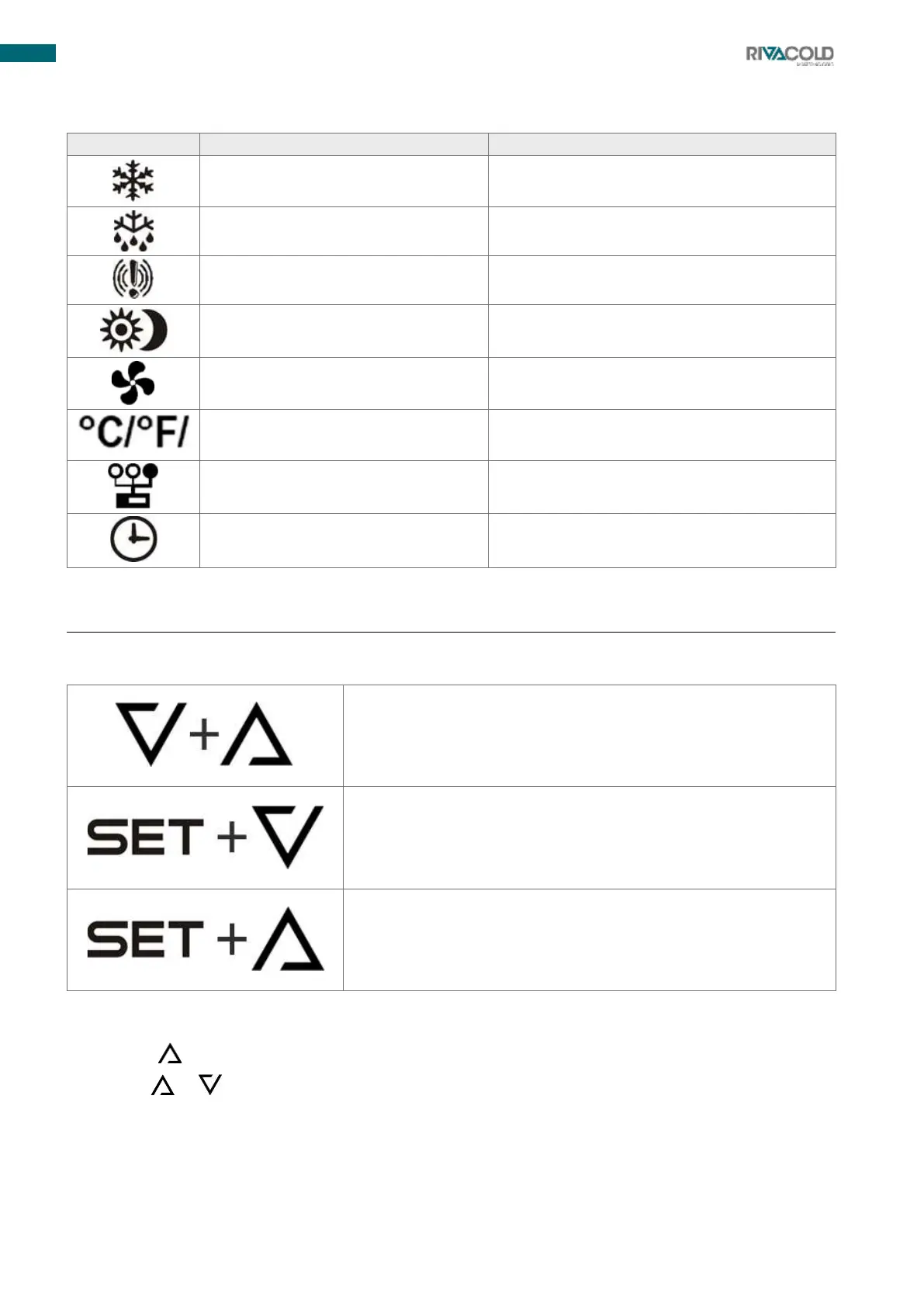
Description of the display
Energy saving Active/ Set reduced
Door open or fan delay after defrosting
Remote display mode active
2.2
Control panel operations
2.2.1
Button combination
Allows the keyboard to be locked or unlocked
Grants access to programming
Allows instantaneous exit from programming
2.2.2
Entering the quick access menu
1.
Press the button. The first label is displayed.
2.
Pressing or allows you to navigate through the menu.



 To Next Page