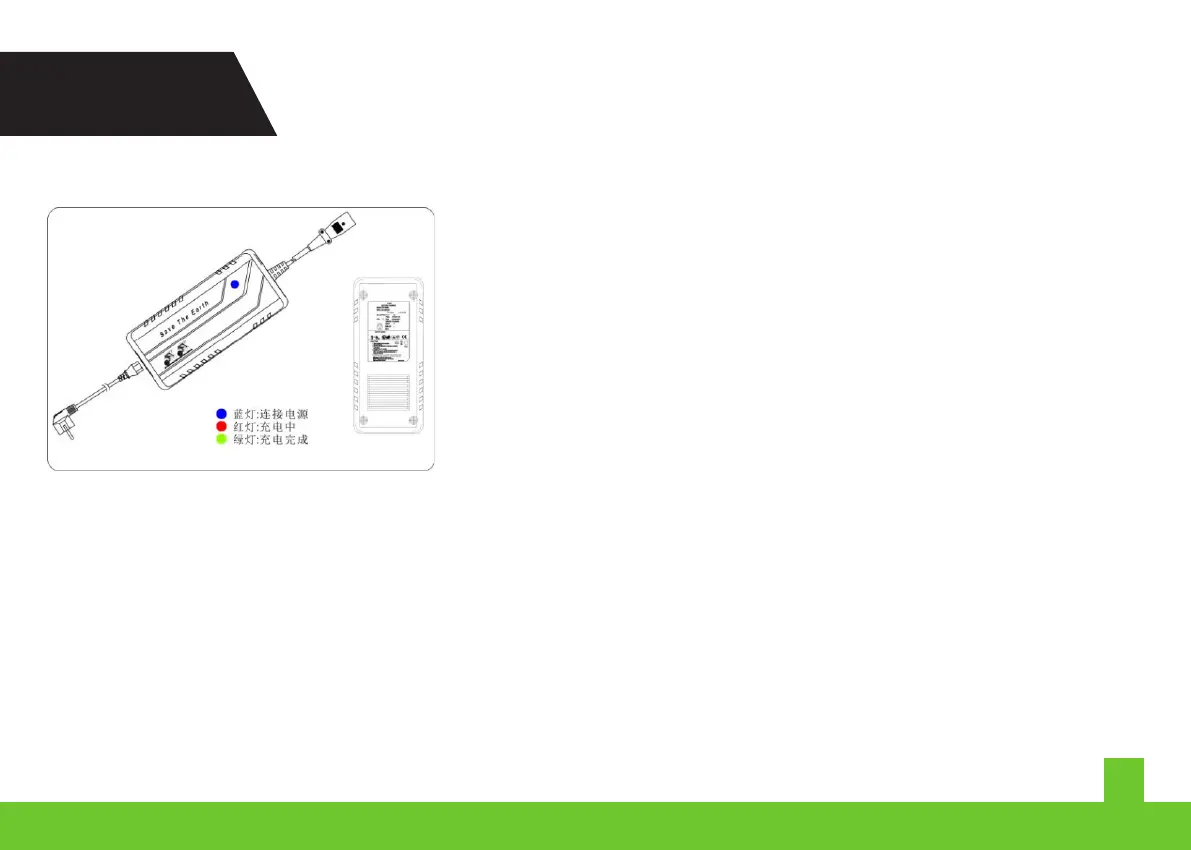
ê Green Light: Charged
BATTERY PACK
Please refer to User's Battery Manual
ê Please make sure you have the suitable voltage
ê Please connect power, charger, and the battery pack
ê Please connect the adaptor to the battery first, and
then connect the adaptor to the power
A.Instructons
B.Indcator Lght
ê Red Lght: Chargng
correctly
ê Blue Light: Power s connected whle the battery s not
THE CHARGER
Red: Chargng
Green: Charged
WARNING! You should use RKS's adaptor only, and checkthe lne before chargng.
Please read the nstructons first. Workng voltage: 100〜240 V。
Blue: Power s connected. Please connect the charger
ê Power is connected while the blur light is out
Return the charger
ê Red lght s out whle chargng:
The battery has probably broken down
ê The red light turns into green in a very short time:
Check whether the battery s full. If not, please return the charger
C.Indcaton of the Malfuncton
19
BATTERY PACK & CHARGER
MX25



 To Next Page