33
© Erwin Hymer Group North America, Inc., R00
Water Pump
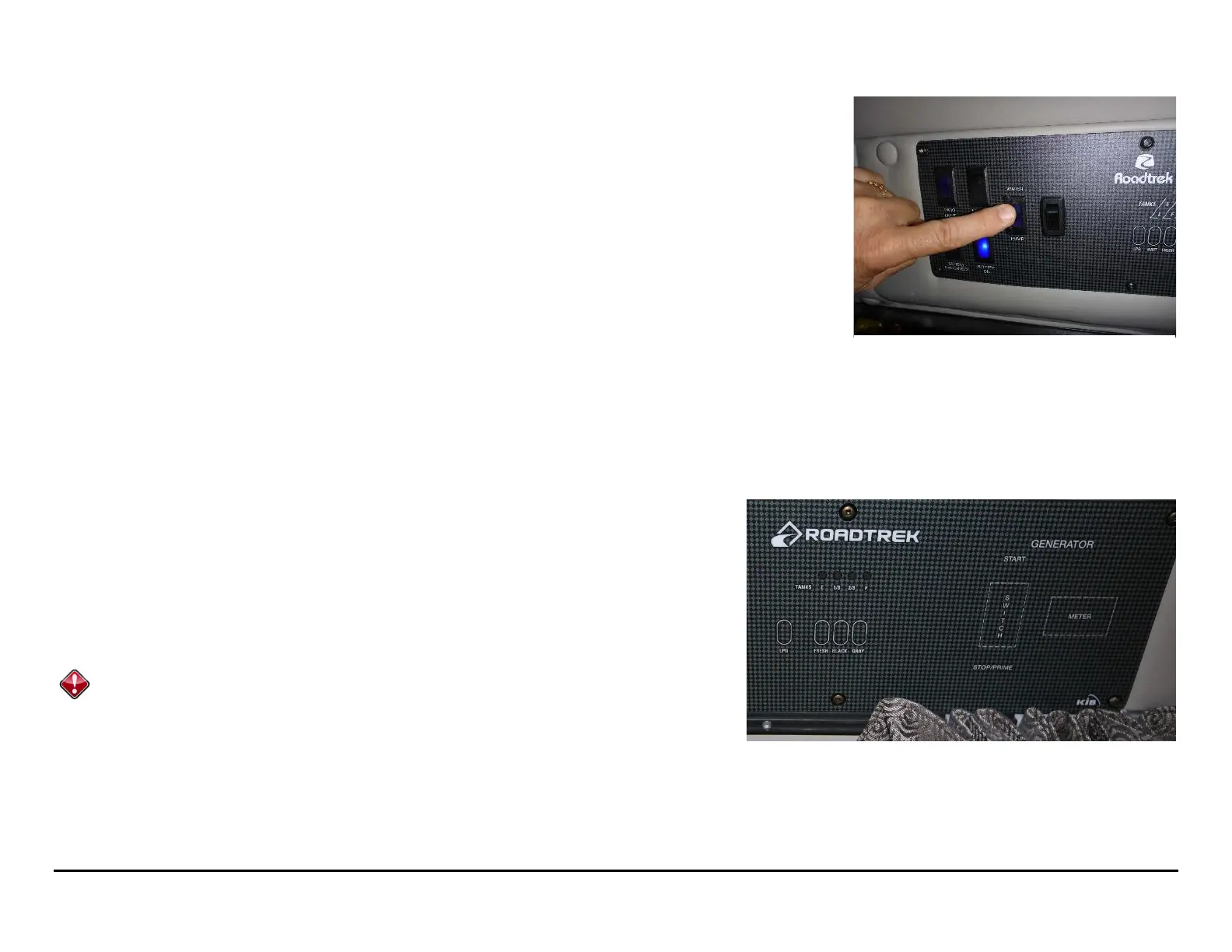
To use the water in the tank, you need to turn on the water pump. The pump switch is located on the
monitor panel. (Picture 32.1)
Waste Water
Gray Tank
Galley sink, bathroom sink and shower drain water drains into the gray water tank. The shower and
sink have traps to prevent tank odors from entering the living space. Be sure to replace the screw-in
plug in the shower floor after use to prevent gray water from sloshing up into the shower pan from the
gray water tank while driving.
Black Tank
The black water tanks contain toilet waste. Please refer to the HOWTO: Waste Water Dumping section
for an explanation of which materials you can and can't flush down the toilet.
Indicators
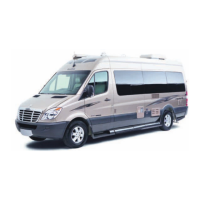
The gray and black water tank level indicators on the control panel will give you an
approximate indicator of your tank levels. (Picture 32.2) When the gray water tank is full
to capacity, water will no longer drain down the shower and sink drains, and you need to
dump the tank before running any more water. If you see fluid below the toilet valve in the
bowl of the toilet, your black water tank is full and also needs to be emptied before further
use.
See Monitor Panel for more information.
Ensure that both the black and grey water gate valves are closed before using the
waste water system. It is possible for the valves to open slightly especially after
extensive driving. Black and grey water dump valves are accessed through the
driver side storage door.
Water pump switch location on
monitor panel
Tank level and battery charge indicators
on monitor panel








 To Next Page