35
10. Error and information messages
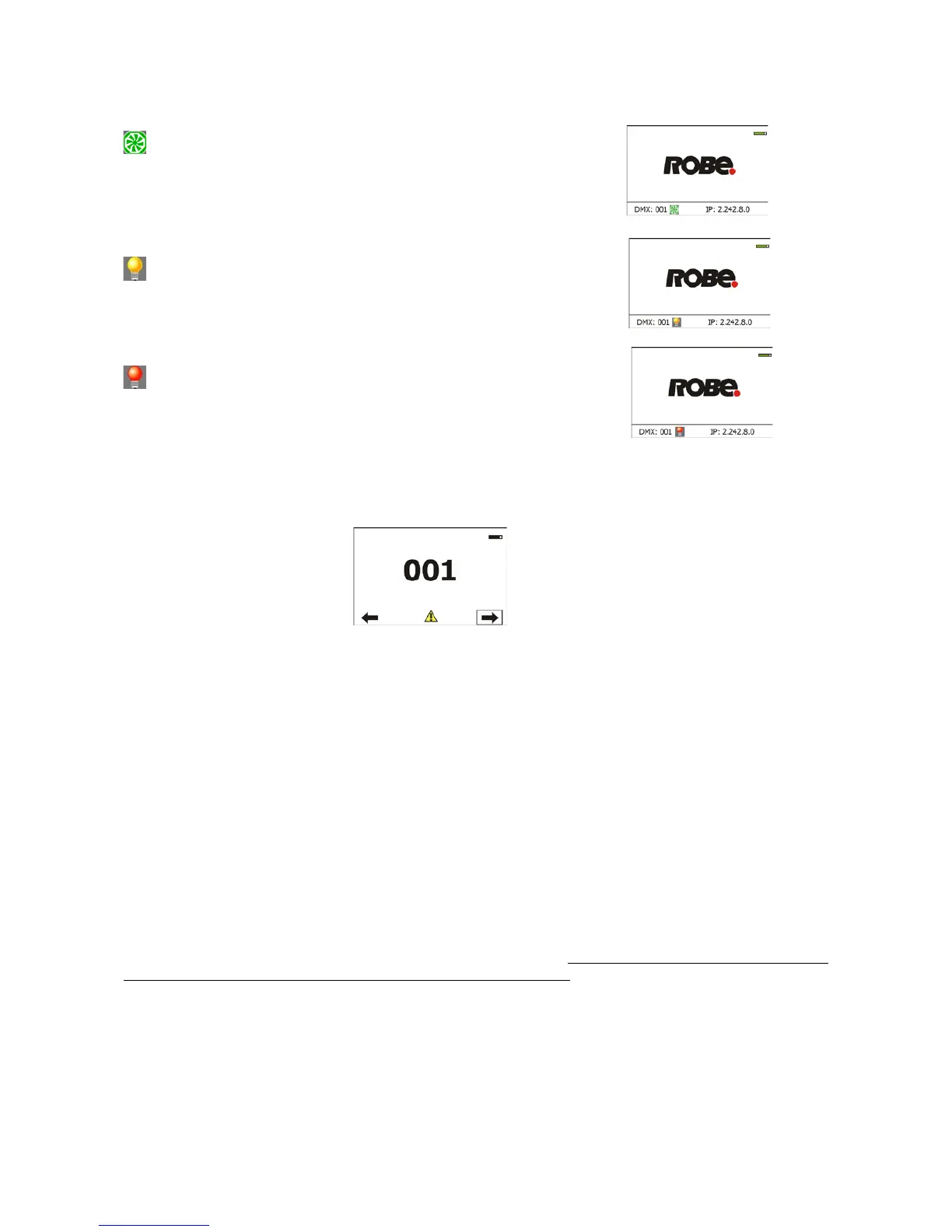
Information icons
- Air Filters Cleaning
This icon signalizes that cleaning period of the air lters has elapsed
and you have to clear air lters and reset the menu item "Elapsed Time".
- Lamp time - 250 hours remaining
This icon signalizes that 250 hours remain before replacing the lamp.
- Lamp time - 50 hours remaining
This icon signalizes that 50 hours remain before replacing the lamp.
Errors
Error in the xture is signalled by the yellow warning icon at the bottom line of the screen:
Touch the warning icon or press the [ESCAPE] button to display error messages.
List of error and information messages:
Active Lamp Timer
This message appears if you try to switch on the hot lamp. The xture tries to ignite the lamp and during time
period before next attempt of the lamp ignation the message is displayed. Also faulty (missing) lamp can be
reason of the message.
Lamp Error
This message appears if the lamp was switched off without command of the lamp control software.
Overheated
This message informs that the xture head has been overheated and the lamp was switched off by means of
the head temperature sensor (sensor Head Temperature).
Base Overheated
This message informs that the xture base has been overheated and the lamp was switched off by means of
the temperature sensor (sensor Ambient Temperature) in the base. Before switching the lamp on again, the
xture must be disconnected from mains and connected once again.
Temper.Sensor Error
The message informs you that the communication between the temperature sensor in the xture head and its
processor failed and the lamp has been switched off.
Internal Error 1
Communication error between PCBs (error or noise was detected on communication wires)
Internal Error 2
Ballast communication error (some PCB has failed or is disconnected (this PCB will show as N/A in menu -->
Information --> Software versions) or error/noise was detected on communication wires)



 To Next Page