robert juliat Route de Beaumont F 60530 Fresnoy-en-Thelle phone: 33 (0)3.44.26.51.89 - fax: 33 (0)3.44.26.90.79 - www.robertjuliat.fr
Robert Juliat reserve the right to change or alter any of the items detailed on this page, to increase or improve manufacturing techniques without prior notice.
VALID SINCE : 09.05.01
DocTech1039_1439_090501.ind
16
TECHNICAL FILE
2500W HMI FOLLOW SPOT
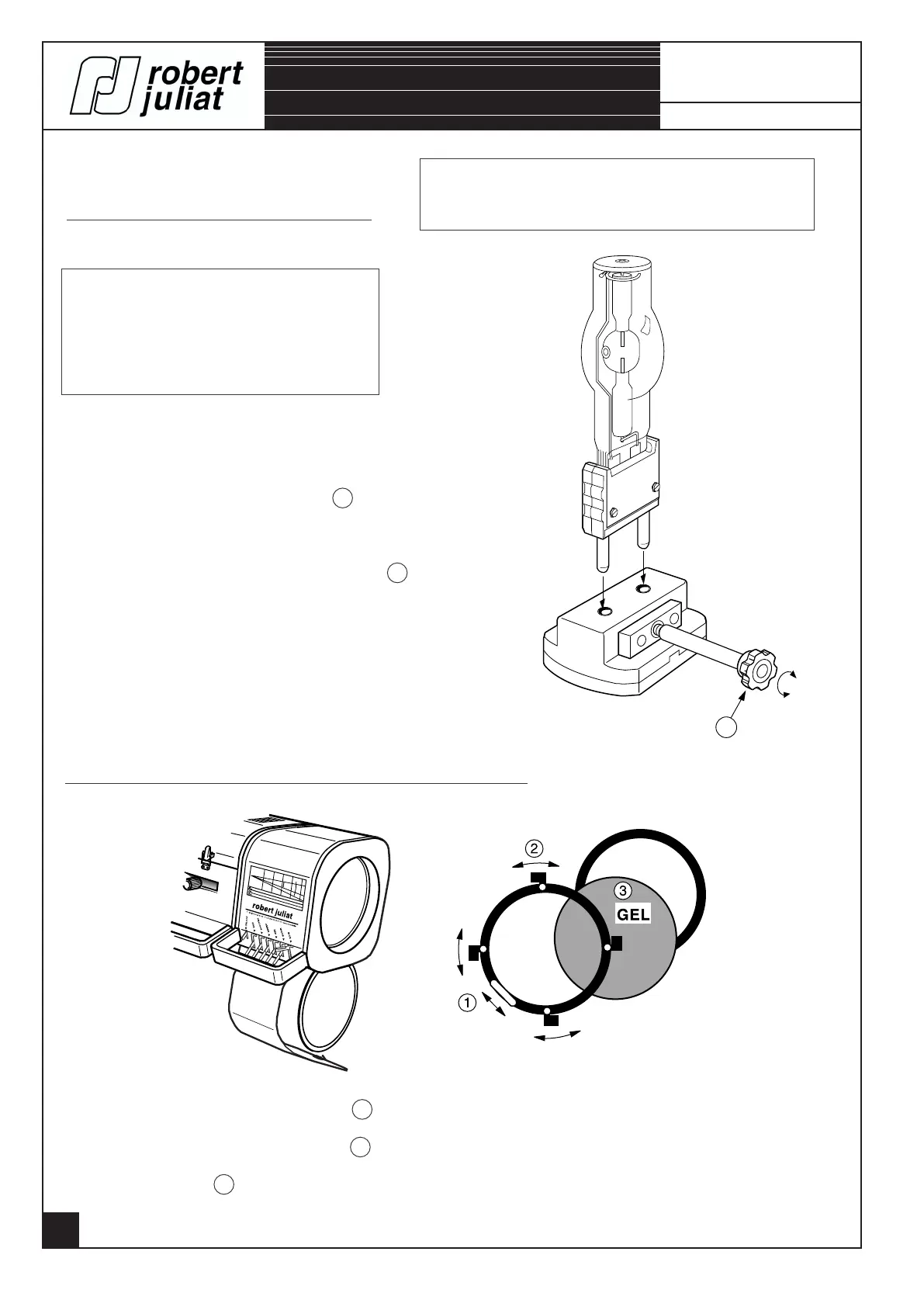
CHANGING THE COLOUR FRAMES AND COLOURS.
- Remove the colour frame from the slot 1 .
- For changing a colour, open the 4 clips 2 .
- Cutting out a colour 3 : ø207.
(Use the model supplied).
PUTTING THE LAMP INTO PLACE.
User's instructions :
- Disconnect from the mains.
- Lamp is cold.
- Avoid touching the bulb of the lamp.
HMI 2500.
- Open the lantern's bonnet.
- Open the socket jaws by unscrewing 1 .
- Place the lamp into the socket.
- Retighten the socket jaws by using the knob 1 .
For security reasons, each time the lamp is changed, it
is recommended to check the condition of the socket
connections : the base of the lamp - socket jaws. A socket or the
base of a lamp which has become black, requires replacement.
Otherwise, damage will be caused to important parts of the
lantern (i.e. Ignitor).
WARNING : Fragile lamp - take the lamp out from the
lamp housing, when transporting the lighting unit.
1039, 1039B,
1439 & 1439B


 To Next Page