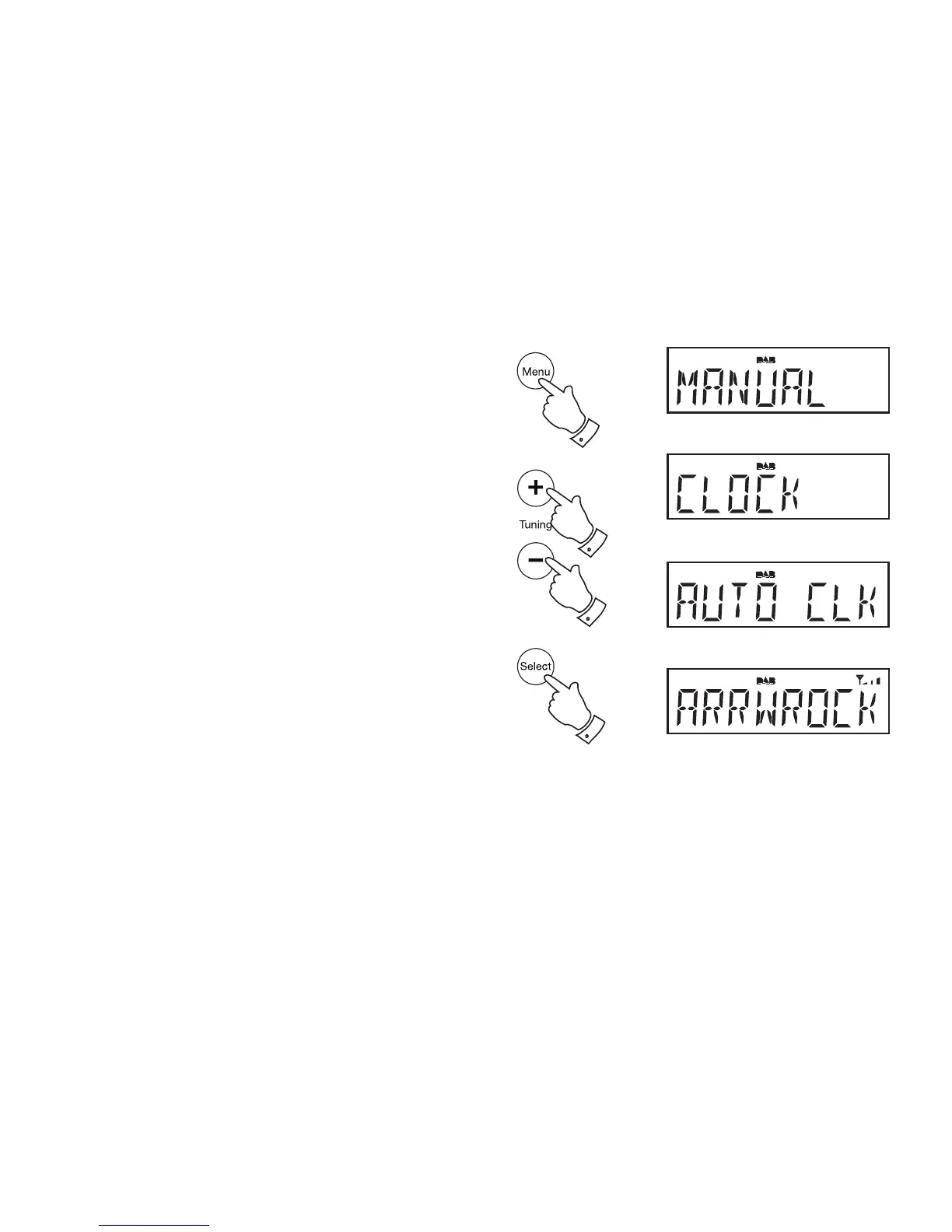
To return to auto clock set mode
1. Press the On / Standby button to switch on the clock radio. If
necessary press and release the Mode button to put the radio into
DAB mode.
2. Press and release the Menu button to enter the setup menu. "MANUAL"
will appear on the display.
3. Press the Tuning Up or Down button until "CLOCK" appears on the
display. Press and release the Select button.
4. Press the Tuning Up or Down button until "AUTO CLK" appears on
the display. Press and release the Select button.
5. The radio will immediately set its time according to the information
received with the DAB broadcast. The radio will return to normal radio
operation with the time currently displayed.
Note: If you select "AUTO CLK" the current time received will be displayed.
If no DAB signal is found, "NO DABCK" will be displayed. You should then
either position the radio or its aerial so that a signal can be received, or
revert to manual clock mode (see page 27).
29
3-5
2
3,4
3,4














 To Next Page