11
Operating your radio - FM
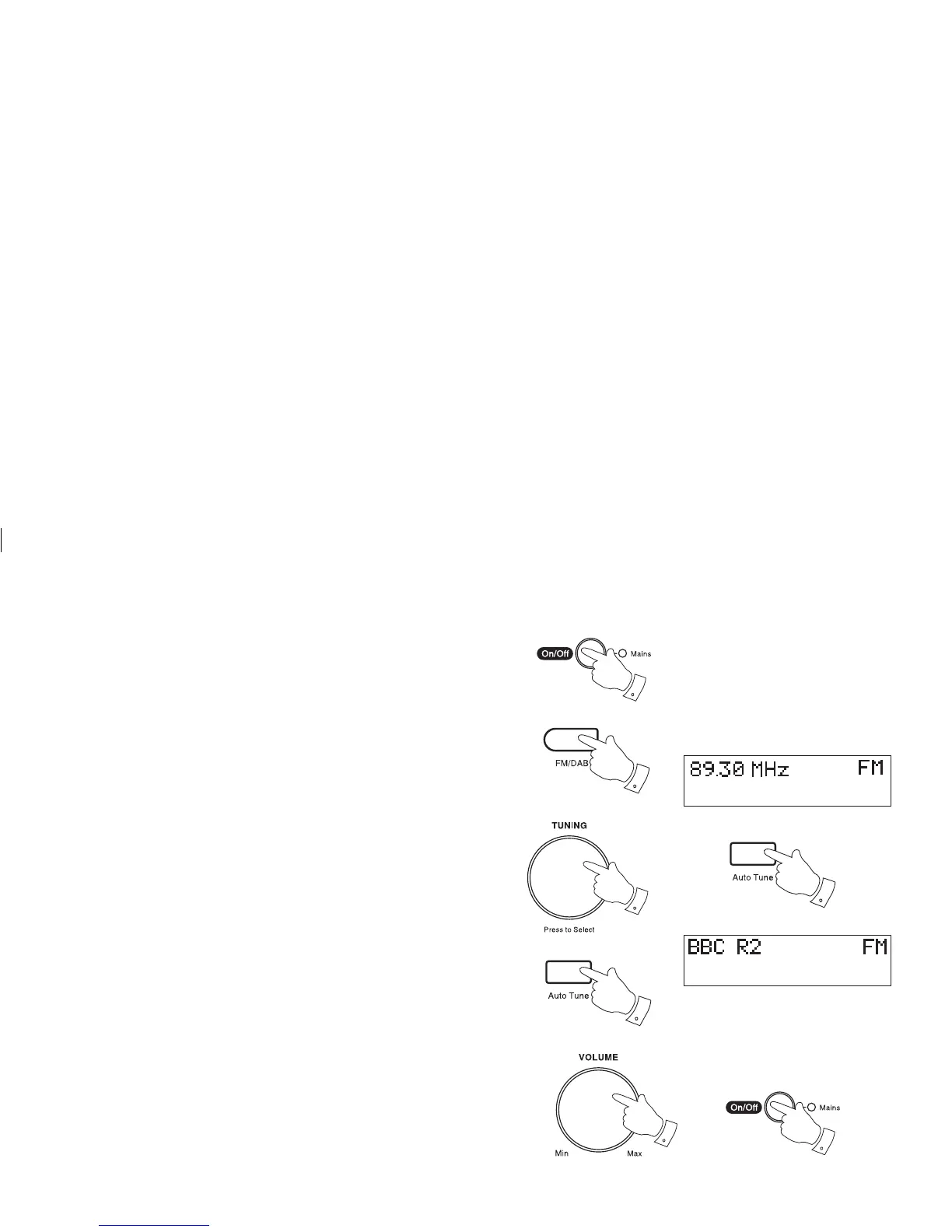
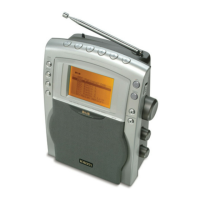
1. Carefully extend the telescopic aerial.
2. Press the On/Off button to switch on your radio. The display will show
"Roberts digital radio" for a few seconds.
3. Press the FM/DAB button to select the FM band.
4. Rotate the Tuning/Select control clockwise then press and immedi-
ately release the Auto Tune button, your radio will scan in an upwards
direction (low frequency to high frequency) and stop automatically
when it fi nds a station of suffi cient strength.
5. After a few seconds the display will update and show station name.
6. To fi nd other stations press and release the Auto Tune button as
before.
7. To scan the FM band in a downwards direction (high frequency to
low frequency) rotate the Tuning/Select control anti-clockwise then
press and release the Auto Tune button.
8. When the waveband end is reached your radio will recommence tuning
from the opposite waveband end.
9. Adjust the Volume control to the required setting.
10. To switch off your radio press the On/Off button.
2
3
4,6
9
10
7
4,7


 To Next Page