31
SD memory card information - DAB or FM
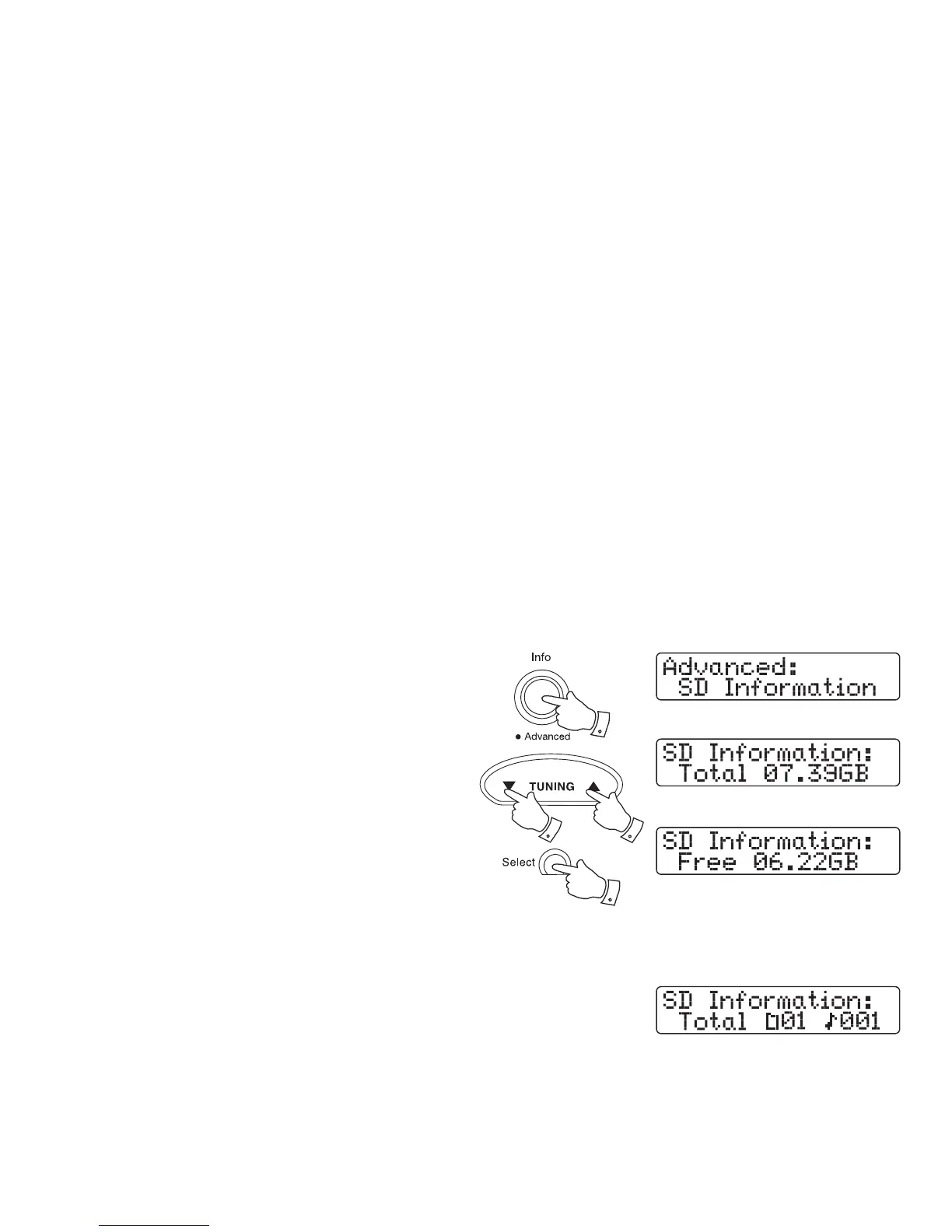
In DAB or FM mode you can display the capacity available on an SD/SDHC
card. This is useful if you wish to use the card for recordings.
1. Ensure you have the SD/SDHC card inserted into the radio and that
your radio is switched on.
2. Press and hold the Info button.
3. Press the Tuning Up or Down buttons until 'SD Information' appears
on the display.
4. Press and release the Select button to view the SD card information.
5. Press the Tuning Up or Down buttons to view the total space on the
SD card or to view the free space remaining.
SD memory card information - SD
In SD mode you can display the number of fi les and folders that are
present on an SD card.
1. Ensure your radio is SD mode.
2. Follow steps 2-4 above to view SD memory card information.
2
3,5 3,5
4













 To Next Page