16
Changing from planing to
thicknessing (Fig.10-11)
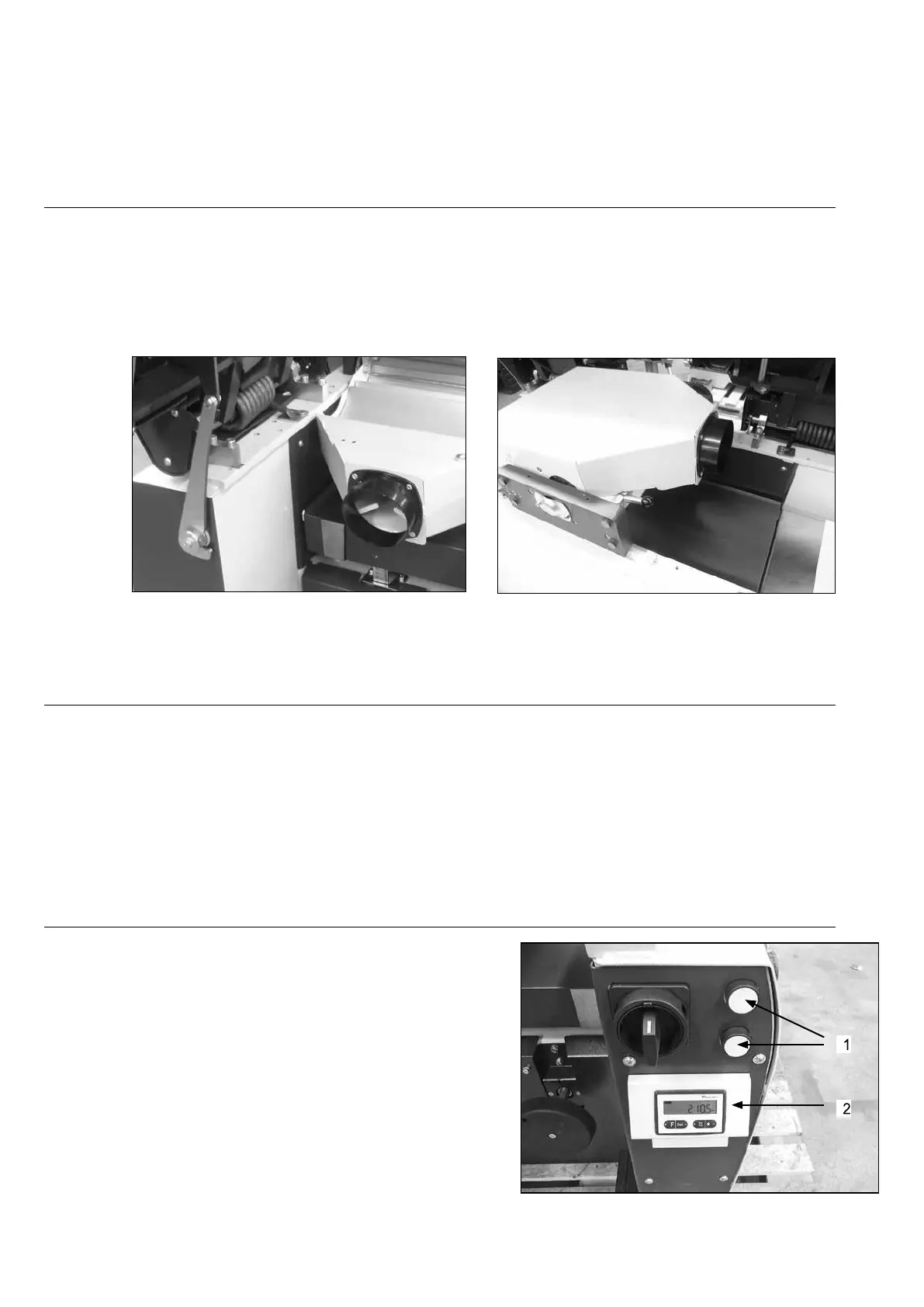
After unlocking both handles, both tables can be opened simultanious.
Open the tables far enough so the safety device can lock the tables (fig.10).There is a limit so
the tables can’t flip over.
Flip the thicknessing guard and lock it.
An electrical contact prevents the machine from starting if the guard is in planing position.
Fig.10 Fig.11
Safety instructions planer
Always make sure there is no tool left in the mortising chuck before starting up the planer-thicknesser.
Check very carefully whether the planer knives are well positioned and fastened. If this is not the case,
they will come off when the machine is started, which could lead to serious injuries
for the operator and will damage the machine.
Adjusting the cut of depth on
the thicknesser (Fig.12)
The adjustment of the depth of cut is made by pushing both
push buttons (1) for the rise and fall of the bed. The height
position of the thicknesser bed kan be read at the digital
read out (2).
Fig.12


 To Next Page