55
What to do
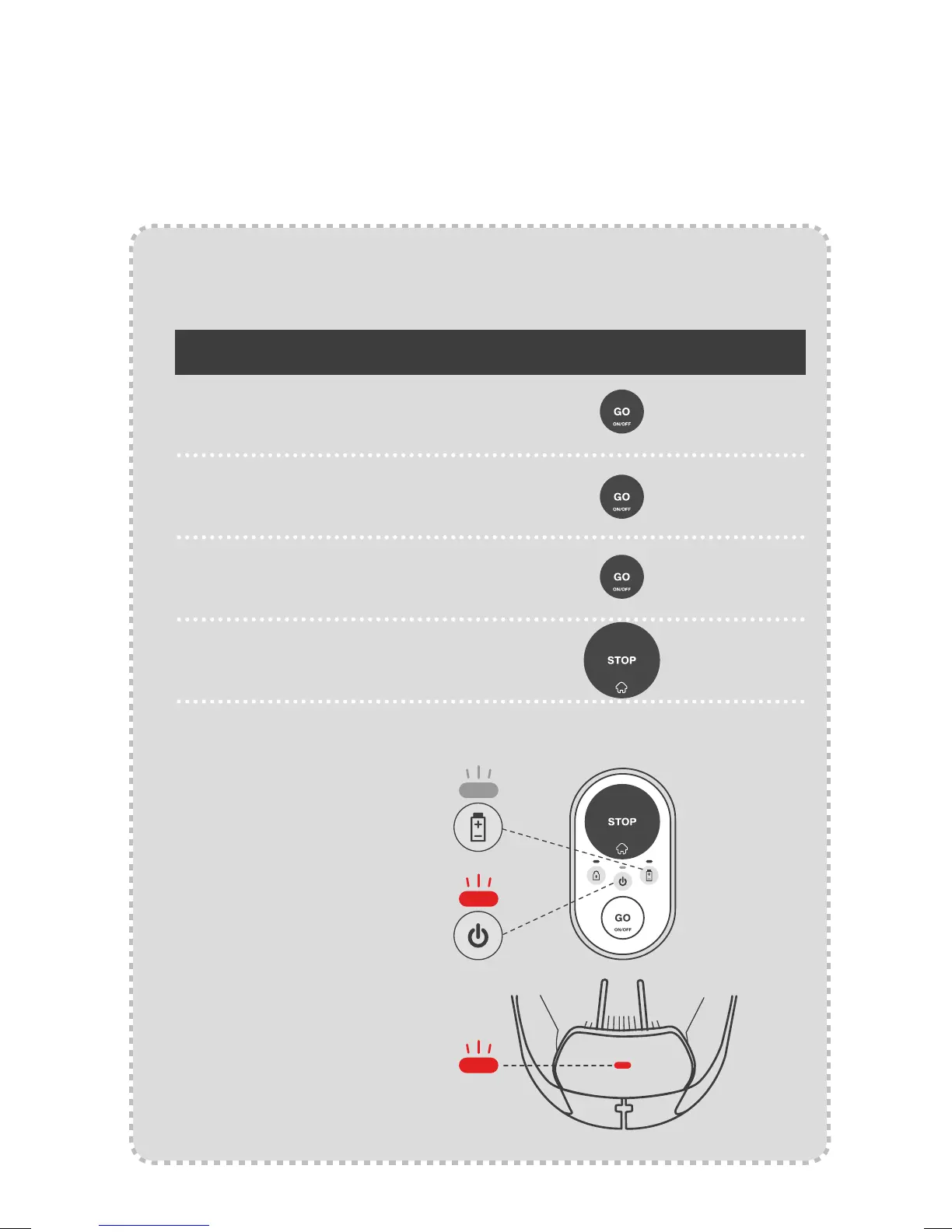
Switch ON/OFF
Send the mower to
the Base Station
Blinking green: The mower is
charging in the Base Station.
Blinking red: There is a fault;
go to the“Troubleshooting”
section of this guide or
connect with the mobile app
for more information.
Blinking red fast: The
perimeter wire is cut.
Check the Perimeter Wire’s
connection to the Base
Station. Refer to our online
Help Center for assistance on
finding a wire break.
Start regular mowing
operation (up to 2 hours)
Start short mowing
opration (60 min)
Hold
Press
Press
Press
for 2 seconds
when idle
once
twice
How to do it
Appendix C
Operating basics
Common indications:
Red
Red
Green



 To Next Page