06
C2
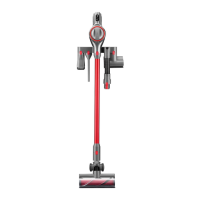
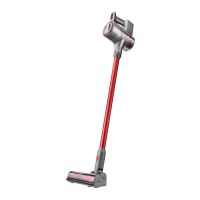
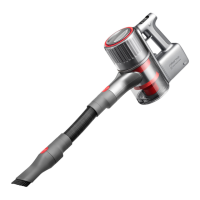
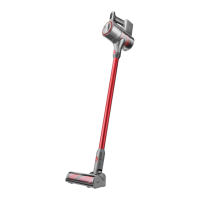
Usage Scenarios for
Cleaning Heads
The vacuum cleaner can be charged using
either the power supply or charging dock.
Notes:
•
Before initial use, please fully charge the main unit. After
the battery is fully charged, the main unit goes to sleep
and all three battery level indicator lights turn off.
•
After using Max mode for a long time, the battery will
get hot. Thus, it may take longer for the battery to
charge. It is recommended that you let the machine
cool down for 30 minutes before charging.
Instructions for Use
C
C1
Charging
C1-1—Charge with power supply
C1-2—Charge with charging dock
Precautions
1. When using the multi-surface brush or
motorized mini-brush on the vacuum
cleaner, the surfaces of some fabrics may
become fuzzy or exhibit resistance. In such
cases, it is recommended to use the 2-in-1
cleaning head to vacuum these surfaces.
2. Before vacuuming polished surfaces
(shiny wooden flooring or glazed tiles),
check if there are objects in the multi-
surface brush (especially the cleaning
head) to avoid scratching the floor.
3. Before using the vacuum cleaner, make
sure that the dustbin, multi-cyclone
assembly, front filter, and rear filter are
properly installed.
4. Do not block the exhaust port when vacuuming.
5. The vacuum cleaner is only suitable for
vacuuming small amounts of fine dust,
such as flour and construction dust.
6. Do not use the vacuum cleaner to suck
up sharp objects, small toys, pins, paper
clips, etc. These objects can damage the
vacuum cleaner and the floor.
7. Pay attention to personal safety when
cleaning dangerous areas such as stairs
and windows.
8. Do not place the product on high places
such as desks and chairs or lean the
product against other objects to avoid
damage caused by it falling or tipping over.
9. The movement of the multi-surface brush
may result in an unevenly polished floor. To
remedy this, the floor can be wiped with a
damp cloth and polished with floor wax.
Auto Shutoff
1. If any of the spinning parts become stuck,
the product may power off automatically.
Clear the objects stuck in the parts to
continue using.
2. When the cleaning head motor gets too
hot, it will automatically power off. Please
wait until the temperature returns to
normal before continuing use.
•
Be aware of sharp objects when cleaning the roller.
•
If tangled objects cannot be cleared, please refer
to the "Cleaning Head Rollers" section of Routine
Maintenance to remove the roller for cleaning.
Notes:
Clearing Objects Tangled in Rollers
1. If any electric cleaning head gets clogged
with large objects or tangled with long
fibers, the roller may stop working. In
such cases, prompt cleaning is required.
2-in-1 cleaning head
Motorized mini-brush
Multi-surface brush
C2-1—
C2-2—
C2-3—
It is suitable for cleaning dust in
narrow spaces such as door/window/
wall corners, stairs, as well as dust on
sofas and tabletops.
It is suitable for cleaning dust and
mites on textile products such as
beds, curtains, etc.
It is suitable for cleaning tiles, floors,
and low-pile carpets with fibers
shorter than 2.5 cm (0.98 in).
To prevent scratching the fabric surface, do not
use the motorized mini-brush on leather, leathaire, or
silk materials.
Note:
Note: In Standard mode, the multi-surface brush will
engage Carpet Boost mode to increase suction power
when used on carpet surfaces. It will automatically
switch back to Standard mode after leaving the carpet.
2. Before cleaning the roller, make sure that
the cleaning head has been detached
from the main unit. Avoid accidentally
turning the vacuum cleaner on and
causing injuries.


 To Next Page