Kobuki Turtlebot II. User’s Manual
Then execute joystick node:
$> rosrun ps3joy ps3joy_node.py
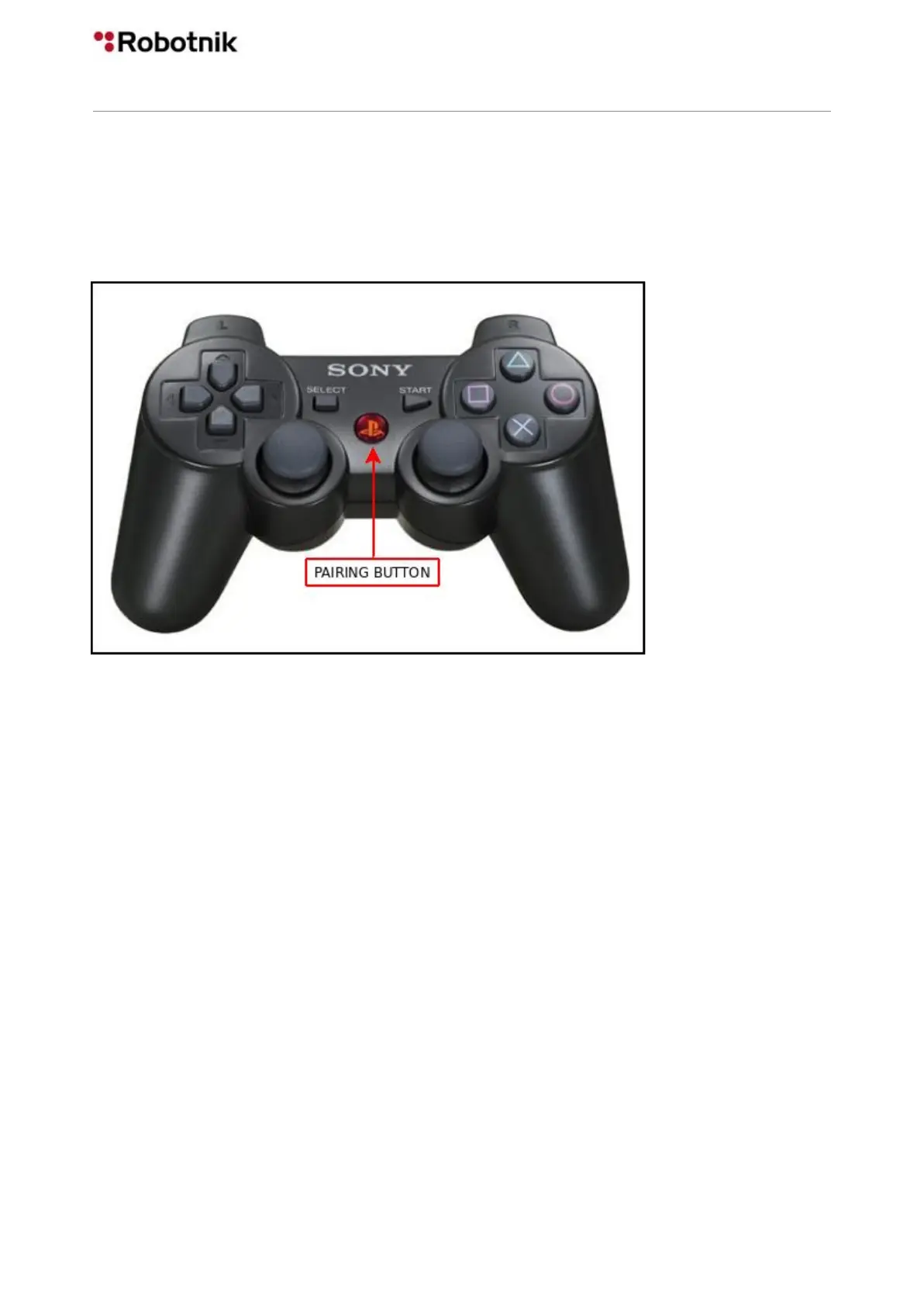
Unplug the joystick and press pairing button.
Execute turtlebot_teleop:
$> roslaunch turtlebot_teleop ps3_teleop.launch
Moving left analog joystick and L1 pressed kobuki should move now.
5.3.2 PS4 gamepad
It’s necessary to make some changes in the launch file (this assumes that you are
modifying the launch file from the original ps3_teleop.launch instead of the one used for
PS3):
In /opt/ros/kinetic/share/turtlebot_teleop/launch/ps3_teleop.launch, change the following
lines from:
<param name="axis_deadman" value="10"/>
<param name="axis_angular" value="0"/>
to:
<param name="axis_deadman" value="5"/>
<param name="axis_angular" value="2"/>
33



 To Next Page