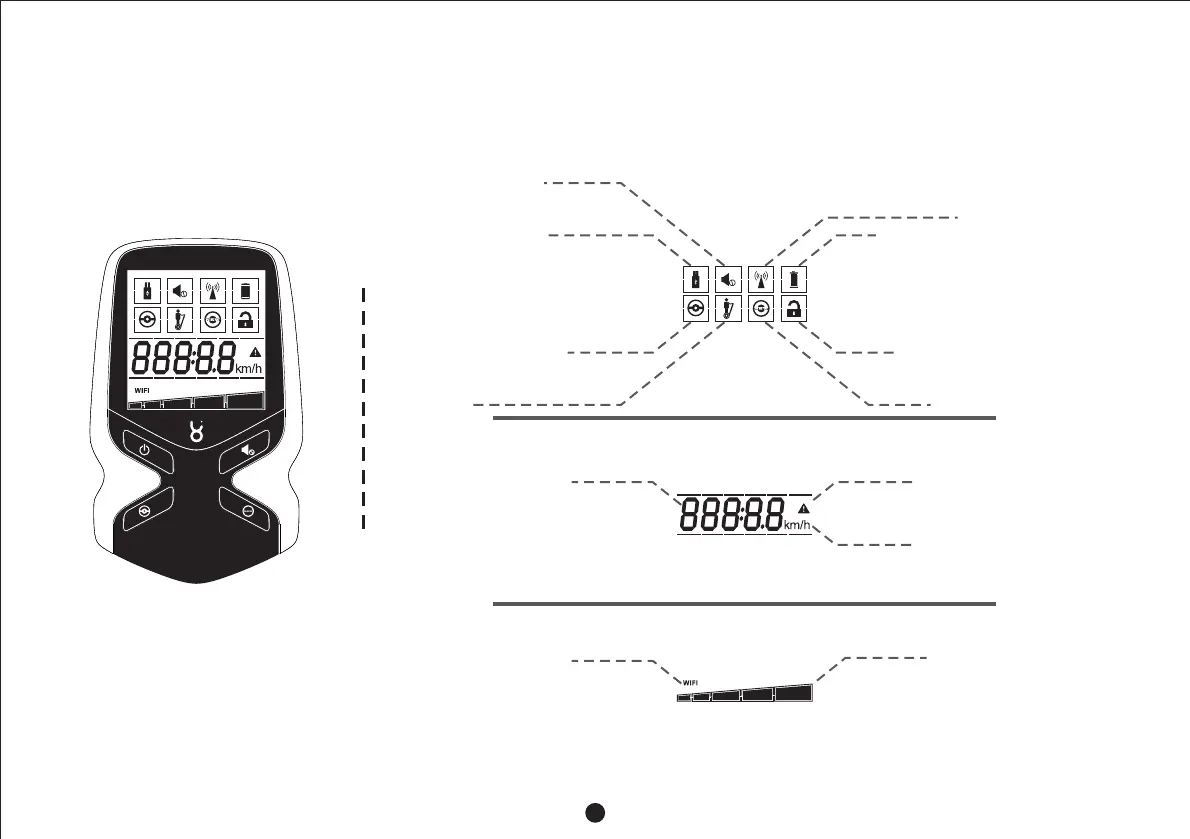
3.3 Detailed Description on Screen of Remote Controller
Screen of the remote
controller
◆ Indicator of remaining
capacity of the
transporter body
◆ Indicator of WIFI connection (you can control the
transporter body by a mobile device if it flashes)
◆ Numerical display (representing the
information depending on units)
◆ Indicator of units ( representskm
the driving distance, and km h/
represents the driving speed)
◆ Indicator of faults of
transporter body
◆ Indicator to mute
transporter body
◆ Indicator of USB charging
of the remote controller
◆ Indicator of normal mode
◆ Indicator of man-riding
◆ Indicator of connection between the
remote controller and the transporter
body (it flashes for connecting, and
stops flashing for a successful
connection)
◆ Indicator of remaining capacity of the
remote controller
◆ Indicator of locking
◆ Indicator of beginner mode
5



 To Next Page