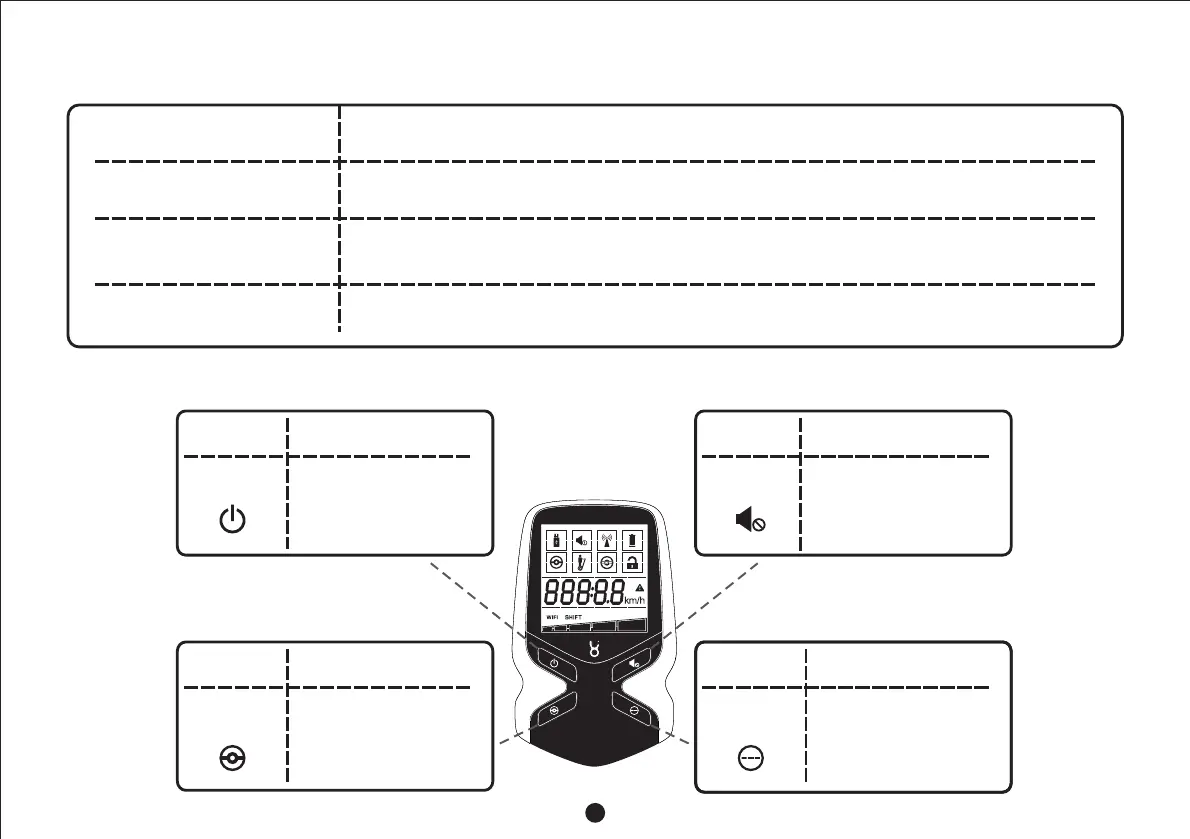
3.4 Introduction to Working Modes of Transporter Body
Beginner Mode
Assistant Mode
Sleep Mode
Normal Mode
The mode is suitable for beginners, and has the speed limit of 5 and stablekm/h
balance
The mode is suitable for situations that the user is not riding or the road is bad for riding, and
Robstep M2 assists the user when the user tows it.The transporter body automatically exits
the mode after idling for 10 seconds
Under the mode, the system is powered off. To activate please press theRobstep M2,
startup button on the back of the transporter body
The mode is suitable for skilled users, and has the speed limit of 15 andkm h/
high steering sensitivity
3.5 Description on Key Functions of Remote Controller
◆ Hold down the key for 4 seconds
to power off the remote controller
◆ Press the key to power off the
transporter body
Power-off
Key
Name Function
◆ Hold down the key for 4 seconds
to start the remote controller
◆ Press the key to start the
transporter body and enter the
normal mode
Startup Key for
Normal Mode
Name
Function
◆ Hold down the key to mute or
unmute the transporter body
(prompts such as errors, warnings,
etc. will not be mute)
Mute Key
Name
Function
◆ Press the key to start the
transporter body and enter the
beginner mode when the
transporter body is powered off
◆ Press the key to turn on or off the
headlamp when the transporter
body is started up
Startup Key for
Beginner Mode
Name
Function
◆ Press the key to honk when the
transporter body is started
6



 To Next Page