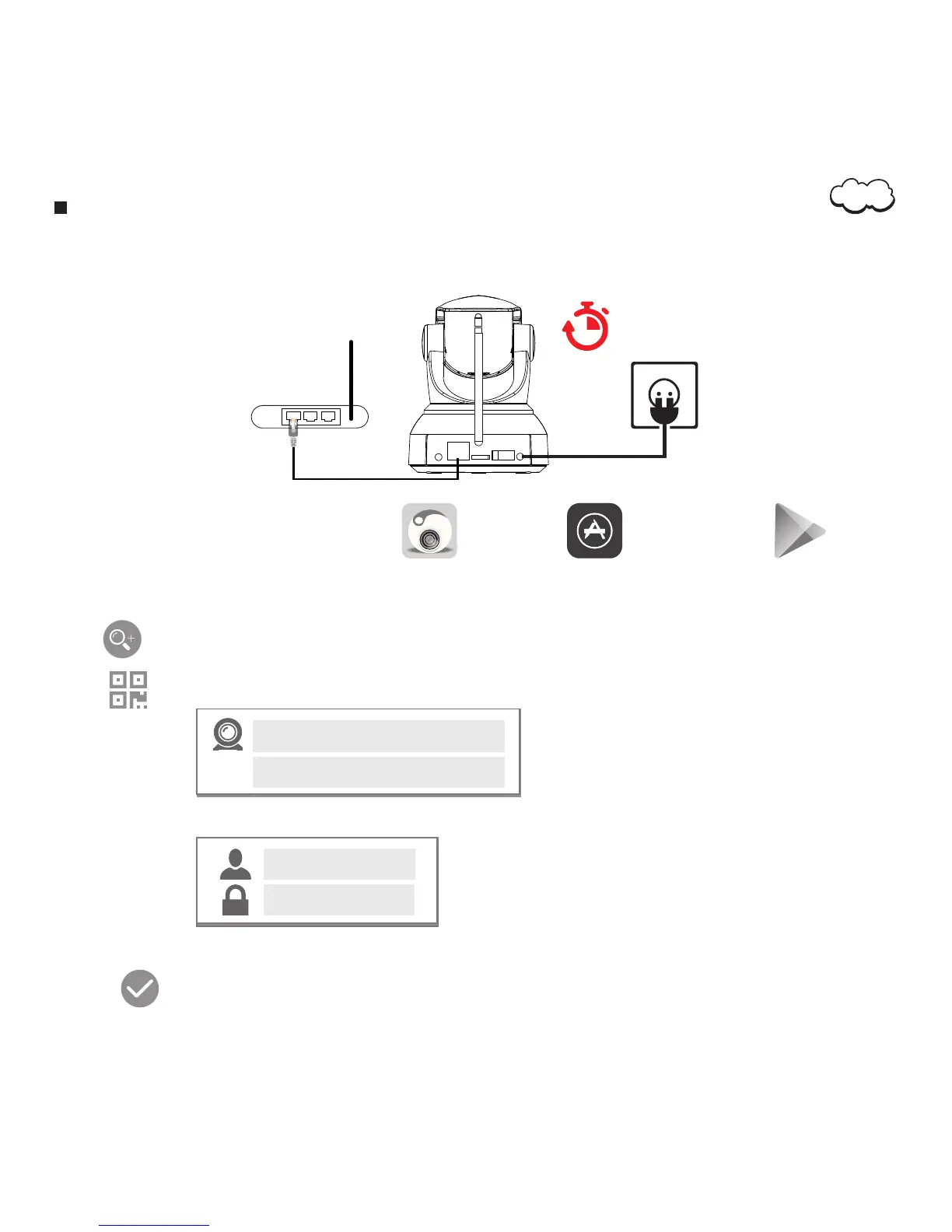
Installation Guide Under Ethernet Cord Mode
1. Plug in Ethernet cord to your router's LAN port and the Camera's Ethernet Cord Port.
2. Plug in the power adapter and wait for 60 seconds.
60 sec
4. Open the application.
5. Tap to add the IP Camera.
6. Tap to scan the QR code at the bottom of the Camera.
Make sure your smartphone or table is connected to the same network as your Camera.
3. Download and setup ‘ROCAM’ application in App Store or on Google Play .
IP Camera
UID
AAAA-XXXXX-XXXX
7. Enter the standard login:
admin
admin
10. Tap
You have now successfully added your Camera to your personal network.
The original password is admin
04


 To Next Page