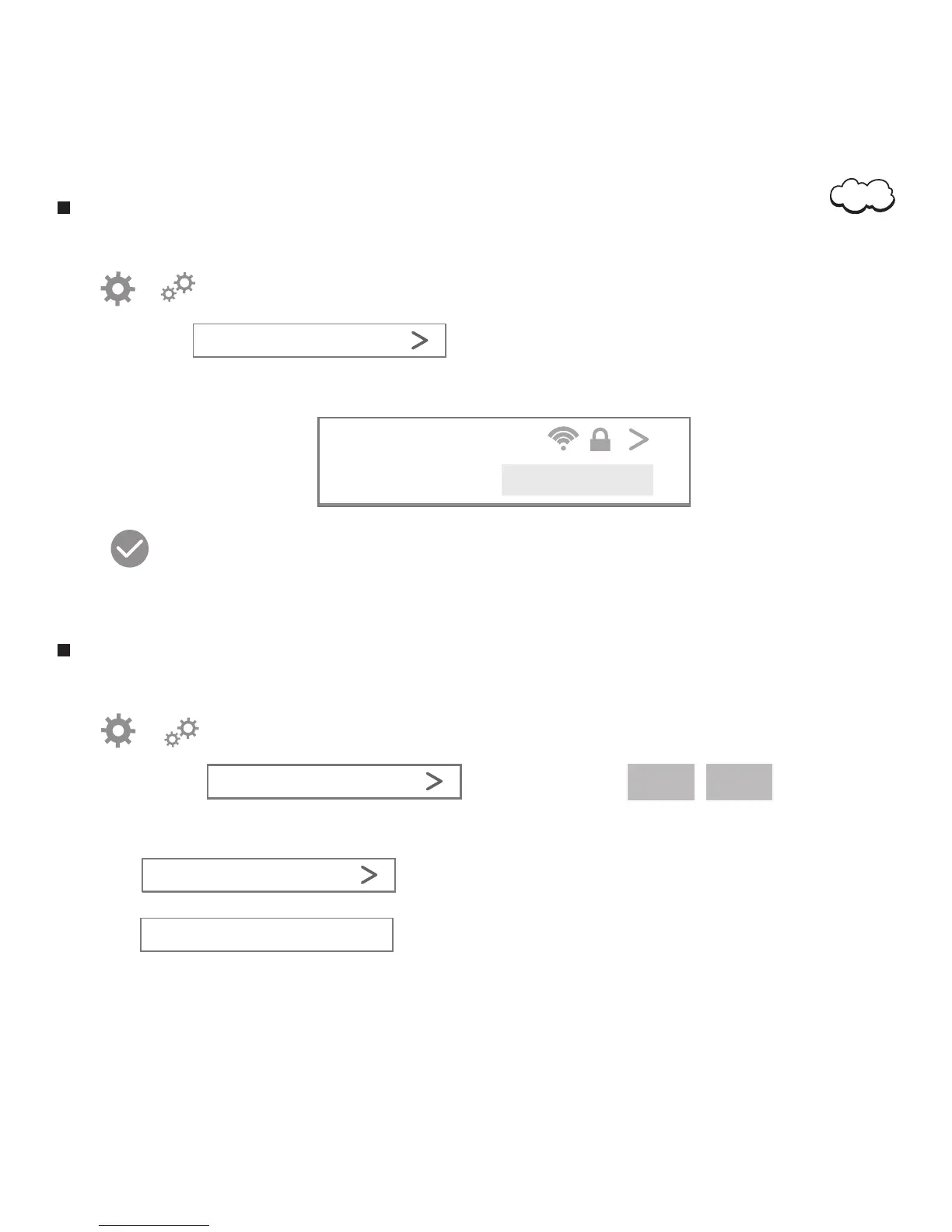
WiFi Connection Setting
2. Tap or to access the monitor setting menu.
3. Choose ‘WiFi’ .
4. In the ‘Wi-Fi’ interface, find the SSID of your router, and connect it by inputting the correct password.
5. Tap
Camera will reboot and now you could remove the ethernet cable. Camera will connect to your WiFi network.
1. Open the application.
WiFi
Resolution Parameter Setting
2. Tap or to access the monitor setting menu.
3. Tap ‘Resolution’. You can configure
4. You can configure Video Quality and Frame Rate:
1. Open the application.
XXX-WiFi
WiFi Password
Resolution
Live view
Full HD
Live view
SD
4.1 Tap to set Video Quality
Video Quality
4.2 Tap to input the value of FPS.
The larger value, The more smooth video.
Frame Rate 25FPS
06


 To Next Page