6
Your New System
1
Using the Meter Buttons
When instructed to press a meter button,
press it briefly and release it.
When instructed to press and hold a
meter button, press and hold it for 3 or
more seconds.
Button Functions
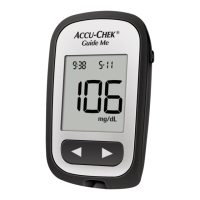
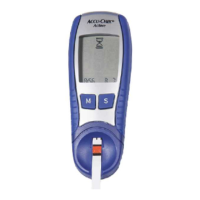
Here are the functions of the power/set
button and arrow buttons on the meter.
These functions are used throughout this
manual.
Button Function Action
[power/set
button]
Turn the meter on or o.
Navigate to an option or set a
selection.
Press and release.
Check the meter display.
memory
set-up
or
memory
set-up
With the meter o, press and hold
to see the complete meter display.
If one of the segments is missing or
looks dierent from this picture, do
not use the meter. Contact Roche.
[right arrow
and left
arrow
buttons]
Adjust settings for time and date and
scroll through test results in memory.
Press and release or press and hold
to scroll faster.
81383_09241493001_09241493001_01.indd 681383_09241493001_09241493001_01.indd 6 10/13/2020 2:44:10 PM10/13/2020 2:44:10 PM



 To Next Page
 Loading...