7Bluetooth Wireless Speaker | RF-SPX15
Back
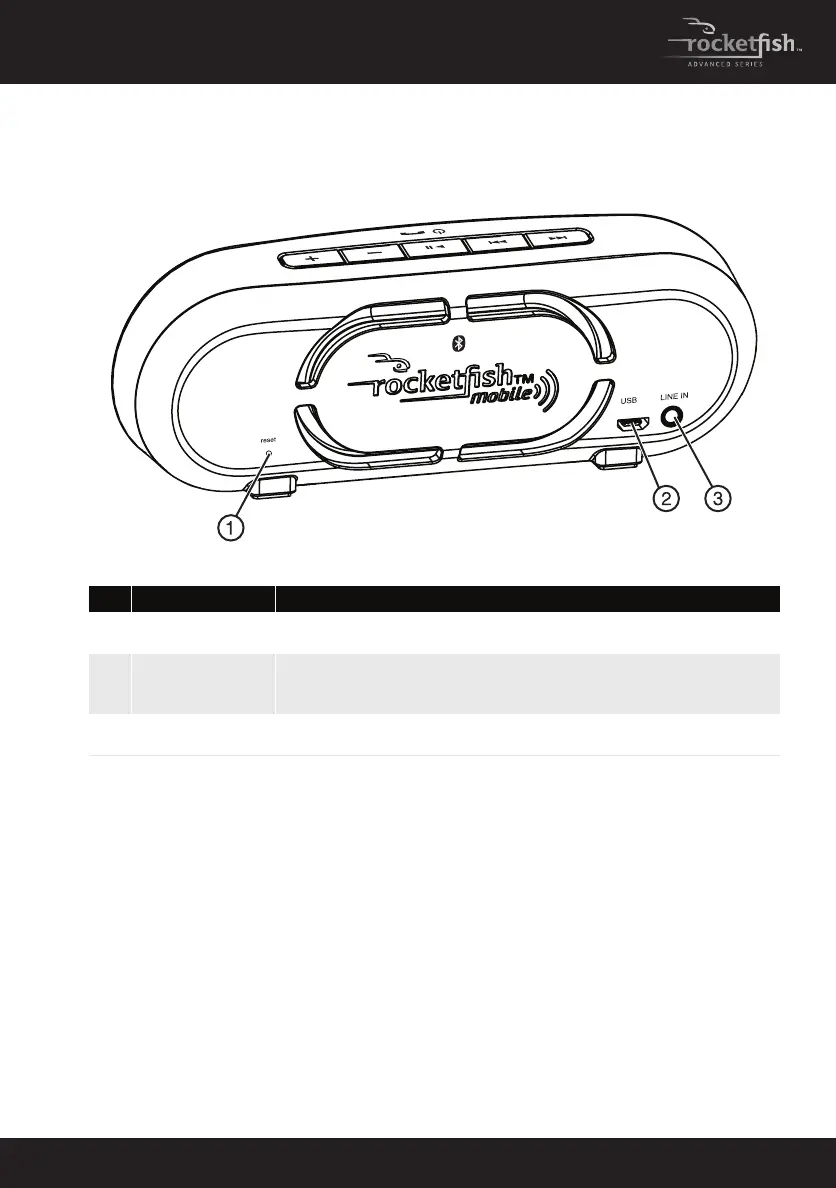
# Component Description
1
reset button • Insert a paperclip into the reset hole to press the reset button
inside the hole. Your speaker turns off and resets.
2
USB charging
connector
• Connect the USB charging cable to this connector and to a USB
power adapter or USB port on a computer to charge the
battery.
3
LINE IN jack • Connect an audio device, such as an MP3 player, to this jack
using a 3.5mm audio cable.
RF-SPX15_11-0753_MAN_V1_English.fm Page 7 Thursday, December 29, 2011 4:53 PM



 To Next Page