EasyManua.ls Logo

Rockville D14 - User Manual

Rockville D14
16 pages
Print Icon
To Next Page IconTo Next Page
Loading...
Question and Answer IconNeed help?

Do you have a question about the Rockville D14 and is the answer not in the manual?

Summary

Product Information and Support

Accessing Online Resources

Instructions to access online manuals, videos, and support via QR code or website.

Missing Items & Support Contact

Information on receiving missing items and customer support contact details.

Important Safety Instructions

Front Panel Features

Rear Panel Features and Setup

Rack Mounting Guide

Instructions for securely mounting the amplifier in a standard rack.

Amplifier Configurations

Mode and Filter Settings

Explanation of STEREO, BRIDGED/PARALLEL modes and Low Pass Filter.

Stereo Configuration Example

Parallel Configuration Examples

Parallel (Speakon to Speakers)

Diagram for parallel mono setup using Speakon outputs to passive speakers.

Parallel (Binding Posts to Speakers)

Diagram for parallel mono setup using binding posts to passive speakers.

Parallel (Subwoofers)

Diagram for parallel mono setup to passive subwoofers.

Bridged Configuration Example

Link Out Configuration Examples

Link Out to Active Subwoofer

Diagram showing signal from Link Out to an active subwoofer.

Link Out to Active Speakers

Diagram showing signal from Link Out to two active speakers.

Technical Specifications

Terminal Descriptions

Details on the types of input and output terminals available on the amplifier.

Troubleshooting Guide

Summary

Product Information and Support

Accessing Online Resources

Instructions to access online manuals, videos, and support via QR code or website.

Missing Items & Support Contact

Information on receiving missing items and customer support contact details.

Important Safety Instructions

Front Panel Features

Rear Panel Features and Setup

Rack Mounting Guide

Instructions for securely mounting the amplifier in a standard rack.

Amplifier Configurations

Mode and Filter Settings

Explanation of STEREO, BRIDGED/PARALLEL modes and Low Pass Filter.

Stereo Configuration Example

Parallel Configuration Examples

Parallel (Speakon to Speakers)

Diagram for parallel mono setup using Speakon outputs to passive speakers.

Parallel (Binding Posts to Speakers)

Diagram for parallel mono setup using binding posts to passive speakers.

Parallel (Subwoofers)

Diagram for parallel mono setup to passive subwoofers.

Bridged Configuration Example

Link Out Configuration Examples

Link Out to Active Subwoofer

Diagram showing signal from Link Out to an active subwoofer.

Link Out to Active Speakers

Diagram showing signal from Link Out to two active speakers.

Technical Specifications

Terminal Descriptions

Details on the types of input and output terminals available on the amplifier.

Troubleshooting Guide

Overview

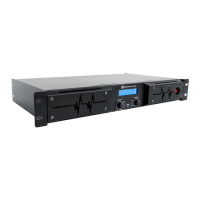
The Rockville D14 is a 7000-watt professional rack amplifier designed for audio amplification in various settings. It serves as a central component in a sound system, taking an input audio signal and amplifying it to drive passive speakers or subwoofers. The amplifier is built for standard 19-inch rack mounting, requiring a 2U rack space, and is designed for indoor use.

Function Description

The primary function of the Rockville D14 is to amplify audio signals. It operates as a 2-channel power amplifier, capable of delivering substantial power to connected speakers. The amplifier supports multiple operational modes: Stereo, Parallel, and Bridged.

In Stereo mode, the amplifier receives a full-range signal and outputs distinct left and right signals. Each channel operates independently with its own level control. This mode is ideal for driving two or four full-range speakers in a traditional left/right stereo configuration. The minimum speaker impedance in stereo mode is 4 ohms per channel.

In Parallel mode, the channels are internally connected, and Channel A serves as the dedicated input. The signal input to Channel A is fed as a mono signal to both channels. This mode is useful for applications where a dual mono output signal is desired, such as for monitor use, ensuring all sounds come out of each speaker. The minimum speaker impedance in parallel mode is 4 ohms.

In Bridged mode, the amplifier functions as a single-channel mono amplifier. The power from both channels is combined into one channel, with Channel A acting as the input. The mono signal from Channel A is then routed to the Channel A Speakon output or the Channel A positive binding post output and the Channel B negative binding post output. This mode is primarily used for connecting subwoofers, as it delivers maximum power to a single load. When bridging, the minimum impedance is 8 ohms.

The D14 features an 80Hz Low Pass Filter (LPF), which can be switched on or off. When the LPF is on, the amplifier will only pass frequencies below 80Hz, making it suitable for driving subwoofers. When the LPF is off, the amplifier operates with a full-range frequency response, ideal for full-range PA speakers.

Usage Features

The front panel of the D14 provides several controls and indicators for easy operation and monitoring:

  • LCD Screen: This screen displays crucial information for each channel, including the signal level in decibels and the operating temperature. This allows users to monitor the amplifier's performance at a glance.
  • Signal Level Adjustment Knobs (Channel A and B): These knobs control the level of the incoming signal for each channel. They display the actual voltage attenuation in decibels. If the Clip LED remains on for more than 5 seconds, indicating a strong input signal that could lead to distortion, users should turn the knob counterclockwise to reduce the level.
  • Channel LEDs (Clip, Signal, Protect):
    • Clip LED: Illuminates when the amplifier's output is within 3dB of clipping. Occasional blinking is acceptable, but continuous illumination for more than 5 seconds suggests the need to reduce input levels to prevent audible distortion.
    • Signal LED: Indicates the presence of an input signal greater than 100mV.
    • Protect LED: Lights up if there is an output connection short, the load impedance is too low, or an internal malfunction occurs, signaling that the amplifier is in protection mode.
  • Power LED: Simply indicates that the amplifier is turned on.
  • Power On/Off Switch: Controls the main power to the unit.

The rear panel offers a comprehensive set of input and output connections:

  • AC Power Input: Accepts 100-240V/50-60Hz power.
  • XLR Link Out (Channel A/B): These outputs allow the full-range signal from the main amplifier to be sent to a secondary amplifier, a powered subwoofer, or powered PA speakers, facilitating system expansion.
  • Binding Post/Banana Plug Outputs (Channel A/B and Bridged): These provide flexible connection options for passive speakers and subwoofers, supporting both individual channel outputs and a bridged output.
  • Speakon Outputs (Channel A/B and Bridged): Speakon connectors offer secure and reliable connections for speakers, particularly in professional audio environments.
  • XLR/1/4" TRS/TS Combo Inputs (Channel A/B): These versatile inputs accommodate various audio sources, including mixers and other line-level devices, using either XLR or 1/4-inch TRS/TS cables.
  • Mode Switch (Stereo or Bridged/Parallel): This switch allows users to select the desired operational mode for the amplifier, adapting it to different speaker configurations.
  • 80Hz Low Pass Filter On/Off Switch: As mentioned, this switch enables or disables the LPF function, optimizing the amplifier for either subwoofers or full-range speakers.

The D14 also includes a built-in limiter to protect speakers from distortion and clipping, ensuring cleaner audio output and extending speaker lifespan. Its computer-controlled IC protection circuit safeguards against speaker short circuits, thermal overload, and DC overload, enhancing reliability and safety.

Maintenance Features

The Rockville D14 is designed with features that contribute to its longevity and ease of maintenance:

  • Built-in Automatic Variable-Speed High-Velocity Cooling Fan: This fan helps maintain optimal operating temperatures, preventing overheating and ensuring stable performance, especially during extended use. Proper ventilation is crucial, and the manual emphasizes ensuring that cooling fan vents are free of obstructions.
  • Rack Mounting: The amplifier is designed for standard 19-inch rack mounting, which helps organize and protect the unit within a professional audio setup. The manual suggests leaving at least 2 inches of space from the amplifier's sides to the rack's side wall and keeping the back of the rack open to ensure adequate cool air circulation. Supporting the rear of the amp is also recommended, particularly for mobile use, to mitigate the effects of strong vibrations.
  • Fuse Replacement: The manual advises replacing fuses only with ones of the same type, size, and rating, which is a standard maintenance practice for electrical safety and proper device function.
  • Power Cord Care: Users are instructed not to operate the unit if the power cord is frayed or broken and to avoid breaking off or removing the ground prong, as this is a safety feature against electrical shock and fire. Power supply cords should be routed to prevent them from being walked on or pinched, paying attention to the point of exit from the unit.
  • Storage: To avoid unnecessary wear and improve the unit's lifespan, it is recommended to unplug the unit when not in use for extended periods.
  • Troubleshooting Guide: The manual includes a troubleshooting section to help users diagnose common issues such as no power, no sound, or clipping lights, providing simple solutions that can often be resolved without professional assistance. For more complex issues, the manual recommends taking the unit to a qualified service technician, as there are no user-serviceable parts inside.

Overall, the Rockville D14 is a robust and versatile amplifier, offering powerful audio amplification with multiple configuration options and built-in protection features for reliable performance in various professional audio applications.

Rockville D14 Specifications

General IconGeneral
Signal to Noise Ratio>90dB
AmplifierClass D
InputRCA
Microphone InputNo
Impedance4 Ohm
Phase Shift0 or 180 Degrees
CoolingFan Cooled

Related product manuals