EasyManua.ls Logo

Rockville dB10 - User Manual

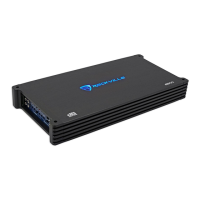
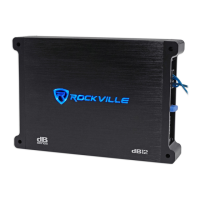
Rockville dB10
20 pages
Print Icon
To Next Page IconTo Next Page
Loading...
Missing items? If you ordered a bundle that includes more than one product and you are missing part of your bundle then it just means your
order shipped from two different warehouses. You will receive the remaining items very soon. If you have any concerns or inquiries, feel free to
call our customer support center at 646-758-0144, Monday through Thursday, 9am to 10pm EST, and Fridays, 9am to 3pm EST.
WHO READS MANUALS?
dB10/dB11
CLASS D MINI AMPLIFIERS
OWNER’S MANUAL
Instead, go to vimeo.com/showcase/8353919 (dB10) or
vimeo.com/showcase/8353919 (dB11) , or scan the QR
codes and watch short videos that show you how to set
these items up and how to use them.
If you prefer written instructions, please read ahead!
With Rockville you get many options.
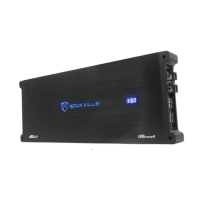
dB10
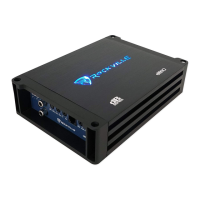
dB11

Questions and Answers

  • T
    Theodore WalshAug 15, 2025
    Why does my Rockville dB10 Amplifier go into protect mode?
    • J
      Jennifer JohnsonAug 15, 2025
      The Rockville Amplifier might enter protect mode due to several reasons. It could be due to a loose power or ground wire. Ensure these are tightly fastened. Also, verify that the positive and negative wires are correctly connected. Check your subwoofers are compatible and correctly wired. Inspect all speaker connections to ensure no wires are touching, and confirm that the speaker wires are connected to the correct terminals. Be sure to use the proper gauge wires. Disconnecting the speakers can help isolate the issue to the power, ground, or remote wire. If replacing the RCA cables causes the light to turn off, this will fix the problem. Finally, identify and replace any blown speakers and replace speakers with ones of the proper impedance.
  • M
    Matthew CunninghamAug 18, 2025
    What to do if my Rockville Amplifier won’t power on?
    • M
      Michelle HardinAug 18, 2025
      If your Rockville Amplifier isn't powering on, start by checking the external fuse to ensure it's properly seated and making contact. Replace the fuse if it's blown, but never use a higher value fuse. Ensure the power wire connection to the ring terminal is secure and free from corrosion; clean with a wire brush if necessary. Confirm the positive and negative wires are correctly connected and secure. Also, check the remote turn-on wire is securely connected to both the amplifier and the receiver. Connect the power wire to the +12V terminal of the amp, not the ground. Finally, verify all connections are tight.
  • C
    Christina ZimmermanAug 22, 2025
    How to fix distortion, background noise, crackling, or hissing in Rockville dB10 speakers?
    • K
      Kathy LozanoAug 22, 2025
      To address distortion, background noise, crackling, or hissing in your Rockville Amplifier speakers, start by running the RCA cable separately from your power cable. Check and tighten your ground connection. For engine noise, consider installing a ground loop isolator on the receiver’s power lead. To properly set your gain, play music and set the receiver volume to 75% – 80% of the max. Replace the RCA cables if needed, and use high-quality insulated speaker wire made for vehicle applications.
  • C
    Christopher NormanAug 25, 2025
    What to do if one channel on the Rockville dB10 Amplifier isn’t working?
    • J
      Judy RiosAug 26, 2025
      If one channel on your Rockville Amplifier isn’t working, test with a spare RCA cable. Ensure the amplifier is plugged into the red and white pre-amp output. Enable front, rear, and sub preamp outputs. Check that the speaker wire is securely tightened into the speaker and amplifier terminals. Make sure the positive speaker wire is connected to the positive terminal on both the speaker and amp, and the negative to the negative. Also, verify the amplifier's gain is turned up.
  • E
    Erica ProctorAug 28, 2025
    Why is my Rockville dB10 clipping?
    • J
      Jonathan KeyAug 28, 2025
      Amplifier clipping in your Rockville system can occur for several reasons. It may be that your speakers or subwoofers are too powerful for the amplifier; check compatibility and replace if necessary. Ensure the speakers/subs are wired at the correct impedance. To properly set your gain, turn your receiver volume to 75% of the max, and then slowly turn your gain up. Check your ground connection and make sure that the cable is securely tightened. Determine the proper wire gauge necessary and replace existing wires. Lower one or two of those devices to stop the amp from clipping.
  • K
    Kathy MitchellAug 31, 2025
    What to do if my Rockville Amplifier keeps blowing fuses?
    • R
      ramosbrianSep 1, 2025
      If your Rockville Amp keeps blowing fuses, insert a good, properly rated fuse with your head unit—and amplifier—turned off. If the fuse blows immediately, there might be a short in the power cable between the main fuse and the distribution block. If both sides of the main fuse have power, and one side of the distribution block has power, but the other side of that fuse is dead, then you’re either dealing with a shorted power wire or an internal amplifier fault. If it does, then the problem is in the power wire, and replacing it will most certainly fix your problem. If the fuse blows when the amp is turned up, rewire to achieve proper impedance, or replace the subwoofers with compatible ones.
  • K
    Kelly BrownSep 4, 2025
    Why is the sound too low on my Rockville dB10 Amplifier?
    • R
      robertloweSep 4, 2025
      Low sound from your Rockville Amplifier can result from wiring at too high of an impedance; properly wire your speakers/subs to the amplifier. Check the gain level on the amp and increase it if needed. Replace power and ground wires that are too thin. Ensure the positive and negative speaker wires are not reversed. You may need to filter out more high frequencies. Navigate to the audio settings, and search for subwoofer level controls. If this is the case, consider upgrading to a more powerful amplifier.
  • L
    Latoya WeberSep 7, 2025
    Why does my Rockville dB10 get very hot?
    • P
      pwilsonSep 7, 2025
      A Rockville Amplifier might overheat if the impedance is very low or if the subwoofer requires more power than the amp can provide. Ensure the amp runs at the proper impedance and use compatible subwoofers. Also, check and tighten the ground connection. Ensure the amplifier has proper ventilation.
  • A
    April JohnsonSep 12, 2025
    Why doesn't my Rockville Amp or powered sub turn off with the vehicle?
    • M
      Matthew OrtizSep 12, 2025
      If your Rockville Amp or powered sub doesn't turn off with the vehicle, it might be because the remote turn-on wire is connected to a constant 12V power wire. Plug the amplifier’s remote turn-on wire into the proper remote turn-on terminal of your receiver’s wire harness. Also, ensure the remote turn-on wire is not touching the power wire when inserted into the amplifier terminal.

Summary

Important Safety Instructions

Installation

Wiring

Settings

Input Configurations

Output Configurations

Features

POWER AND PROTECTION CIRCUITRY

Description of the amplifier's protection features and status LEDs.

Specifications

Troubleshooting

Amp goes into protect mode

Causes and solutions for the amplifier entering protect mode.

Amp wont power on

Troubleshooting steps for an amplifier that does not power on.

Power but no sound

Diagnosing and fixing issues when the amplifier has power but no sound output.

Amp is clipping

Identifying and resolving amplifier clipping issues.

Distortion, background noise, crackling, or hissing in the speakers

Troubleshooting audio noise and distortion problems.

Sound is too low

Diagnosing and fixing low sound output from the amplifier.

Rockville dB10 Specifications

General IconGeneral
S/N Ratio>90dB
Subsonic Filter50Hz
LPL (Low Pass Crossover)50Hz
Bass Boost0dB - 12dB
Input Sensitivity0.2V - 6V
Phase Control0 or 180 Degrees

Related product manuals