16ROCSTOR‐ROCPRO850usermanual
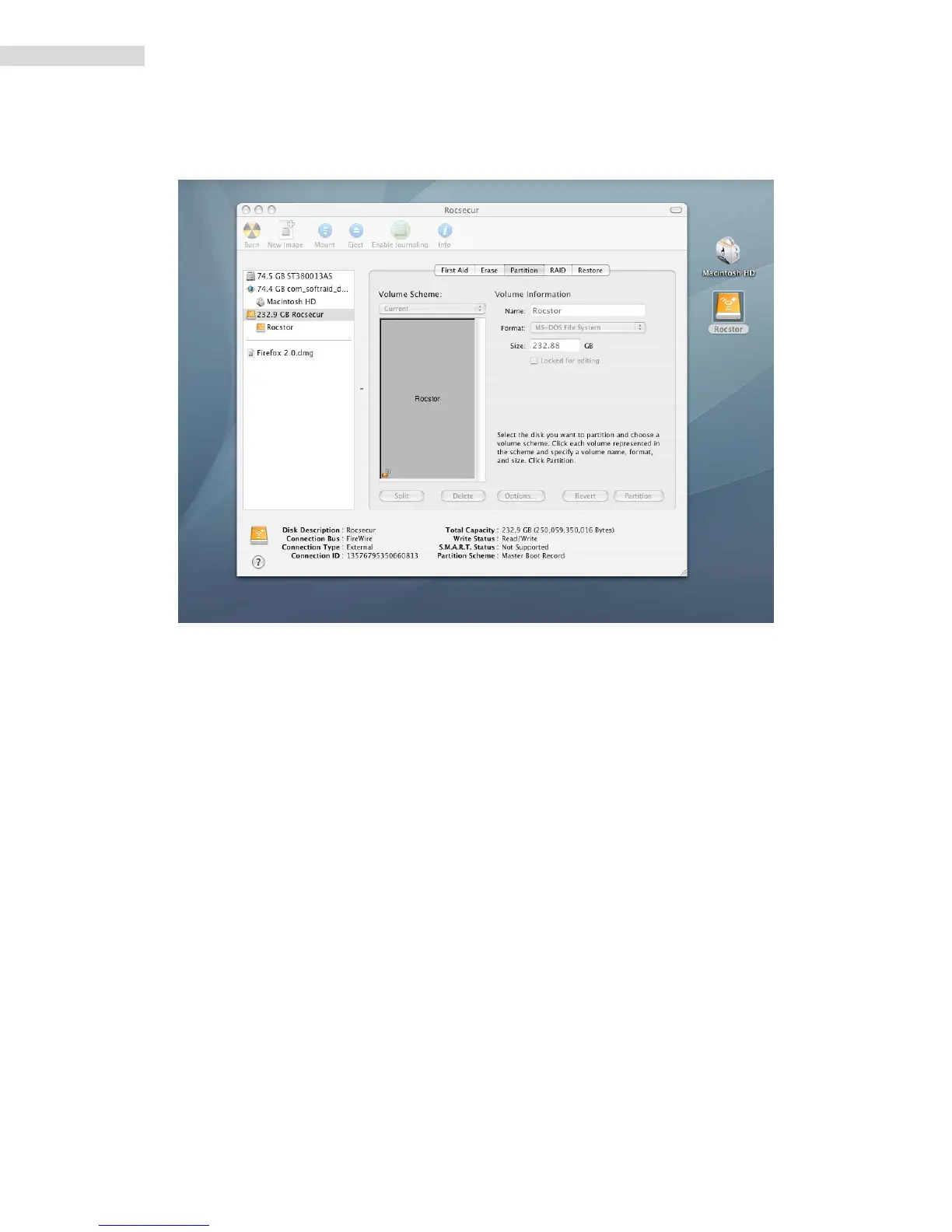
7. Ontheleftsideofthe“DiskUtility”menuisalistofavailabledrives.Onewillbethe
Rocstordrive.Clickontheiconshowingthediskcapacity.
8. YouarenowintheRocportmenu.Clickonthe“Partition”tabandthenclickthe
“Current”tabunder“VolumeScheme.”Adropdown“Partition”menuwillappear.
9. Inthe“Partition”menu,youmayselectanynumberofpartitionsavailableunder
“VolumeScheme.”
10. IfyouareusingPantherproceedto#13below.













 To Next Page