24ROCSTOR‐ROCPRO850usermanual
INSTRUCTIONSFORPARTITIONINGANDFORMATINGFROMFAT32toNTFS
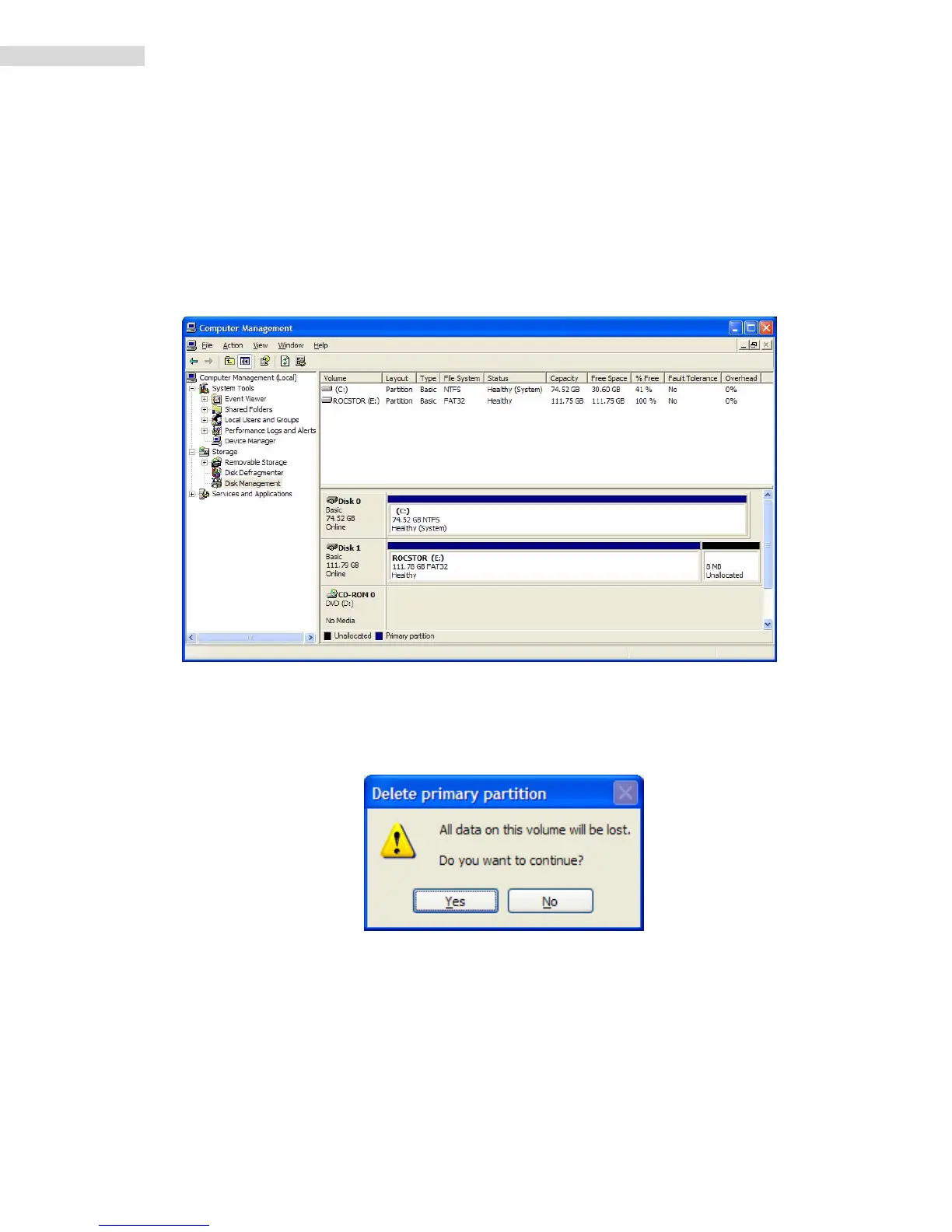
1. Inthe“DiskManagement”window,rightclicktheRocstordriveinthe upper portionofthe
menutohighlightit.Inthedropdownmenu,select“DeletePartition.”
WARNING:FormattingandPartitioningtheRocproDrivewilldestroyallofitsdata.Toprotect
yourdata,backitupbeforeformattingorpartitioningthisdevice.
2. Thenextwindowis“Deleteprimarypartition.”ClickonYes.
3. AtthispointtheRocstordrivewillnotshowuponthe“DiskManagementVolume”
windowintheuppermenu.













 To Next Page