8ROCSTOR‐ROCPRO850usermanual
QUCIKINSTALLATION
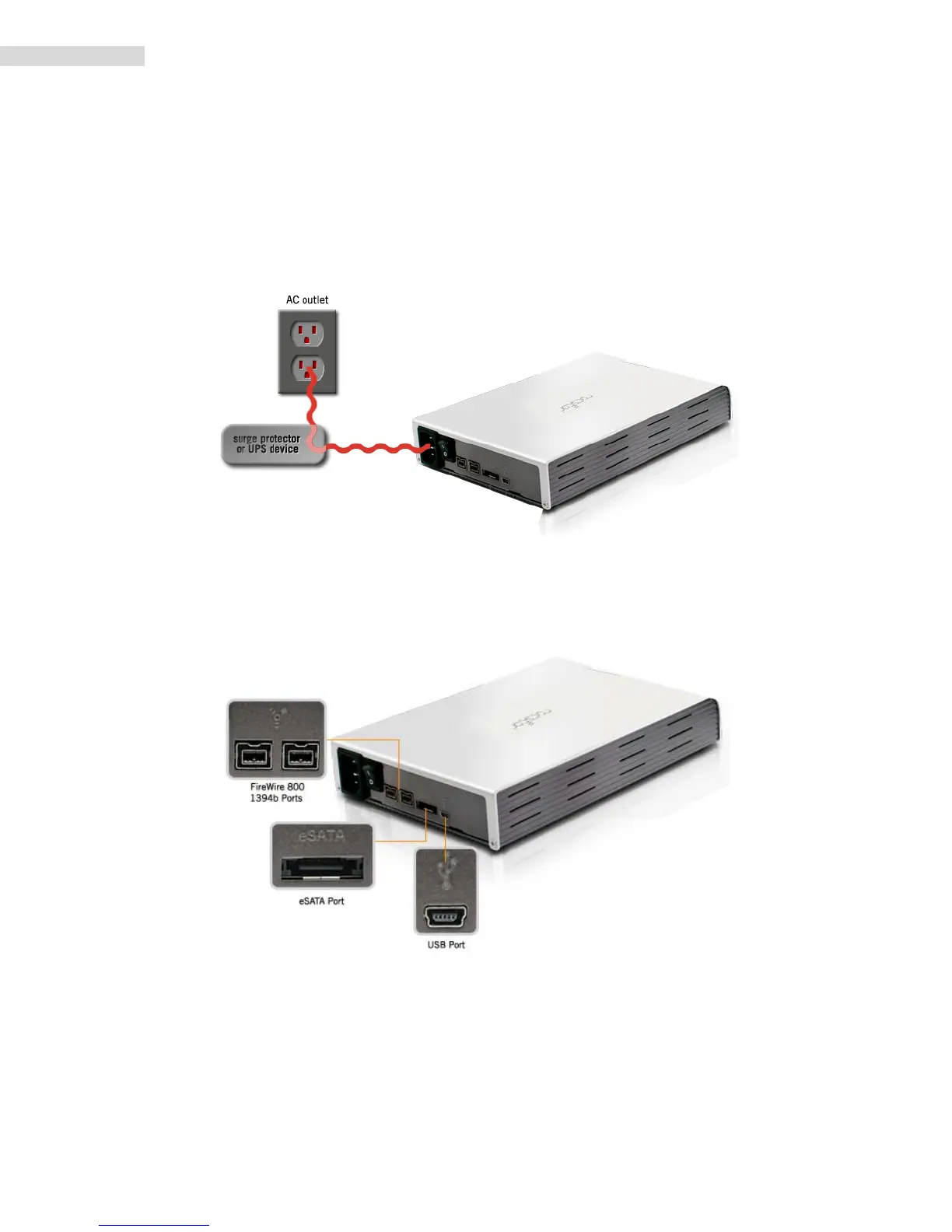
HowtoConnecttheInterfaceCables‐ConnectingtheDrive
1. TurnONyourcomputerandwaituntilitfullybootsuptoloadallprograms.
2. ConnectoneendofthepowercorddirectlytotheRocpro850andtheotherendtoanAC
outlet,surgeprotectororbatteryBackup(UPS).
3. Usingonlyoneinterfacecableatatime,selecttheinterfaceportyouwishtouseonyour
computer. Connect one end of the cable to the Rocpro 850 and the other end to the
computer.Pleasereviewcabletypesonthenextpage:
4. TurntheRocpro850HardDriveswitchON.
5. The Hard drive is preformatted for Plug‐and‐Play operation. After a few seconds a
RocstorHDiconwillshowonthe“MyComputer”folderundertheWindowsOS.Under
theMacOS,theRocportHDwillappearonthe“Desktop.”
6. Click(doubleclick)ontheRocstorHDicontoaccessthedrive.













 To Next Page