- 5 -
Features
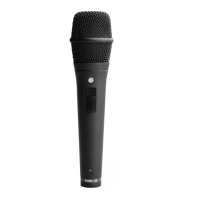
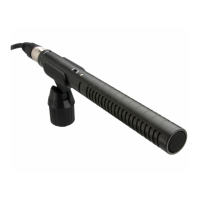
• Feedback rejecting super-cardioid pick up pattern
• Locking on/off switch
• Heavy-duty metal body
• High level of RF rejection
• Designed & manufactured in Australia
• Full 10 year guarantee*
Using the M2
• The M2 requires a power supply which for
optimum results should be a ‘P48’ standard,
48 Volt DC Supply.
Most professional mixing consoles have an internal
48 V supply; alternatively you can purchase a
separate supply. Ensure that the power supply you
use is a professional unit that is operating correctly.
Damage due to connection of the M2 to a faulty
power supply is not covered by the warranty.
• The M2 comes complete with a microphone
stand-mount (RM1). This should be used to attach
the microphone to a good quality stand.
The stand-mount includes a thread adaptor
allowing connection to either 3/8” or 5/8”
stand thread.
• Always use a high quality microphone cable and
ensure that it is wired Pin 1 screen, Pin 2 (+), Pin 3 (-).
*Online product registration required.



 To Next Page