Firmware update procedure
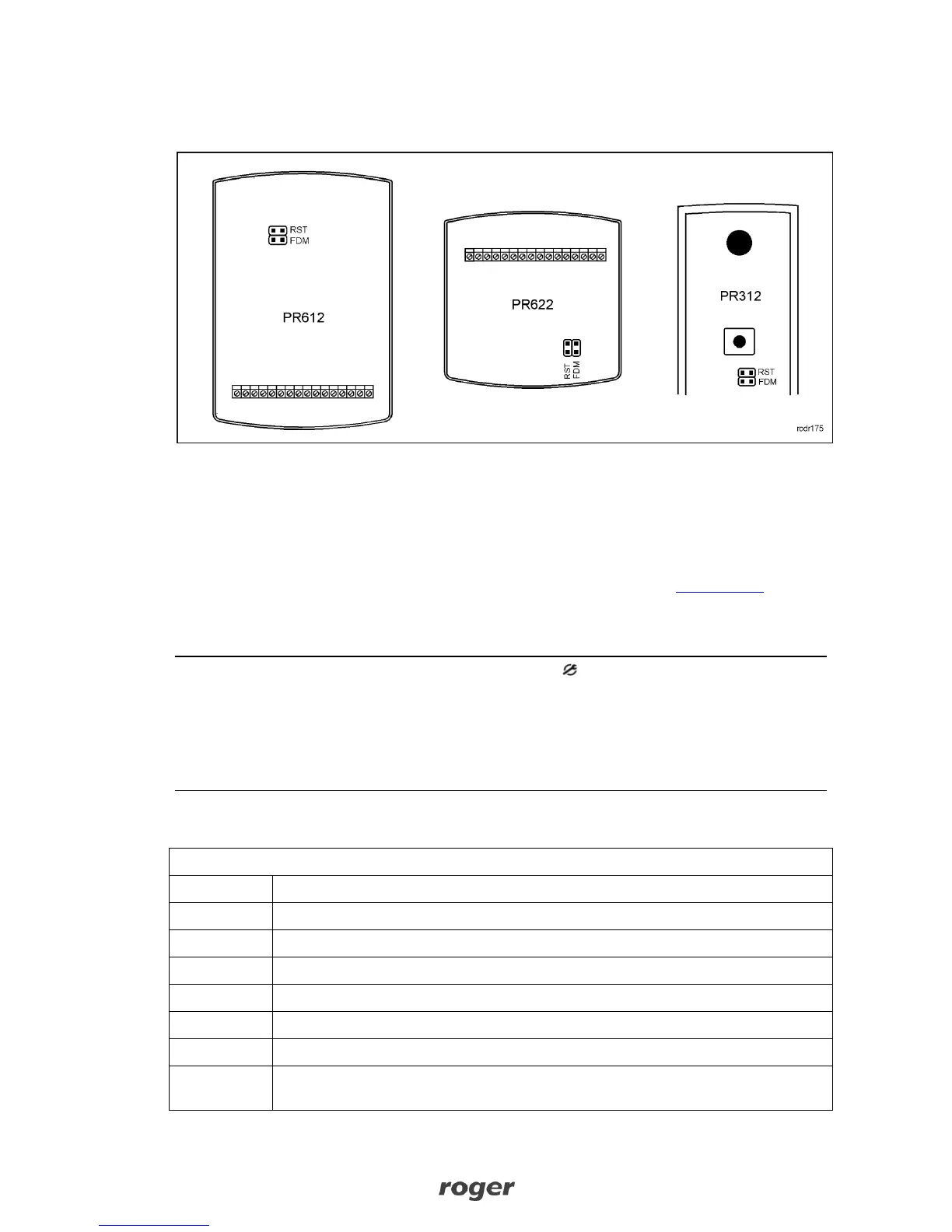
Place jumper on FDM pins (see fig. 7)
Fig. 7 Location of FDM and RST contacts inside the enclosure of controller
Reset device (place and remove jumper on RST pins or switch power off/on)
Start RogerISP software and select communication port (in case of RUD-1 select USB-RS485
Converter).
Press the button Erase
Once more reset device (place and remove jumper on RST pins or switch power off/on)
In Firmware window select firmware *.hex file (can be downloaded from www.roger.pl) and
then select the button Program
After firmware upload remove jumper from FDM pins and reset device (place and remove
jumper on RST contacts or switch power off/on)
Note: If the controller is not responding and LED SYSTEM (orange) is on after firmware update
procedure then it is necessary to perform reset – see 4.2 Memory Reset procedure or update the
firmware once more.
Note: In case of network system, it is required to restart controller within PR Master software by
right clicking particular controller and selecting the option Restart controller and verify
version.
5. ORDERING INFORMATION



 To Next Page