Ceramics: 06/2004
3
Quick instructions
Starting the programme: Changing the programme:
1.
Power on. Red display of actual
temperature. The power switch is located at
the bottom of the controller housing.
1.-2.
See left.
2.
Call up a programme by pressing the
button one or several times. The
programme number shows in the red
display, the corresponding final
temperature “tmp2” shows in the green
display.
3.
Call up adjustable firing curve values. The
values flash up in the green display.
3.
Starting or stopping the selected
programme.
4.
Changing the retrieved values shown in the
green display. New values are stored
automatically. t stands for time in hours, rmp
stands for ramp in °C/h and temp stands for
temperature in °C.
5.
Starting or stopping the selected programme.
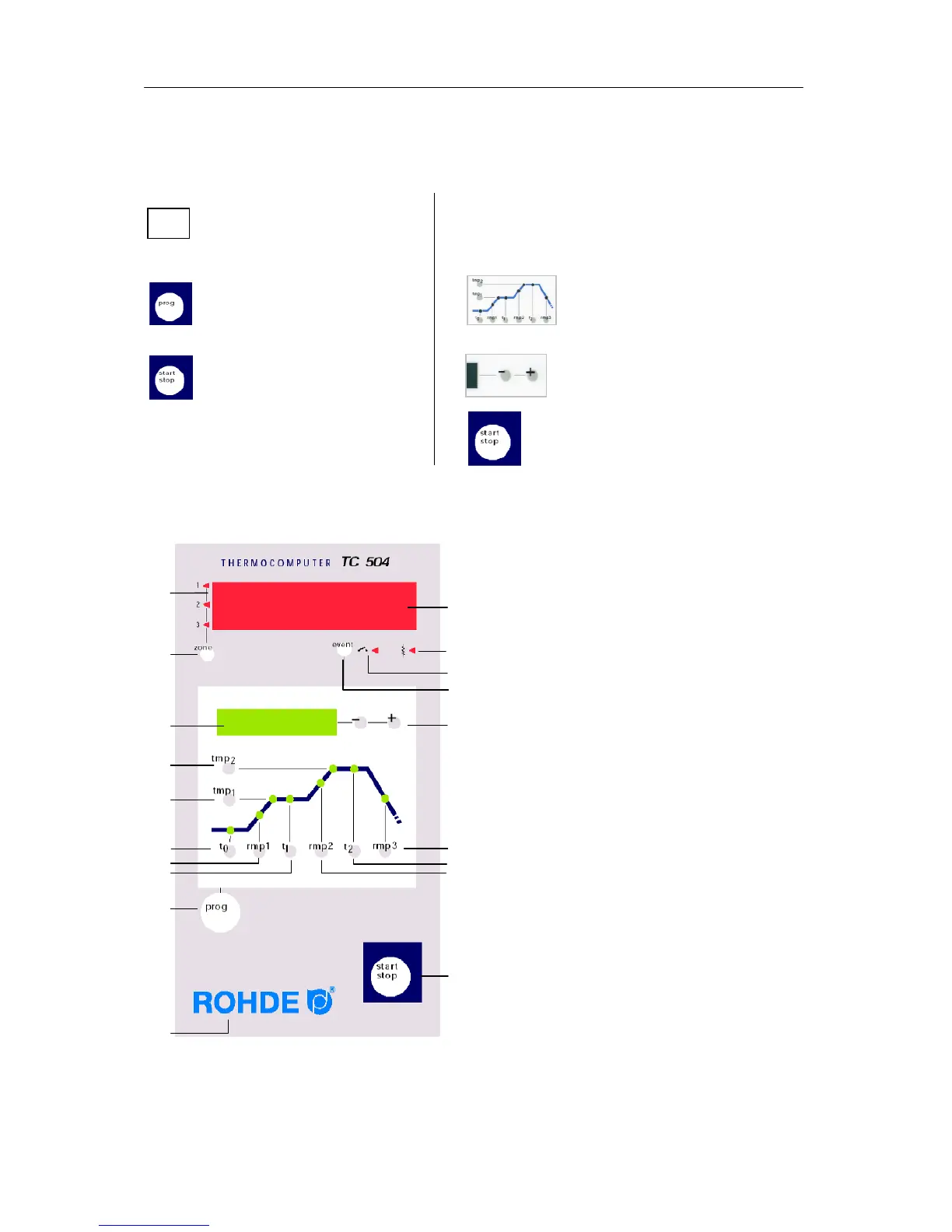
Operating elements
1 Display of current zone
2
Calling up another zone (only for kilns
equipped with multi-zones)
3
Display of nominal value
4
Calling up / input of final temperature
5
Calling up / input of 1
st
dwell time
6
Calling up / input of delay time
7
Calling up / input of 1
st
heating time
8
Calling up / input of 1
st
dwell time
9
Programme key
10
Keyboard lock in “O”
11
Display of actual value
12
Display of heating circuit status “On/Off”
13
Display of event status “On/Off”
14
Event switched on / off
15
Changing the retrieved values
16
Calling up / input of cooling time
17
Calling up / input of firing time
18
Calling up / input of heating speed to
final temperature
19
Starting and stopping a programme



 To Next Page