Ceramics: 06/2004
5
Calling up a Programme
The TC 504 has the capacity of storing 10
firing curves (programmes). The
manufacturer has preset the programmes
with standard firing curves, which can be
modified. The preset programmes contain
the following values:
Prog.nr. Description t0(min) rmp.1(°C/h) tmp.1(°C) t1(min) rmp2(°C/h) tmp.2(°C) t2(min)
rmp3
(°C/h)
01 drying 150°C 0 50 150 10 skip 150 10 skip
02 drying 200°C 0 50 200 10 skip 200 10 skip
03 glazing 750°C 0 150 750 10 skip 750 5 skip
04 bisquit firing 800°C 0 100 600 10 150 800 5 skip
05 slow bisquit firing 800°C 0 80 600 10 100 850 5 skip
06 bisquit firing 900°C 0 100 600 10 150 950 5 skip
07 earthenware 1050°C 0 150 300 5 skip 1050 20 skip
08 stoneware 1150°C 0 150 300 5 skip 1150 20 skip
09 pottery 1240°C 0 150 300 5 skip 1240 20 skip
10 pottery 1280°C 0 150 300 5 skip 1280 20 skip
In the following example we will call up the
firing curve for programme number 04 and will
start the firing process.
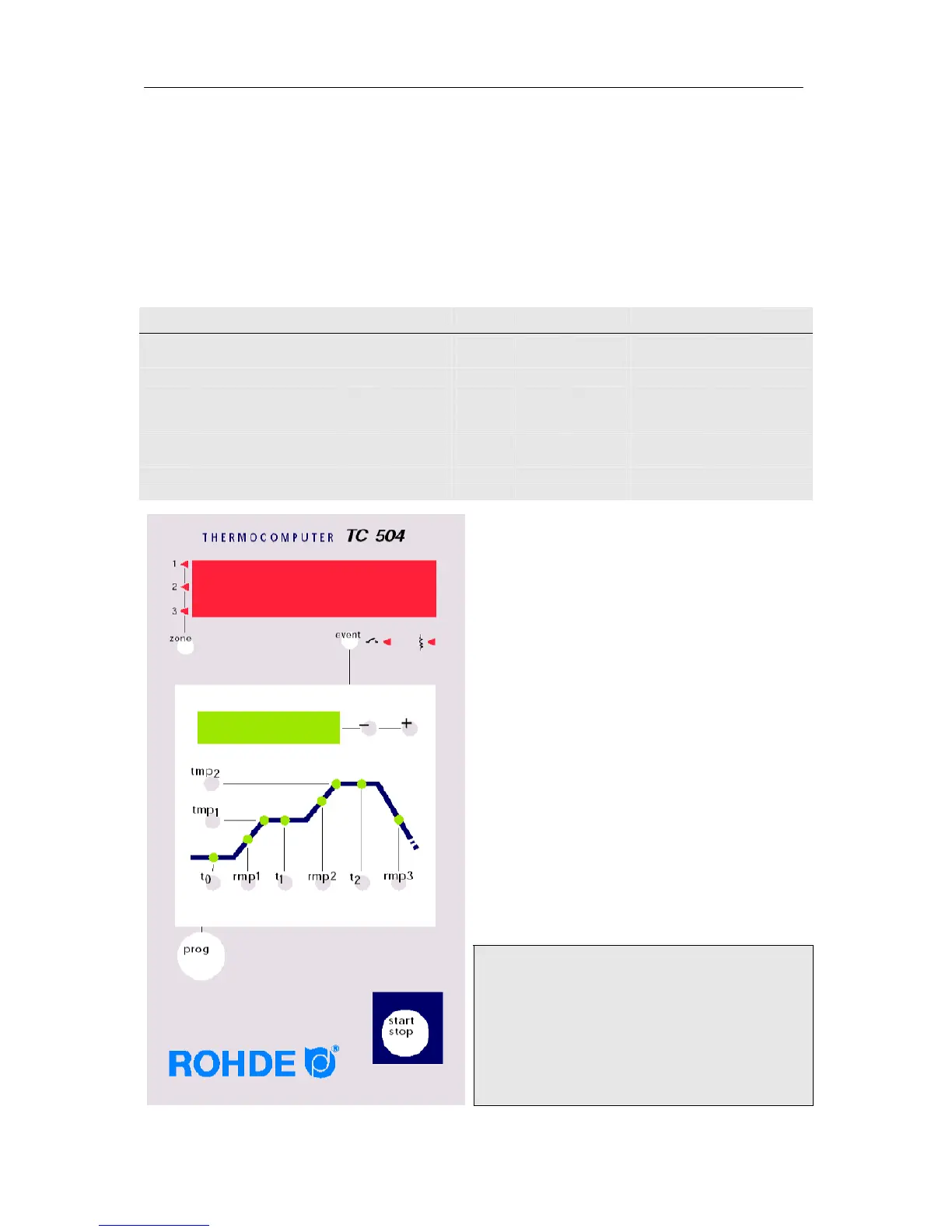
After the TC 504 has been switched on the
red display will indicate the momentary
temperature.
You can call up programme number 04 by
pressing the Prog key four times. In the green
display you will see the respective final
temperatures of the selected programmes.
Initiating the firing
process
In order to start the programme, press the
Start key. In the firing curve the green LED for
the current firing segment will light up now.
The green display shows the current nominal
temperature. The red display shows the
current kiln temperature.
Please note:
The flashing decimal dot on the right side of
the red display shows that a firing process is
in operation.
Programme values are indicated by a flashing
light in the respective firing segment in the green
display



 To Next Page