
 Need help?
Do you have a question about the Rohde ST 411 and is the answer not in the manual?
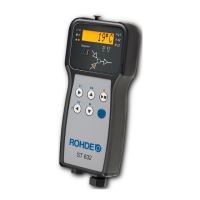
Provides an overview of the ST 630/ST 632 controller and its features.
Details for contacting Helmut ROHDE GmbH for support and inquiries.
Lists the items included with the ST 630/ST 632 control unit.
Detailed steps and guidance for performing firing processes with the control unit.
How to start, run, and monitor a firing process using the control unit.
Using specific control buttons like 'pause' or 'abort' during firing operations.
Setting a delayed start time for firing programs.
How to manually advance through firing program steps.
Pausing a firing program and maintaining the current temperature.
Important considerations and tips for successful kiln firing processes.
How to check the energy consumption and kiln performance data.
How the controller manages the cooling phase after firing completion.
How the controller handles and recovers from power interruptions during operation.
Guidance on general operation, including handling common scenarios and basic functions.
Troubleshooting when the kiln heats or cools slower than programmed.
Understanding and controlling temperature ramp rates for heating and cooling.
Guidelines for introducing cooling air during ramp cycles, including safety precautions.
How programs and data are saved when the controller is turned off.
How to modify firing parameters while a program is running.
Overview of the key functionalities and capabilities of the ST 630/ST 632 controller.
Specifications and technical data including protection class, IP rating, and supply details.
Visual representation and identification of the control unit's components and indicators.
Details on the CPC 14 and CPC 19 connectors used for kiln attachment.
Mapping of pins for CPC 14 (ST 630) and CPC 19 (ST 632) connectors.
Adherence to all safety and warning instructions for the control unit and kiln.
Critical safety warnings regarding operation, connection, and handling of the control unit and kiln.
Important safety precautions to follow when mounting the control unit.
Instructions on how to attach the mounting bracket for the control unit.
Step-by-step guide for connecting the control unit cable to the kiln.
Information on using extension cables and potential EMC influences.
Important considerations when connecting to kilns from other manufacturers.
Procedure for powering the control unit on and off using the rocker switch.
A brief guide to quickly start operating the kiln with the control unit.
Description of the controller's display behavior immediately after power-up.
How to lock and unlock the control unit's keys to prevent unintended operation.
How kiln temperatures are displayed for single and multi-zone kilns.
How temperatures for multiple heating zones are displayed on the unit.
Details on how heating zones are assigned in a multi-zone kiln configuration.
Explanation of the components (ramp, temperature, soak time) of each firing segment.
An example illustrating a simple firing program and its segment values.
Step-by-step guide for programming firing programs and modifying parameters.
Procedure for converting a heating ramp segment into a cooling ramp segment.
Procedure for converting a cooling ramp segment into a heating ramp segment.
Setting an unregulated full load heating/cooling ramp rate.
Programming the 'END' parameter in the last segment to terminate a firing program.
Overview of the 2 additional configurable switch outputs on the ST 632 model.
Configuration of parameters for switch outputs 1 and 2.
How switch outputs are controlled based on ramp or soak period events.
Selecting switch outputs during the programming of ramps or soak periods.
How error messages are presented on the main and segment displays.
Steps to obtain more information about detected errors.
List and explanation of common error codes and their troubleshooting.
Error messages related to potential issues within a firing program.
Connecting a USB flash drive for data logging and file transfer.
Overview of the USB interface functionality for data acquisition and file management.
Requirements and limitations for using USB flash drives with the controller.
Instructions for safely inserting and removing USB flash drives.
Explanation of the indicator light for USB data transfer activity.
How the controller uses its battery-backed real-time clock for data stamping.
Procedure for setting the internal clock of the control unit.
How the controller logs firing data onto a USB flash drive.
Setting the time interval for data logging.
Structure and content of the data log files generated by the controller.
Recommendations for managing and saving data on the USB flash drive.
Connecting the control unit to a wireless network for remote monitoring and control.
Overview of the Wi-Fi module's capabilities and its use with the ROHDE myKiln app.
Features enabled by a Wi-Fi connection, including remote monitoring and program loading.
Explanation of the indicator light for Wi-Fi data transmission.
Step-by-step guide for connecting the control unit to a wireless network using WPS.
Procedure for manually connecting the control unit to a wireless network via a computer.
Information on the software for visualizing and archiving firing curves.
Overview of ROHDEgraph software features for data recording, transfer, and evaluation.
Explanation of controller status codes used in ROHDEgraph log files.
Mobile application for managing firing curves and monitoring kilns.
Overview of the ROHDE myKiln app's capabilities for firing curve management.
Steps to register the control unit using its unique access code.
Critical safety precautions before performing troubleshooting or repair work.
Common faults, their potential causes, and recommended solutions.
Procedure for replacing the fuse if the control unit cannot be switched on.
List and description of adjustable operating parameters in the control system.
Step-by-step guide on how to modify parameter settings in the control unit.
Sample firing programs for biscuit, earthenware, and stoneware applications.
General advice and considerations for using and adapting firing programs.
Details on the warranty coverage and exclusions for the control unit.
Information regarding copyright, trademarks, and disclaimers in the manual.
 General
| Brand | Rohde |
|---|---|
| Model | ST 411 |
| Category | Controller |
| Language | English |

 To Next Page

