89 / 327 - EN -
12.2. Changing parameters
Step Display Description Remark
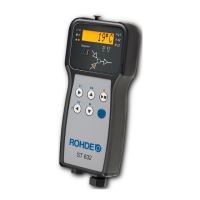
Switching the control unit off
ROHDE
Press the j and < keys and switch on
the control system at the same time.
With older ST 630 controllers, you only
have to press the j key and switch on the
control system at the same time.
tC. S
Hold down the j and < keys until the
set thermocouple type is shown in the
main display.
⇒ The thermocouple type is only
displayed and cannot be changed here.
⇒ The thermocouple is preconfigured at
the factory.
tC. S
Release the j and < keys.
P14-
The main display shows the first
configurable parameter.
P45-
The parameter to be configured can be
selected by pressing the d and f keys.
0
The set value of the parameter to be
configured can be called up with the g
key.
You can return to the previous menu at any
time with the h key.
3
This can be altered by pressing the
d and f keys.
3
The value is saved by pressing the
j and < keys at the same time.
As an example, the value from “0” to “3”
was set here for parameter no. 45 for the
additional switch output 1
(3 = control of a cooling system using a fan
on the kiln).
The control system display goes dark for
a moment and the control system
restarts.
After the restart, the control unit is ready
for operation again.
The set value is now permanently saved for
the respective parameter.
P:45
Alternatively, after step 8, press the h
key to jump back to the previous menu or
to change another parameter.
Repeat steps 6 to 12.
Note:
If no button is pressed for 30 seconds, the control automatically exits the configuration menu. „TIMEOUT!“ is shown
in the main display and a short beep sounds for 3 seconds. Previous entries are not saved and will be lost.


 To Next Page
 Loading...