58 / 327 - EN -
5.2. Quick start guide
• Switch on and wait for the kiln temperature display.
• Call up firing programs with the
g key.
• Select the firing program with the
f or d key.
• To start the selected program, press the
j key.
• To stop the firing at any time, press the
j key again.
• The firing data and the programming mode can be called up again with the
g key.
• Change the firing data and change the displayed value with the
f or d keys.
• Use the
g key again as necessary to step to the next firing value or segment to be reviewed or changed.
• Use the
h key to switch back to the previous value.
• To mark the end of a program, set the ramp rate to END with the
f key.
• To exit programming mode, either wait 20 seconds or press the
j key to start firing.
• If the keyboard is locked, press the
< key and hold it for 5 s.
6. Operation & use
6.1. Display screens after switching on
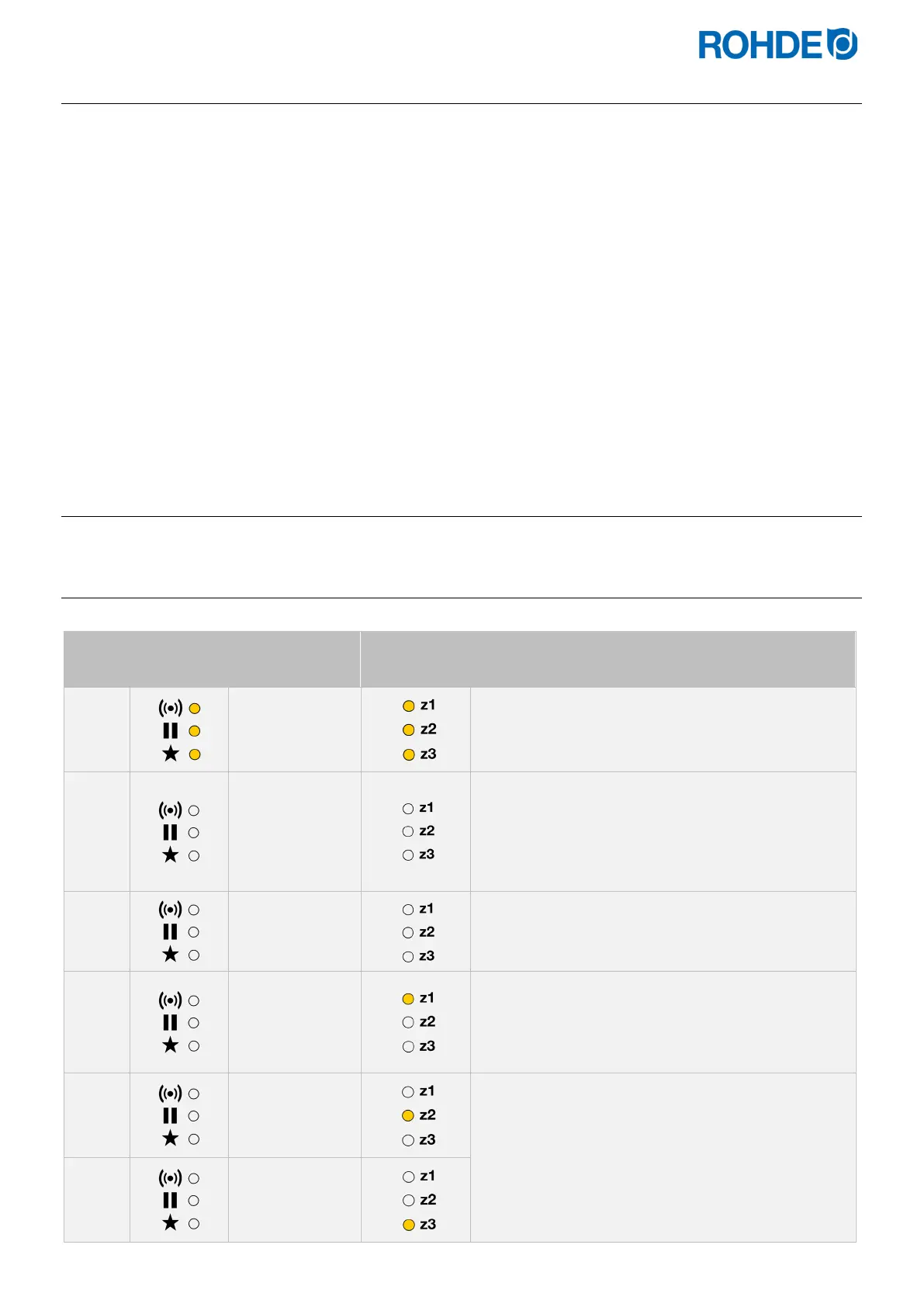
Display screens after switching on:
Step
Indicator
on the left
Main display
zone display
Description
ROHDE
• After switching on, the controller carries out a
display test.
• All indicators light up.
• The controller will sound a short beep.
F 6.00
• The controller displays the version number of the
integrated software.
• When contacting technical customer support, you
will need:
− the version number
− the serial number of the device
T/C: S
• The thermocouple type setting is now displayed.
• This should match the type of thermocouple fitted
to the kiln and can be R, S, K or N.
20 °C
• The final display shows the kiln temperature
(heating zone 1).
• Apart from the heating zone display and the current
temperature in the main display, no indicators or
icons should light up after switching on.
19 °C
The kiln temperature for the other heating zones can
be displayed with the f or d keys (available if the
controller has been configured for a multi-zone kiln).
21 °C


 To Next Page
 Loading...

