68 / 327 - EN -
6.5.5. Programming the “END” ramp rate
To end a firing program, “END” must be programmed in the last segment.
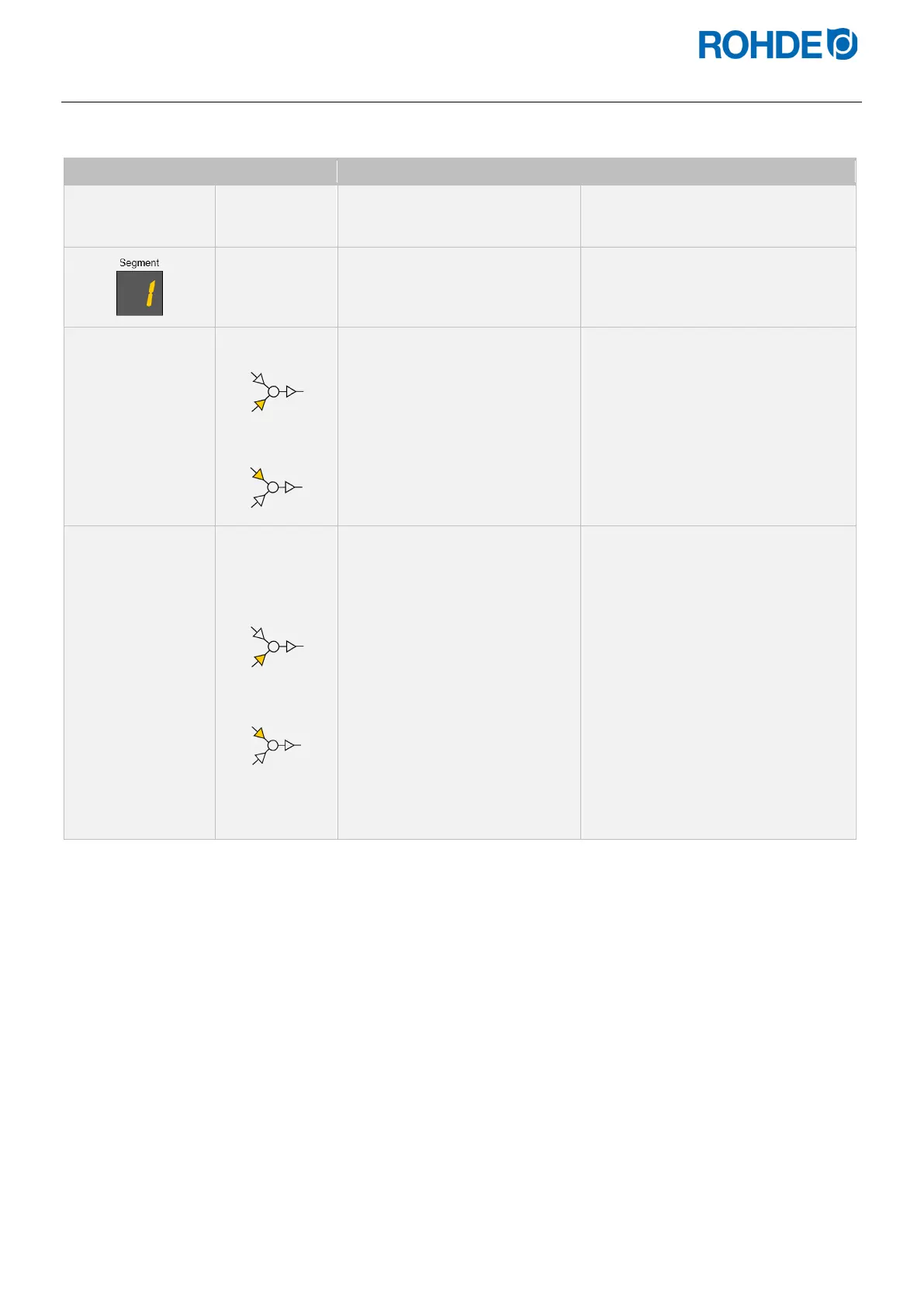
Display Meaning Description Remark
Pr. 1
Program
number
Select the firing program that is to
be changed.
See Section 6.5.1.
Indicator in the
segment
display
Select the segment with the
heating ramp to be changed into
a cooling ramp.
See Section 6.5.1.
150°C/HR
Heating ramp
Cooling ramp
The ramp rate for the heating or
cooling ramp is shown in the
main display.
Possible main display:
„0,1
°C/h-9,9
°C/h“,
„10
°C/h-999
°C/h“
END
Heating ramp
Cooling ramp
To mark the end of the program,
push the f key until "END"
appears in the main display.
• “END” ends the firing program.
• The firing program ends with the
segment in which “END” has been
programmed.
• After “END” has been
programmed, the soak/target
temperature or soak time can no
longer be selected.
• The “END” value is one step below
the ramp rate “0,1
°C/h”.
Note:
If “END” is not entered in the last
segment, the controller issues the
error message “Error P” when the
program starts.
*The keys h or g can also be held down for faster input.


 To Next Page
 Loading...