firing curve
You can view and adjust the preset values of the
firing curve at any time, i.e. even while the
programme is running. You only have to stop the
programme if you want to change the values.
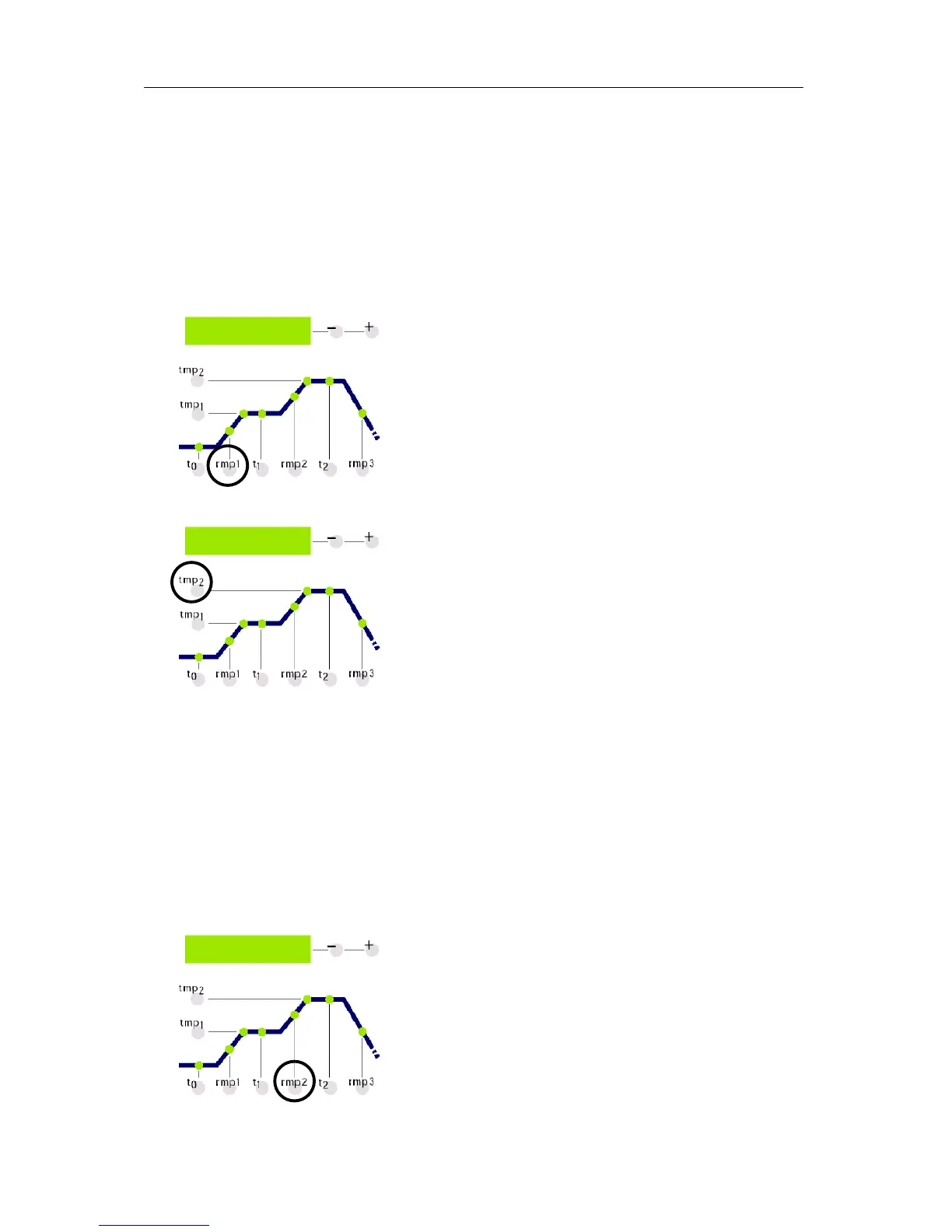
In order to control e.g. the heating speed, press the
rmp1 key. The currently programmed value for
heating appears in the green display in °C/h. The
corresponding section of the firing curve lights up.
If you want to change this value just insert a new
value using the +/- key.
In order to control e.g. the final temperature press the
tmp2 key. Again the current value will appear on the
green display the corresponding section on the firing
curve will light up.
The value can be changed as described above.
The SKIP value
All values can be controlled and changed in the way
described above. The order in which you control or
change the values is not relevant. The only thing you
have to keep in mind is that you have to stop the
programme if you want to change any values. If you
pause checking the values for more than 15 seconds
while the programme is running the display will return
to the active nominal value.
Most of the times it is desirable to reach the final
temperature during the 2nd heating phase as quick
as possible. For this purpose you can set the SKIP
value. Select the desired firing phase by pressing the
rmp2 key.
You can select the SKIP value by exceeding the
maximal value 998° C/h.



 To Next Page