10
CHECKMATE™
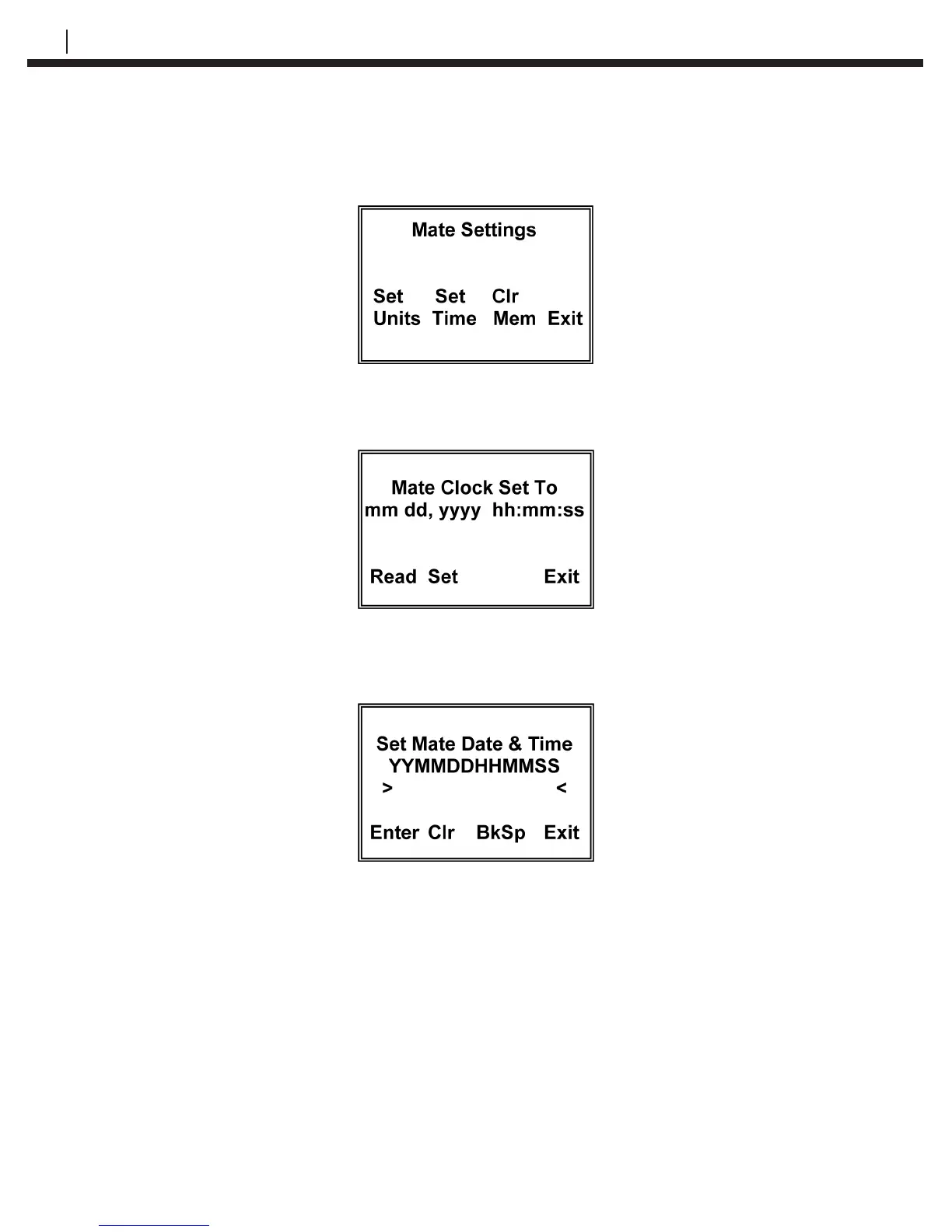
Press Set Mate (F3) to go to the Mate Settings display:
Press Set Time (F2) to go to the Mate Clock Set To display:
Press Set (F2) to go to the Set Mate Date & Time display:
From the keyboard, enter the last two digits of the year followed by the number of the
month followed by the date followed by the time in hours followed by the time in minutes
followed by 00. When the time is set correctly, press Enter to start the clock. To update
the clock on the Mate Clock Set To display, press Read (F1). Press Exit to go to the
Mate Settings screen. Press Exit again to return to the Mate Conguration screen.
Press Exit again to return to the Standby screen.
NOTE: The hour is set on the military 24 hour clock, where 00:00
hours is midnight at the start of the day, and 12:00 is mid-day.


 To Next Page