SYSTEM CONFIGURATION AND SETUP
11
Setting the Engineering Units
To set the Engineering Units:
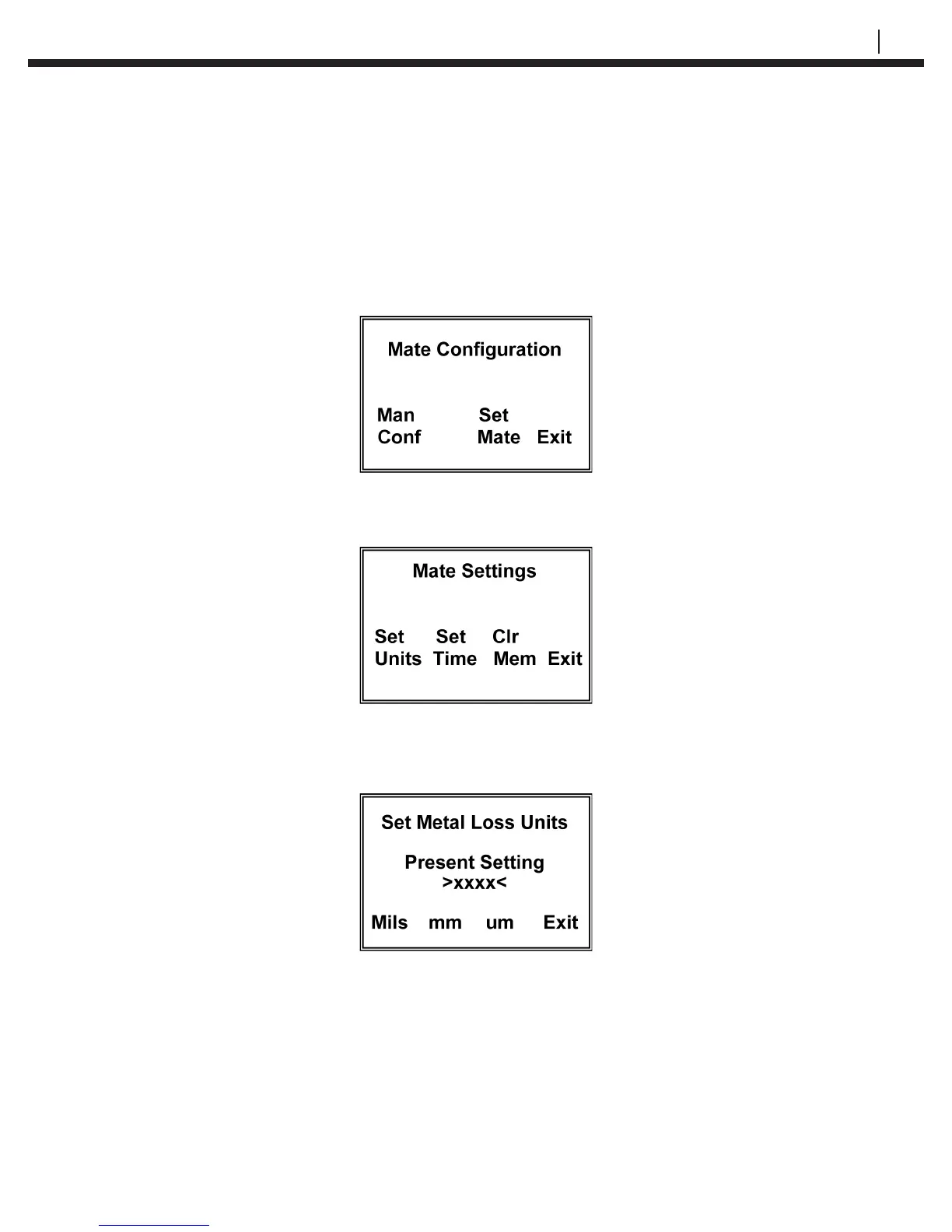
From the Standby display, press SetUp (F4) to go to the Mate Conguration display:
Press Set Mate (F3) to go to the Mate Settings display:
Press Set Units (F1) to go to the Set Metal Loss Units display:
Select and press Mils (F1) for mils (0.001”) and mils/year or press mm (F2) for millimeters
and mm/year or um (F3) for micrometers and um/year.
After the selection is made and correctly displayed on the display, press Exit to set the
units and return to the Mate Settings display. Press Exit again to return to the Mate
Conguration display. Press Exit again to return to the Standby display.


 To Next Page