18
CHECKMATE™
To read a probe by ID-
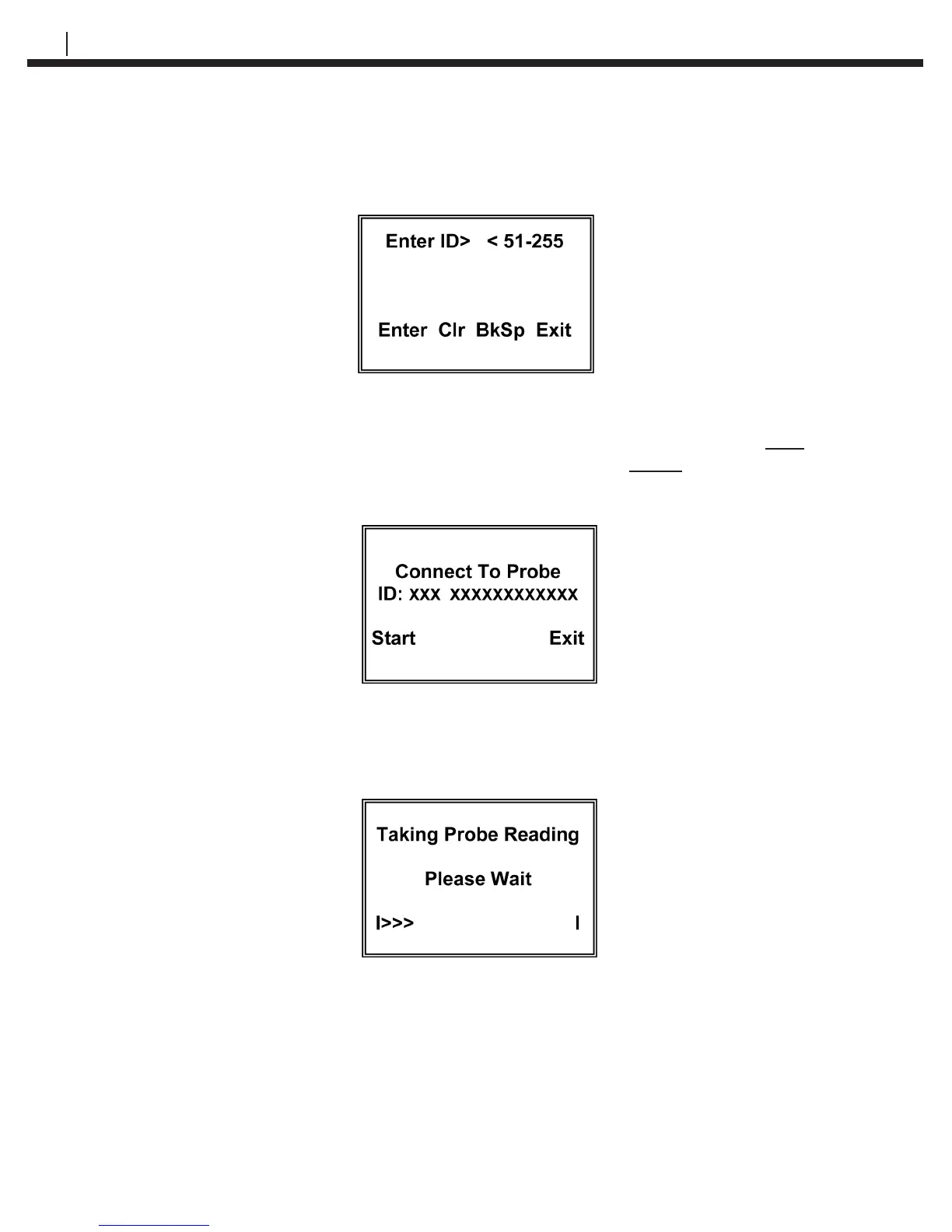
Press ID (F1) to go to the Enter ID> < 51-255 display:
Enter the ID number of the probe and press Enter (F1)
The CheckMate™ will check the ID number to determine its validity. If the ID is valid, the
Connect To Probe display will appear. If the ID is found to be invalid, the ID Not Found
message will appear and the Exit key should be pressed to return to the Taking Probe
Reading display.
After connecting the CheckMate™ to the probe, press the Start key to begin the
measurement function and the Taking Probe Reading screen will appear
Pressing the Exit key will return to the Read Probe By screen:


 To Next Page