READING ER PROBES
27
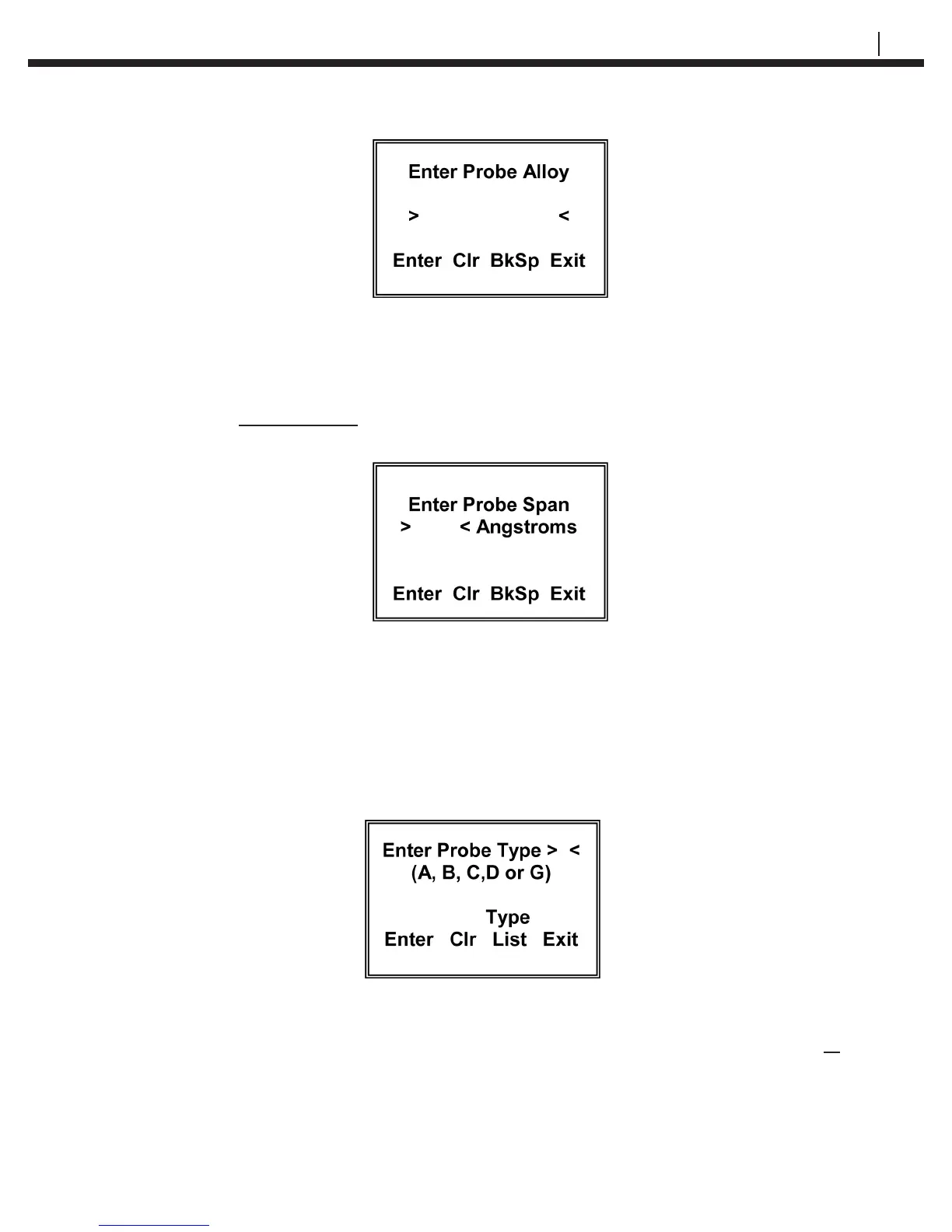
The Enter Probe Alloy display allows the user to enter up to eight (8) alpha or numeric
characters to identify the alloy of the probe element for reference purposes only. It does
not affect the calculation of corrosion rates.
If a TF5 or TF50 high sensitivity atmospheric ER probe has been selected, the CheckMate™
will go to a special Enter Probe Span display:
Using the numeric portion of the keypad, enter the probe span in Angstroms (Ǻ). The
packaging for the TF5 and TF50 ER provides the specic span for the probe. Alterna-
tively, the nominal span can be used without appreciable error.
If OTHER is selected from the probe type selections on the Select Probe Type display
the CheckMate™ will go to a second Select Probe Type display that allows the select
the specic probe element conversion equation required and enter specic probe spans
(in mils) that may be special. The display is shown below:
Enter A for Wire Loop type probes or enter B or C for Tube Loop/Strip Loop type probes or
enter D for Cylindrical type probes. If you are unsure of the element type, this information
can be found on the probe packaging, etched on the probe body adjacent to the connector
or in Table 5.1 Probe Type Identication.


 To Next Page