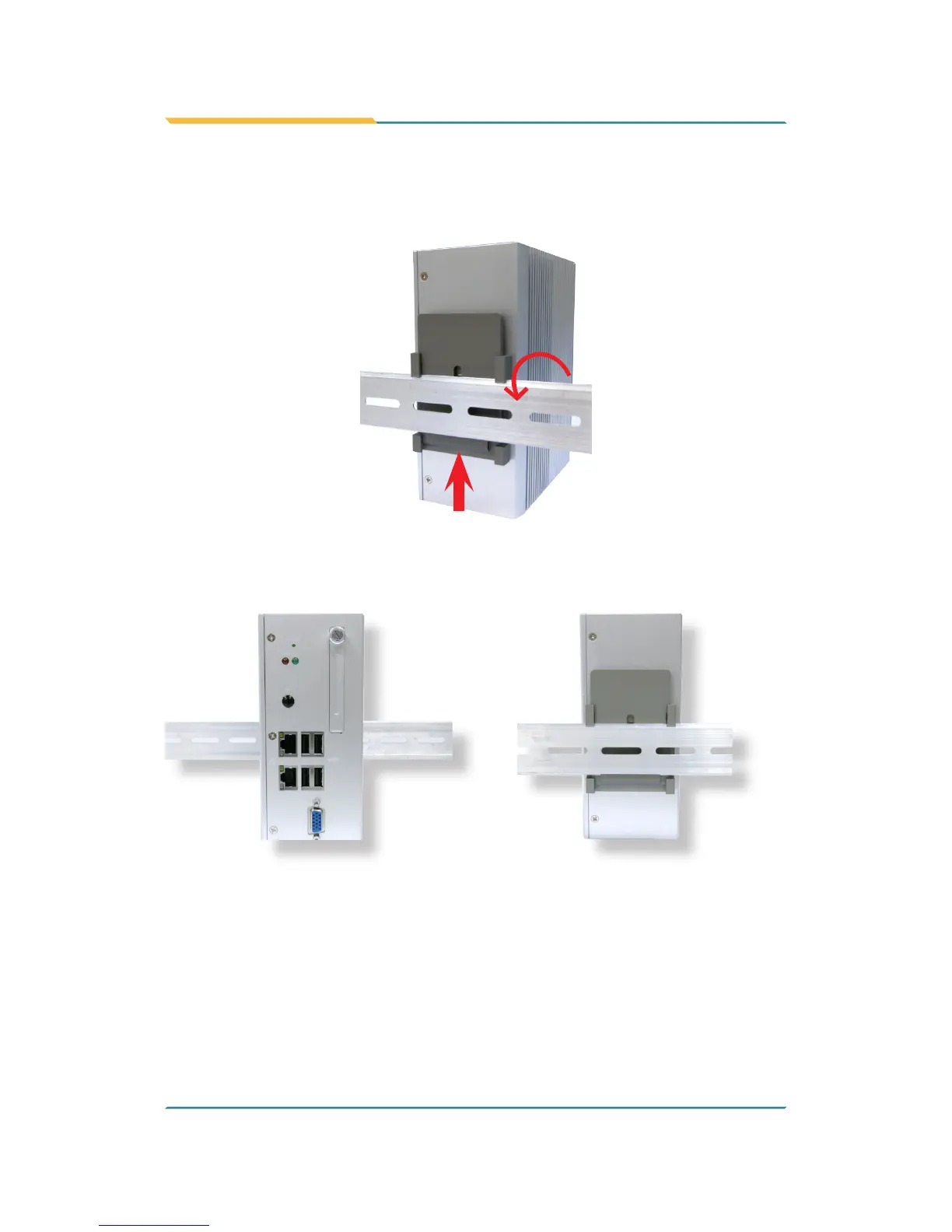
3. To mount the unit on a DIN rail, slot the bottom part of the Din-rail clip into
the bottom guide of the rail and lift the computer until the top side of the
Din-rail hook clicks into place.
If the computer cannot be successfully xed onto the DIN-rail, reverse the
computer and clip the computer onto the DIN-rail by the bottom side.
Computer mounted on DIN-rail
1
2


 To Next Page