4.2.2. Dismount the Computer
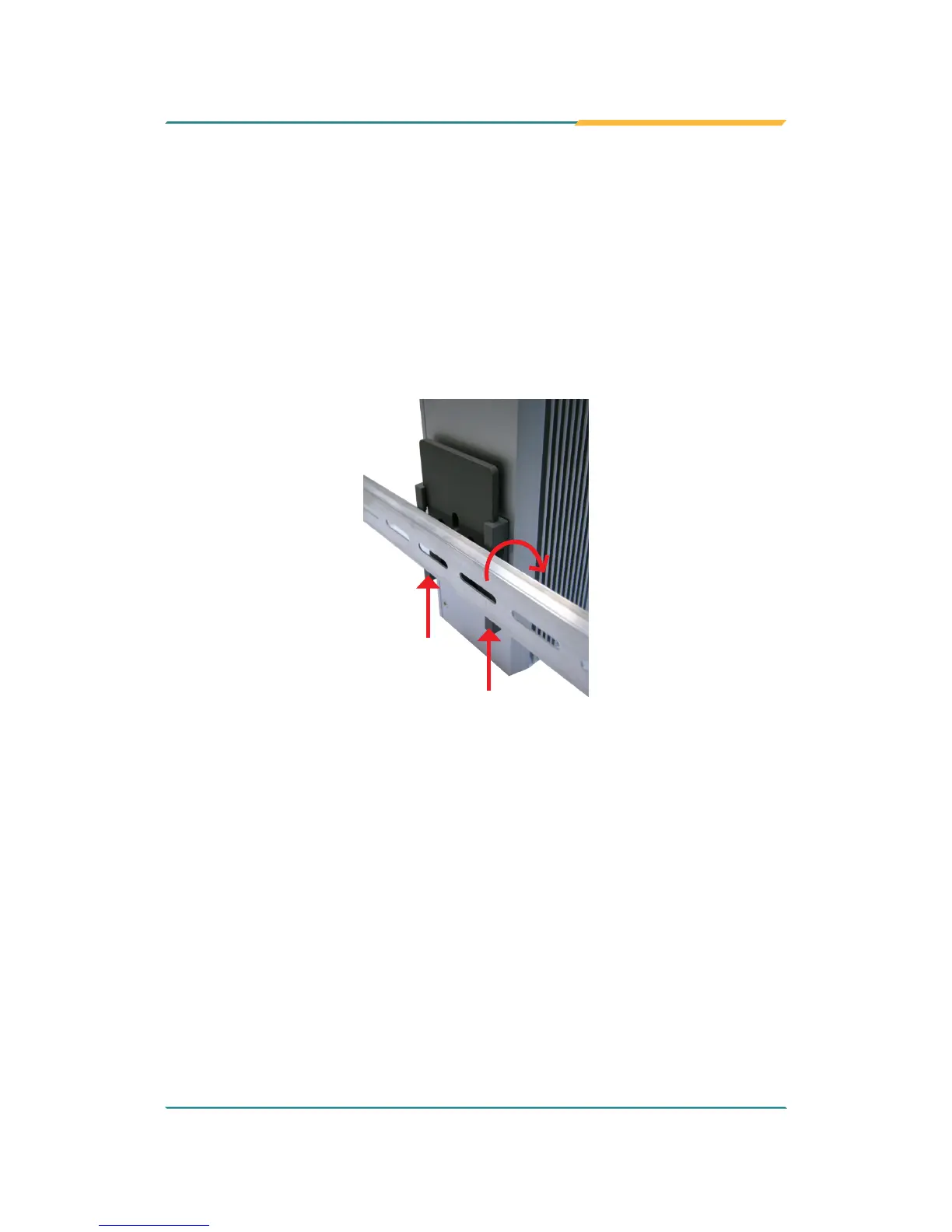
Power off the computer and disconnect all cables before proceeding to
dismount the computer off the DIN-rail.
1. Push the bottom side of the computer up, with both hands to release the
top part of clip from the DIN-rail.
2. Once the clip is released from the DIN-rail, completely dismount the
computer off the DIN-rail by pulling the computer’s top side.
Push
Pull


 To Next Page