B.2. Install Device Driver & Application Program
As described in 2.3. Driver Installation Notes on page 11, after the drivers
for the chipset, .NET Framwork, audio and Ethernet are installed, you can
proceed to install the driver for the wireless modules such as 3G module or
Wi-Fi module.
The device driver of WIFI-IN1300 will install the application program (the
utility) as well. Follow the guide below to install WIFI-IN1300 driver (and the
application program):
1. Request a copy of the device driver from ARBOR customer service by the
contact info as described in Technical Support on page viii.
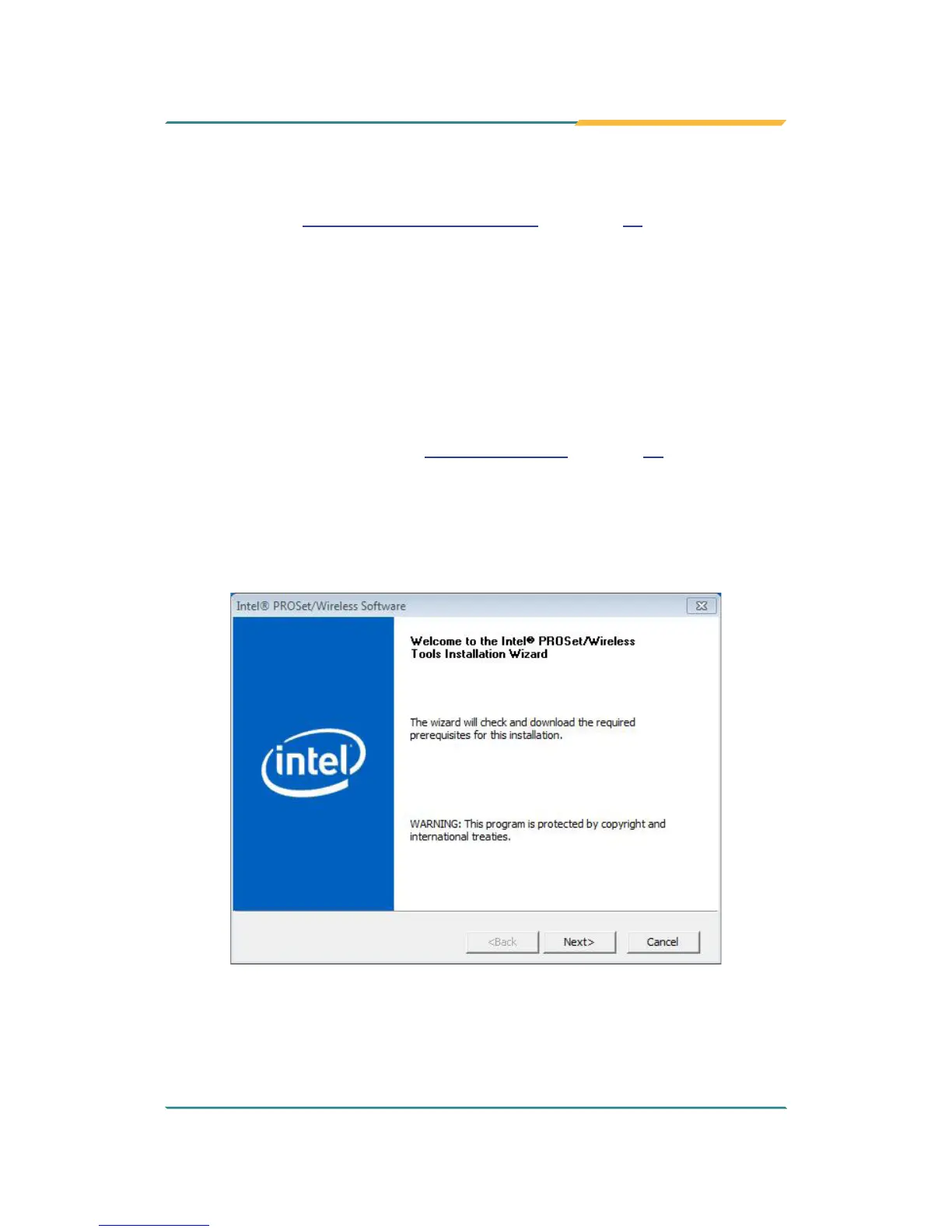
2. Run the executable le of the device driver, for example Advanced-N
6205 WinXP_14.2.0.10_x32.exe.
The installer then opens.


 To Next Page