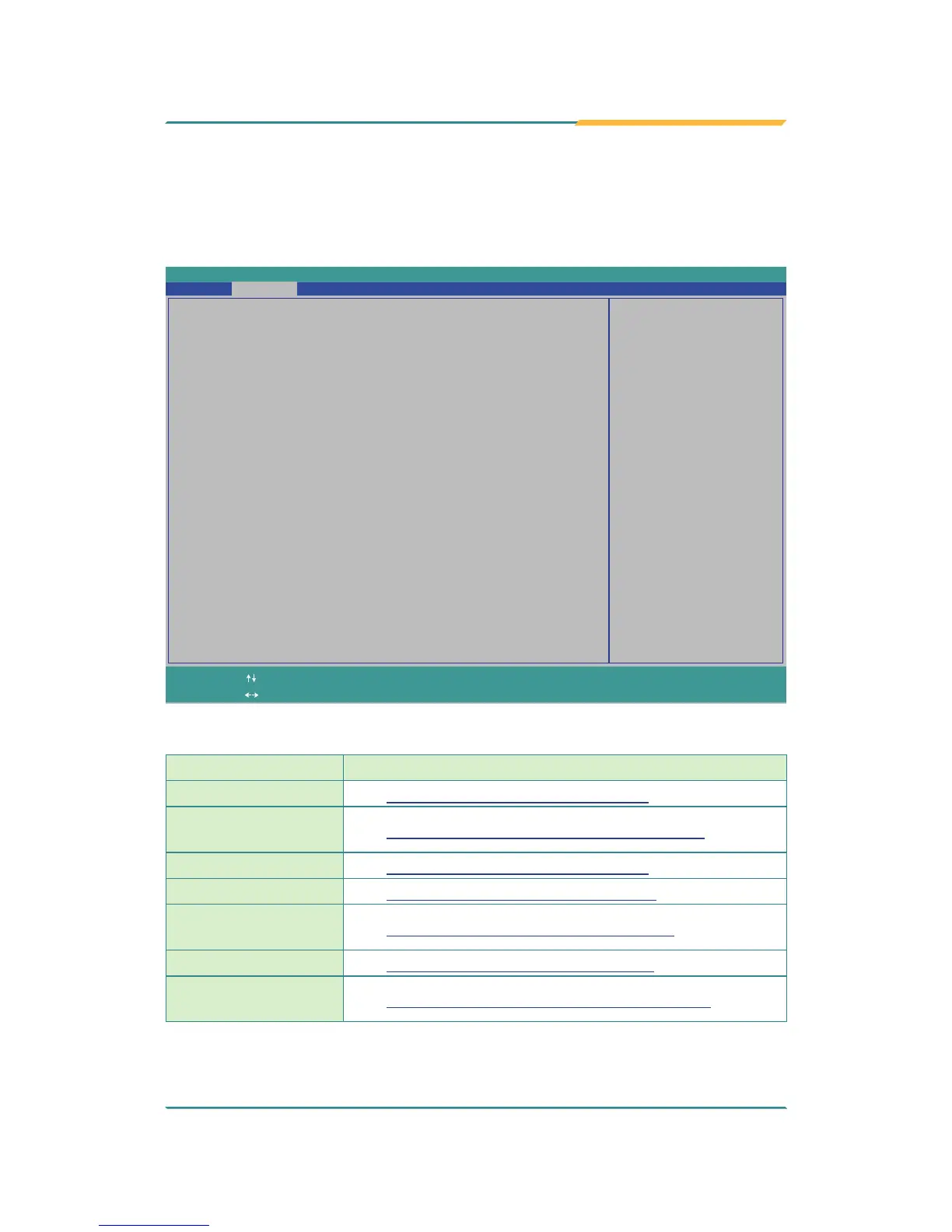
InsydeH20 Setup Utility
Rev. 5.0
Configures Boot Settings.
Advanced Security Power Boot Exit
Main
Boot Configuration
PCI Express Configuration
USB Configuration
Video Configuration
Thermal Configuration
SATA Configuration
ACPI Table/Feature Control
Change ValuesF5/F6
Select
SubMenu
Enter
Select Item
Select Menu
F1
ExitESC
Help Setup DefaultsF9
Save and ExitF10
The featured settings and submenus are:
Setting Description
Boot Conguration
See 5.2.1. Boot Configuration on page 42
PCI Express
Conguration
See 5.2.2. PCI Express Configuration on page 42
USB Conguration
See 5.2.3. USB Configuration on page 43
Video Conguration
See 5.2.4. Video Configuration on page 44
Thermal
Conguration
See 5.2.5. Thermal Configuration on page 45
SATA Conguration
See 5.2.6. SATA Configuration on page 45
ACPI Table/Feature
Control
See 5.2.7. ACPI Table/Feature Control on page 46


 To Next Page