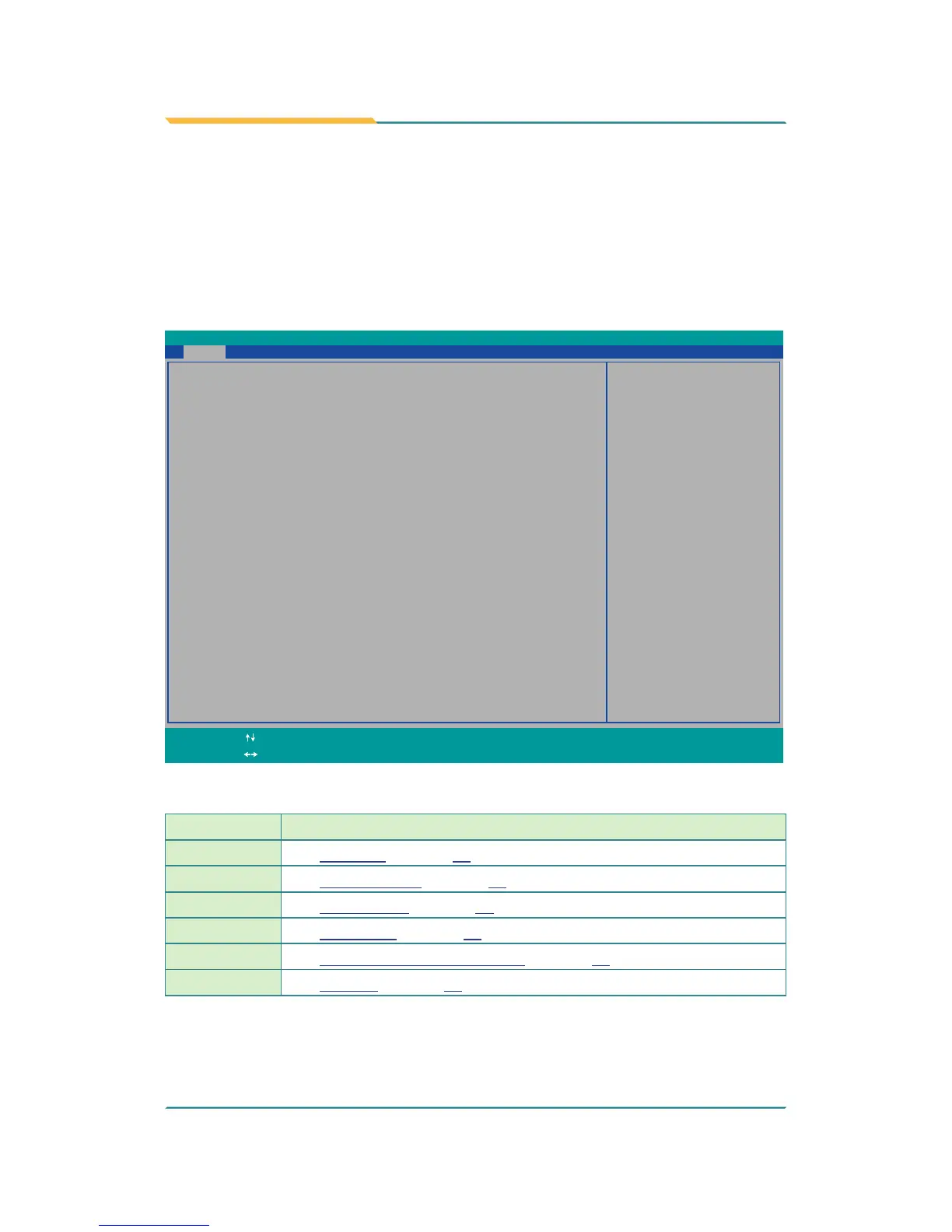
The BIOS Setup utility for the computer is featured by American Megatrends
Inc to congure the system settings stored in the system’s BIOS ROM. The
BIOS is activated once the computer powers on. When the computer is off, the
battery on the main board supplies power to BIOS RAM.
To enter the BIOS Setup utility, keep hitting the “Esc” key upon powering on
the computer.
InsydeH20 Setup Utility
Rev. 5.0
BIOS Version R0.05
System Date
System Time [17:04:19]
[03/17/2014]
Language <English>
Set the current default language
used by the InsydeH2O.
Advanced Security Power Boot Exit
Main
Project Name ARES-5300
Build Date 02/25/2014
Build Time 10:16:18
Platform firmware information
VLV SOC OC (B3 Stepping)
MRC Version 0.95
PUNIT FW 0x2D
KSC FW N/A
PMC FW Patch 0x3_18
TXE FW Version 1.1.0.10x89
IGD VBIOS Version 1007
Microcode Revision 320
CPU Flavor VLV Desktop (2)
Board ID BALEY BAY (20)
Fab ID FAB3 (03)
Processor Intel(R) Celeron(R) CPU J1900 @1.99GHz
System Bus Speed 83 MHz
System Memory Speed 1333 MHz
Cache RAM 1024 KB
Total Memory 2048 MB
Channal A
SODIMM0 2048 MB
SODIMM1 [Not Installed]
Channal B
SODIMM0 [Not Installed]
SODIMM1 [Not Installed]
Change ValuesF5/F6
Select
SubMenu
Enter
Select Item
Select Menu
F1
ExitESC
Help Setup DefaultsF9
Save and ExitF10
The BIOS featured menus are:
Menu Description
Main
See 5.1. Main on page 40.
Advanced
See 5.2. Advanced on page 41.
Security
See 5.3. Security on page 47.
Power
See 5.4. Power on page 48.
Boot
See 5.4.1 Advanced CPU Control on page 49.
Exit
See 5.6. Exit on page 53.


 To Next Page