15
Cleaning the base station parts
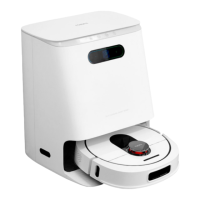
First, clean the wastewater tank. Open the top cover of the base station, take out the
wastewater tank, open the wastewater tank flap to pour out the dirty water and use a
long cleaning brush to clean the dirt in the water tank. After cleaning and drying, put it
back into the base station.
Next, replace the filter sponge of the water purification tank. Open the top cover of the
base station and take out the clean water tank. Then open the clean water tank flap and
take out the filter sponge holder along the water pipe. Open the lower cover of the filter
sponge holder, take out the filter sponge, replace with a new filter sponge and reinstall
it.
Finally, clean the cleaning plate. Press the cleaning mop button of the base station to
discharge water 4 times, each time for 10 seconds, and then press the cleaning mop
button once again to automatically suck back the sewage, use a long cleaning brush to
clean the tray/base and put it back in the sun.
Troubleshooting
When the robot vacuum and mop cleaner show abnormal behaviour during operation,
the main unit button flashes yellow and gives a voice prompt. Please refer to the
following table for troubleshooting.
Robot Cleaner Troubleshooting
“Please check whether the radar is blocked and move to a new position to start or
please check if the radar is stuck.”
• Please check whether the radar is blocked or jammed by wedged objects, if this is
the case, please remove the foreign objects.
• Please don't use it in places with strong light.
• If the above does not work, please move the appliance to a new location to start.
“Please check whether the obstacle avoidance sensor is stuck.”
• Please check whether the obstacle avoidance sensor is jammed by debris,
remove the debris, and tap the obstacle avoidance sensor several times to check
whether it is flexible.
• Please check if the appliance is trapped due to too little running space and move
it to a new location to start.


 To Next Page