17
“Please place the machine on a level ground to start.”
• The machine is detected to be tilted during startup, please place the machine on
a level ground to restart.
“The fan of the robot cleaner is abnormal.”
• The vacuum fan is not working, please try to reset the system.
“Please clean the filter.”
• Please take out the filter inside the appliance to clean it.
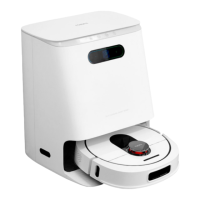
Base Station Troubleshooting
“Recharge failed, please clear obstacles near the base station.”
• Please clear the obstacles near the base station to ensure that there are no
obstacles within 1.5 meters in front of the base station.
“Please stay away from the restricted area before starting.”
• Please move the machine away from the software virtual wall or restricted area
and restart it.
“Please check if the mop component is stuck.”
• Please check whether the mop components are entangled or blocked and
remove the wedged objects/entanglements.
“Please reinstall the clean water tank.”
• Please check if the clean water tank is in place or installed in place.
“No water in the clean water tank.”
• Please check the clean water tank, please fill up to the maximum MAX line of the
clean water tank.
“Please put back the wastewater tank.”
• Please check if the wastewater tank is in place or installed in place.
“The wastewater tank is full.”
• Please clean the wastewater tank and reinstall it.
“The wastewater tank is abnormal.”
• Please check if the wastewater tank cover is closed.
• Please check if the wastewater tank is installed in place.
• Please check whether the wastewater suction port is blocked, please clean the
wastewater suction port regularly.


 To Next Page