Contents
Introduction . . . . . . . . . . . . . . . . . . . . . . . . . . . . . . . . . . . . . . . . . . . . . . 3
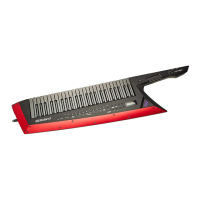
: Overview of the AX-Edge. . . . . . . . . . . . . . . . . . . . . . . . . . . . . . . 3
Panel Descriptions
. . . . . . . . . . . . . . . . . . . . . . . . . . . . . . . . . . . . . 4
: Top Panel . . . . . . . . . . . . . . . . . . . . . . . . . . . . . . . . . . . . . . . . . . . . . . . . . 4
: Bottom Panel. . . . . . . . . . . . . . . . . . . . . . . . . . . . . . . . . . . . . . . . . . . . . 5
Installing the Batteries . . . . . . . . . . . . . . . . . . . . . . . . . . . . . . . . . . . . 5
: Rear Panel . . . . . . . . . . . . . . . . . . . . . . . . . . . . . . . . . . . . . . . . . . . . . . . . 6
Connecting External Equipment . . . . . . . . . . . . . . . . . . . . . . . . . 7
: Turning the AX-Edge On. . . . . . . . . . . . . . . . . . . . . . . . . . . . . . . . 8
Turning Off the Power. . . . . . . . . . . . . . . . . . . . . . . . . . . . . . . . . . . . . 8
: Adjusting the Overall Volume (Master Volume) . . . . . . . . . 8
: Making the Power Automatically Turn Off After a
Time
(Auto Off) . . . . . . . . . . . . . . . . . . . . . . . . . . . . . . . . . . . . . . . . . . . . . 8
: Replacing the Blade Panel . . . . . . . . . . . . . . . . . . . . . . . . . . . . . 8
Playing
. . . . . . . . . . . . . . . . . . . . . . . . . . . . . . . . . . . . . . . . . . . . . . . . . . . . . . 9
: Selecting a Sound (Program) . . . . . . . . . . . . . . . . . . . . . . . . . . . . . 9
: Registering Frequently-Used Sounds to Buttons
(FAVORITE) . . . . . . . . . . . . . . . . . . . . . . . . . . . . . . . . . . . . . . . . . . . . . . . . . . . 9
Registering a Favorite . . . . . . . . . . . . . . . . . . . . . . . . . . . . . . . . . . . . . 9
Recalling a Favorite. . . . . . . . . . . . . . . . . . . . . . . . . . . . . . . . . . . . . . . . 9
Switching the Favorite Bank . . . . . . . . . . . . . . . . . . . . . . . . . . . . . . 9
Using the Performance Functions
. . . . . . . . . . . . . . . . 10
: Using the Buttons and Controllers. . . . . . . . . . . . . . . . . . . . 10
Raising/Lowering the Key Range (Octave Shift) . . . . . . . . . . . . 10
Smoothly Changing the Pitch (Portamento) . . . . . . . . . . . . . . . . 10
Sustaining the Notes (Hold) . . . . . . . . . . . . . . . . . . . . . . . . . . . . . . . . 10
Layering the Same Tone to Thicken the Sound (Unison) . . 11
Preventing the Sound from Changing During Perfor-
mance
(Lock). . . . . . . . . . . . . . . . . . . . . . . . . . . . . . . . . . . . . . . . . . . . . . . . 11
: Modifying the Sound While You Perform . . . . . . . . . . . . 11
Using the MODULATION BAR . . . . . . . . . . . . . . . . . . . . . . . . . . . . . 11
Using the RIBBON CONTROLLER. . . . . . . . . . . . . . . . . . . . . . . . . . 11
Using the Control Buttons and Knob
([S1]–[S7] Buttons / [ASSIGNABLE CONTROL] Knob) . . . . . . . . . . . . . . . . 12
Using a Pedal . . . . . . . . . . . . . . . . . . . . . . . . . . . . . . . . . . . . . . . . . . . . . . 12
Modifying the Sound by Applying Further Pressure to
the Key
(Aftertouch) . . . . . . . . . . . . . . . . . . . . . . . . . . . . . . . . . . . . . . . . . 12
: Assigning the Function of Each Controller. . . . . . . . . . . 12
Using Other Performance Functions. . . . . . . . . . . . . 13
: Performing Along with an Audio File from a USB
Flash Drive
(Song Player). . . . . . . . . . . . . . . . . . . . . . . . . . . . . . . . . . . 13
: Playing Arpeggios (Arpeggio) . . . . . . . . . . . . . . . . . . . . . . . . . . . . 13
: Using the Vocoder (Vocoder) . . . . . . . . . . . . . . . . . . . . . . . . . . . . . 14
Editing the Vocoder Settings . . . . . . . . . . . . . . . . . . . . . . . . . . . . . 14
Adjusting the Mic Sensitivity . . . . . . . . . . . . . . . . . . . . . . . . . . . . . 14
: Using the AX-Edge as a Master Keyboard. . . . . . . . . . . . 15
Editing the Sound
. . . . . . . . . . . . . . . . . . . . . . . . . . . . . . . . . . . . . . 16
: Editing the System Effects . . . . . . . . . . . . . . . . . . . . . . . . . . . . . 16
: Editing a Program . . . . . . . . . . . . . . . . . . . . . . . . . . . . . . . . . . . . . . . 16
Saving a Program (Program Write) . . . . . . . . . . . . . . . . . . . . . . . . . . . 16
Connecting External Equipment
. . . . . . . . . . . . . . . . . . 17
: Connecting a MIDI Device (MIDI IN/OUT Connectors). . . . . 17
: Connecting a Computer (USB COMPUTER Port). . . . . . . . . . . 17
Attaching the Ferrite Core . . . . . . . . . . . . . . . . . . . . . . . . . . . . . . . . 17
: Connecting a Bluetooth® Device . . . . . . . . . . . . . . . . . . . . . . 17
Other Functions
. . . . . . . . . . . . . . . . . . . . . . . . . . . . . . . . . . . . . . . . . 18
: Checking the Remaining Battery Charge . . . . . . . . . . . . 18
: Convenient Functions (UTILITY) . . . . . . . . . . . . . . . . . . . . . . . . . 18
: Returning to the Factory Settings (FACTORY RESET) . . . 18
: Backing Up Data to USB Flash Drive (BACKUP) . . . . . . . . 19
: Restoring Backup Data (RESTORE) . . . . . . . . . . . . . . . . . . . . . . . 19
: Formatting a USB Flash Drive (FORMAT USB MEMORY) . . 20
: Editing the System Settings (SYSTEM) . . . . . . . . . . . . . . . . . . 20
Saving the System Settings (System Write). . . . . . . . . . . . . . . . . . 20
Viewing the Program Version (VERSION INFO) . . . . . . . . . . . . . . 20
Main Specifications
. . . . . . . . . . . . . . . . . . . . . . . . . . . . . . . . . . . . 21
USING THE UNIT SAFELY
. . . . . . . . . . . . . . . . . . . . . . . . . . . . . 22
IMPORTANT NOTES
. . . . . . . . . . . . . . . . . . . . . . . . . . . . . . . . . . . . 22
2


 To Next Page