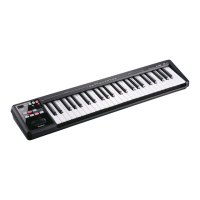
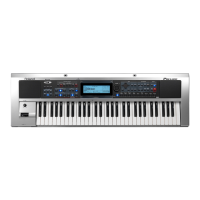
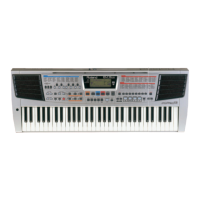
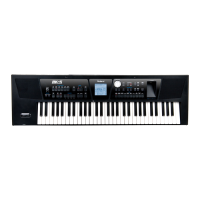
Backing Keyboard BK-5
r
9
Contents
1. Important notes. . . . . . . . . . . . . . . . . . . . . . . . . . . . . 6
2. Features. . . . . . . . . . . . . . . . . . . . . . . . . . . . . . . . . . . . 8
3. Panel description . . . . . . . . . . . . . . . . . . . . . . . . . . . 11
Front panel. . . . . . . . . . . . . . . . . . . . . . . . . . . . . . . . . . . . 11
Rear panel . . . . . . . . . . . . . . . . . . . . . . . . . . . . . . . . . . . . 14
4. Shortcut list . . . . . . . . . . . . . . . . . . . . . . . . . . . . . . . 15
5. Before you start using the BK-5 . . . . . . . . . . . . . . 16
Connecting the AC adaptor . . . . . . . . . . . . . . . . . . . . . 16
Connecting the BK-5 to an amplifier, mixer, etc. . . . 16
Connecting a MIDI device. . . . . . . . . . . . . . . . . . . . . . . 17
Connecting the BK-5 to your computer. . . . . . . . . . . 17
If the computer doesn’t ‘see’ the BK-5 . . . . . . . . . . . . . . .17
Connecting a television set. . . . . . . . . . . . . . . . . . . . . . 18
Connecting an optional footswitch, hold pedal or
expression pedal . . . . . . . . . . . . . . . . . . . . . . . . . . . . . . . 18
Connecting a portable audio player . . . . . . . . . . . . . . 19
Listening through headphones . . . . . . . . . . . . . . . . . . 19
Installing the music rest . . . . . . . . . . . . . . . . . . . . . . . . 19
Turning the power on/off . . . . . . . . . . . . . . . . . . . . . . . 20
Turning the power on. . . . . . . . . . . . . . . . . . . . . . . . . . . . . .20
Turning the power off . . . . . . . . . . . . . . . . . . . . . . . . . . . . .20
Energy saving function . . . . . . . . . . . . . . . . . . . . . . . . . . . .20
Demo of the BK-5 . . . . . . . . . . . . . . . . . . . . . . . . . . . . . 21
6. Basic operation of the BK-5 . . . . . . . . . . . . . . . . . .22
About the display and cursor operation. . . . . . . . . . . 22
Main page. . . . . . . . . . . . . . . . . . . . . . . . . . . . . . . . . . . . . . . .22
Moving the cursor and setting parameter values . . . . . .22
Moving between windows. . . . . . . . . . . . . . . . . . . . . . . . . .22
7. Playing the BK-5’s real-time parts. . . . . . . . . . . . . 24
Switching the UP2 and LWR parts on and off . . . . . 24
Selecting Tones for the real-time parts . . . . . . . . . . . 24
Using the [UP2] or [LWR] button to select Tones . . . . . .24
Selecting a Tone on the main page . . . . . . . . . . . . . . . . . .24
Using the ‘Numeric’ function to select Tones, Rhythms
and Performances. . . . . . . . . . . . . . . . . . . . . . . . . . . . . . . . .25
Checking a Tone’s or rhythm’s MIDI address . . . . . . . . . .26
Using the ‘Help’ function . . . . . . . . . . . . . . . . . . . . . . . 26
8. Rhythm functions . . . . . . . . . . . . . . . . . . . . . . . . . . 27
Volume balance between the backing and the real-
time parts. . . . . . . . . . . . . . . . . . . . . . . . . . . . . . . . . . . . . 27
About the rhythms. . . . . . . . . . . . . . . . . . . . . . . . . . . . . 27
Using rhythms. . . . . . . . . . . . . . . . . . . . . . . . . . . . . . . . . 27
Selecting rhythms. . . . . . . . . . . . . . . . . . . . . . . . . . . . . . 29
Playing back rhythms. . . . . . . . . . . . . . . . . . . . . . . . . . . 30
Using the ‘One Touch’ function . . . . . . . . . . . . . . . . . . 31
Programming your own ONE TOUCH settings (One Touch
Edit) . . . . . . . . . . . . . . . . . . . . . . . . . . . . . . . . . . . . . . . . . . . . .32
9. Using the BK-5 as a USB player . . . . . . . . . . . . . . . 34
Getting ready to use the BK-5 as a USB player. . . . . 34
File types the BK-5 can read and play back . . . . . . . . . . .34
Selecting a song or rhythm on a USB memory. . . . . 34
Playing back a song or rhythm from a USB memory35
Renaming or deleting files/folders
on a USB memory . . . . . . . . . . . . . . . . . . . . . . . . . . . . . 36
Rename . . . . . . . . . . . . . . . . . . . . . . . . . . . . . . . . . . . . . . . . . 36
Delete. . . . . . . . . . . . . . . . . . . . . . . . . . . . . . . . . . . . . . . . . . . 36
Using the ‘Search’ function to locate songs, rhythms
or pictures. . . . . . . . . . . . . . . . . . . . . . . . . . . . . . . . . . . . 37
Activating the ‘Play All Songs’ parameter for the
USB memory. . . . . . . . . . . . . . . . . . . . . . . . . . . . . . . . . . 38
Deactivating the ‘Play All Songs’ function . . . . . . . . . . . 39
Loop function (MARK A/B) . . . . . . . . . . . . . . . . . . . . . . 39
Setting and using the loop positions . . . . . . . . . . . . . . . . 39
10. Other important functions . . . . . . . . . . . . . . . . . . . 41
Changing the key. . . . . . . . . . . . . . . . . . . . . . . . . . . . . . 41
Changing the octave. . . . . . . . . . . . . . . . . . . . . . . . . . . 41
Using ‘Track Mute’ and ‘Center Cancel’ . . . . . . . . . . . 42
Selecting the track(s) to mute for rhythms
or SMF songs . . . . . . . . . . . . . . . . . . . . . . . . . . . . . . . . . . . . 42
Using the ‘Melody Intell(igence)’ function . . . . . . . . 43
Using Split mode . . . . . . . . . . . . . . . . . . . . . . . . . . . . . . 43
Setting the volume of the real-time parts . . . . . . . . 43
11. Performance Lists . . . . . . . . . . . . . . . . . . . . . . . . . . 45
Performance/Music Assistant/Factory Songs info . . 45
Loading a Performance/‘Music Assistant’/‘Factory
Songs’ List . . . . . . . . . . . . . . . . . . . . . . . . . . . . . . . . . . . . 45
Recalling a Performance/‘Music Assistant’/
‘Factory Songs’ memory . . . . . . . . . . . . . . . . . . . . . . . . 46
Quickly locating Performance memories. . . . . . . . . . 46
Saving your settings as a Performance . . . . . . . . . . . 46
Other Performance List functions. . . . . . . . . . . . . . . . 47
If you select ‘Rename’. . . . . . . . . . . . . . . . . . . . . . . . . . . . . 47
If you select ‘Delete’ . . . . . . . . . . . . . . . . . . . . . . . . . . . . . . 48
If you select ‘Make New List’ . . . . . . . . . . . . . . . . . . . . . . . 48
Editing Performance memories. . . . . . . . . . . . . . . . . . 48
Delete Performance. . . . . . . . . . . . . . . . . . . . . . . . . . . . . . . 49
Saving the edited Performance List . . . . . . . . . . . . . . . . . 49
12. Adding pictures to the music . . . . . . . . . . . . . . . . . 50
Displaying photos automatically. . . . . . . . . . . . . . . . . 50
Enjoying a VIMA TUNES slide show . . . . . . . . . . . . . . . . . 50
Enjoying a slide show of your own pictures . . . . . . . . . . 50
Using one of your own pictures as background. . . . 51
13. Recording your performance as audio data . . . . . 52
Recording . . . . . . . . . . . . . . . . . . . . . . . . . . . . . . . . . . . . 52
Listening to your recording . . . . . . . . . . . . . . . . . . . . . . . . 53
Saving your recording as an audio file . . . . . . . . . . . . . . 53
14. Lock functions . . . . . . . . . . . . . . . . . . . . . . . . . . . . . 54
Switching the locks on and off . . . . . . . . . . . . . . . . . . 54
15. Menu options. . . . . . . . . . . . . . . . . . . . . . . . . . . . . . 55
General procedure. . . . . . . . . . . . . . . . . . . . . . . . . . . . . 55
Internal Lyrics. . . . . . . . . . . . . . . . . . . . . . . . . . . . . . . . . 55
External Lyrics . . . . . . . . . . . . . . . . . . . . . . . . . . . . . . . . . . . 56
BK-5_US.book Page 9 Monday, November 14, 2011 12:43 PM


 To Next Page