12
INSTALLATION
1. Attaching the Pickup Controller Unit
■
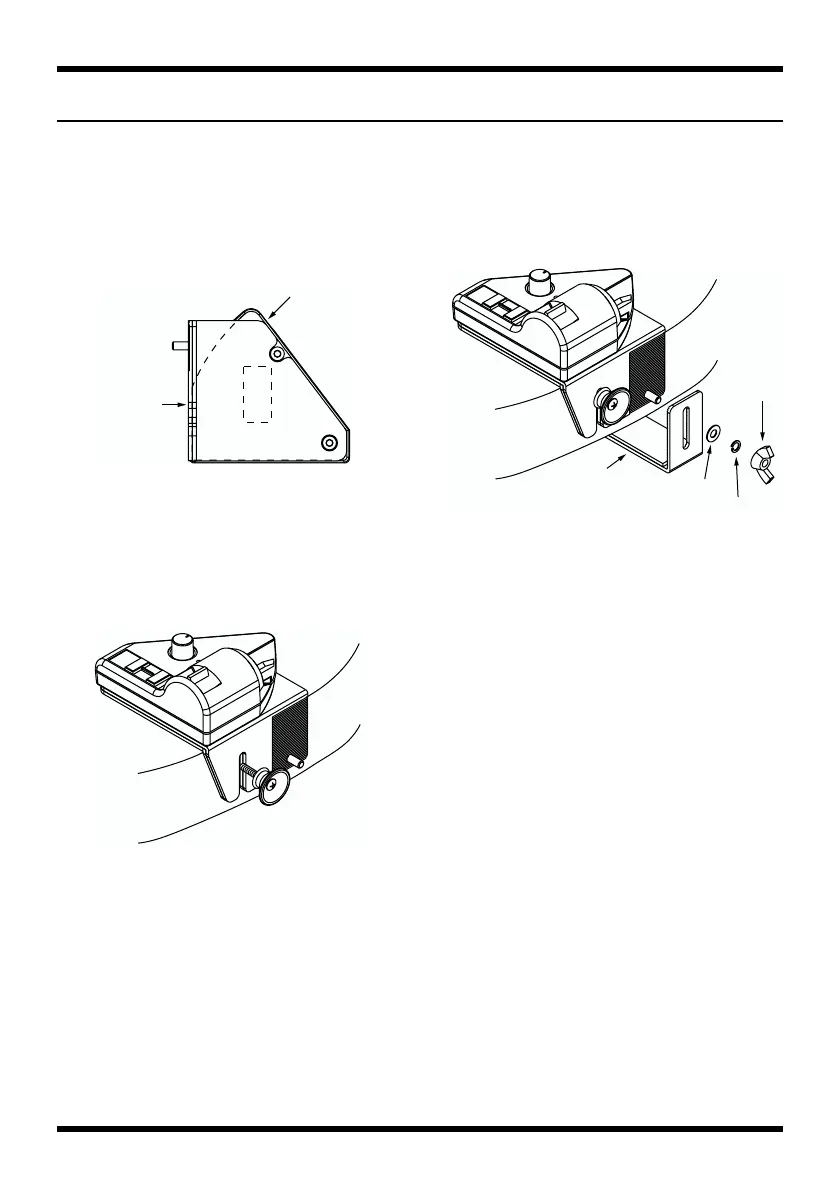
Attaching the Pickup Controller Unit with Holders
1.
Remove two screws from the controller,
then attach those screws to Holder “A.”
fig.10-1
2.
Loose the guitar end pin. and insert the
Holder “A.”
fig.10-2
3.
Attach the Holder “B.”
fig.10-3
4.
Tighten the Holder “A”and “B” with Wing
Nut, Spring Washer,Washer.
GK-2A
Holder A
Holder B
Washer
Spring Washer
Wing nut



 To Next Page
 Loading...