55
USING THE UNIT SAFELY . . . . . . . . . . . . . . . . . . . . . . . . . . . . . . . . . . 2
IMPORTANT NOTES . . . . . . . . . . . . . . . . . . . . . . . . . . . . . . . . . . . . . . . 4
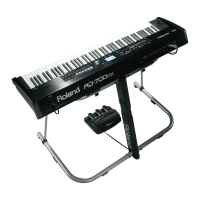
Placing the RD-2000EX on a Stand . . . . . . . . . . . . . . . . . . . . . . . . 6
Main Specications . . . . . . . . . . . . . . . . . . . . . . . . . . . . . . . . . . . . . . . 6
Basic Operation . . . . . . . . . . . . . . . . . . . . . . . . . . . . . . . . . . . . . . . . . . . 7
Panel Descriptions . . . . . . . . . . . . . . . . . . . . . . . . . . . . . . . . . . . . . . . . 8
Top Panel . . . . . . . . . . . . . . . . . . . . . . . . . . . . . . . . . . . . . . . . . . . . . . . 8
Rear Panel (Connecting the External Equipment) . . . . . . . . . . . . 10
Turning the RD-2000EX On . . . . . . . . . . . . . . . . . . . . . . . . . . . . . . . 11
Turning O the Power . . . . . . . . . . . . . . . . . . . . . . . . . . . . . . . . . . . . 11
If you don’t want the power to turn o automatically, change
the “Auto O” setting to “O” . . . . . . . . . . . . . . . . . . . . . . . . . . . . . 11
Overview of the RD-2000EX . . . . . . . . . . . . . . . . . . . . . . . . . . . . . . 12
Basic Organization of the RD-2000EX . . . . . . . . . . . . . . . . . . . . . . 12
About Memory . . . . . . . . . . . . . . . . . . . . . . . . . . . . . . . . . . . . . . . . . . 12
Units of Sound . . . . . . . . . . . . . . . . . . . . . . . . . . . . . . . . . . . . . . . . . . 13
Operation Guide . . . . . . . . . . . . . . . . . . . . . . . . . . . . . . . . . . . . . . . . . . 14
Adjusting the Overall Volume . . . . . . . . . . . . . . . . . . . . . . . . . . . . . 14
Adjusting the Volume of Each Zone . . . . . . . . . . . . . . . . . . . . . . . . 14
Using an Assigned Function to Modify the Sound
(MOD WHEEL 1/2) . . . . . . . . . . . . . . . . . . . . . . . . . . . . . . . . . . . . . . . 14
Changing the Sound’s Pitch in Real Time (Pitch bend lever) . . . 14
Adding Vibrato or Dynamics (Modulation lever) . . . . . . . . . . . . . 14
Disabling the Button (Panel Lock) . . . . . . . . . . . . . . . . . . . . . . . . . . 14
Transposing Your Performance (Transpose) . . . . . . . . . . . . . . . . . 14
Selecting Sounds (TONE/SCENE/PROGRAM) . . . . . . . . . . . . . . . . 14
Layering Tones . . . . . . . . . . . . . . . . . . . . . . . . . . . . . . . . . . . . . . . . . . 15
Dividing the Keyboard into Two Regions (Split) . . . . . . . . . . . . . . 15
Adding Reverberation to the Sound (REVERB) . . . . . . . . . . . . . . . 16
Adding Delay to the Sound (DELAY) . . . . . . . . . . . . . . . . . . . . . . . 16
Applying an Eect (MODULATION FX) . . . . . . . . . . . . . . . . . . . . . . 16
Applying Tremolo (TREMOLO) . . . . . . . . . . . . . . . . . . . . . . . . . . . . . 16
Adjusting the Distortion (AMP SIM) . . . . . . . . . . . . . . . . . . . . . . . . 17
Switching the Tremolo Type and the AMP SIM Type . . . . . . . . . . 17
Adjusting the Levels of Each Frequency Range (EQUALIZER) . . 17
Controlling the Functions Assigned to the Knobs (ASSIGN) . . . 17
Performing Live with a Plug-in Synthesizer . . . . . . . . . . . . . . . . . 18
Using USB Audio . . . . . . . . . . . . . . . . . . . . . . . . . . . . . . . . . . . . . . . . 19
Using SUB OUT . . . . . . . . . . . . . . . . . . . . . . . . . . . . . . . . . . . . . . . . . . 19
Editing the Sound . . . . . . . . . . . . . . . . . . . . . . . . . . . . . . . . . . . . . . . . 20
Adjusting the Character of the Sound (TONE COLOR) . . . . . . . . 20
Using the Knobs to Adjust the Sound . . . . . . . . . . . . . . . . . . . . . . 20
Editing a Program (Program Edit) . . . . . . . . . . . . . . . . . . . . . . . . . . 21
Editing a Tone (Designer) . . . . . . . . . . . . . . . . . . . . . . . . . . . . . . . . . 21
Creating the Organ Tones. . . . . . . . . . . . . . . . . . . . . . . . . . . . . . . . . 22
Viewing the State of Each Zone (Zone Info Screen) . . . . . . . . . . . 22
Saving the Sound Settings in a Program (Program Write) . . . . . 23
Changing the Order of Programs (Program Swap) . . . . . . . . . . . 23
Using the Convenient Functions in Performances . . . . . . . . 24
Playing Rhythm . . . . . . . . . . . . . . . . . . . . . . . . . . . . . . . . . . . . . . . . . 24
Recording Audio . . . . . . . . . . . . . . . . . . . . . . . . . . . . . . . . . . . . . . . . 24
Playing Audio Files from USB Flash Drive . . . . . . . . . . . . . . . . . . . 25
Various Settings . . . . . . . . . . . . . . . . . . . . . . . . . . . . . . . . . . . . . . . . . . 26
Accessing the Menu Screens . . . . . . . . . . . . . . . . . . . . . . . . . . . . . . 26
Setting Parameters (System) . . . . . . . . . . . . . . . . . . . . . . . . . . . . . . 26
Formatting Memory (Format) . . . . . . . . . . . . . . . . . . . . . . . . . . . . . 26
Returning to the Factory Settings (Factory Reset) . . . . . . . . . . . . 27
Making the Power Automatically Turn O After a Time
(Auto O ) . . . . . . . . . . . . . . . . . . . . . . . . . . . . . . . . . . . . . . . . . . . . . . 27
Listening to the Demo Songs . . . . . . . . . . . . . . . . . . . . . . . . . . . . . 27
Backing Up RD-2000EX Data to a USB Flash Drive
(Backup Save) . . . . . . . . . . . . . . . . . . . . . . . . . . . . . . . . . . . . . . . . . . . 27
Restoring Backup Data from a USB Flash Drive to the RD-
2000EX (Backup Load) . . . . . . . . . . . . . . . . . . . . . . . . . . . . . . . . . . . 27
List of Shortcut Keys . . . . . . . . . . . . . . . . . . . . . . . . . . . . . . . . . . . . . . 28
Contents


 To Next Page