66
Placing the RD-2000EX on a Stand
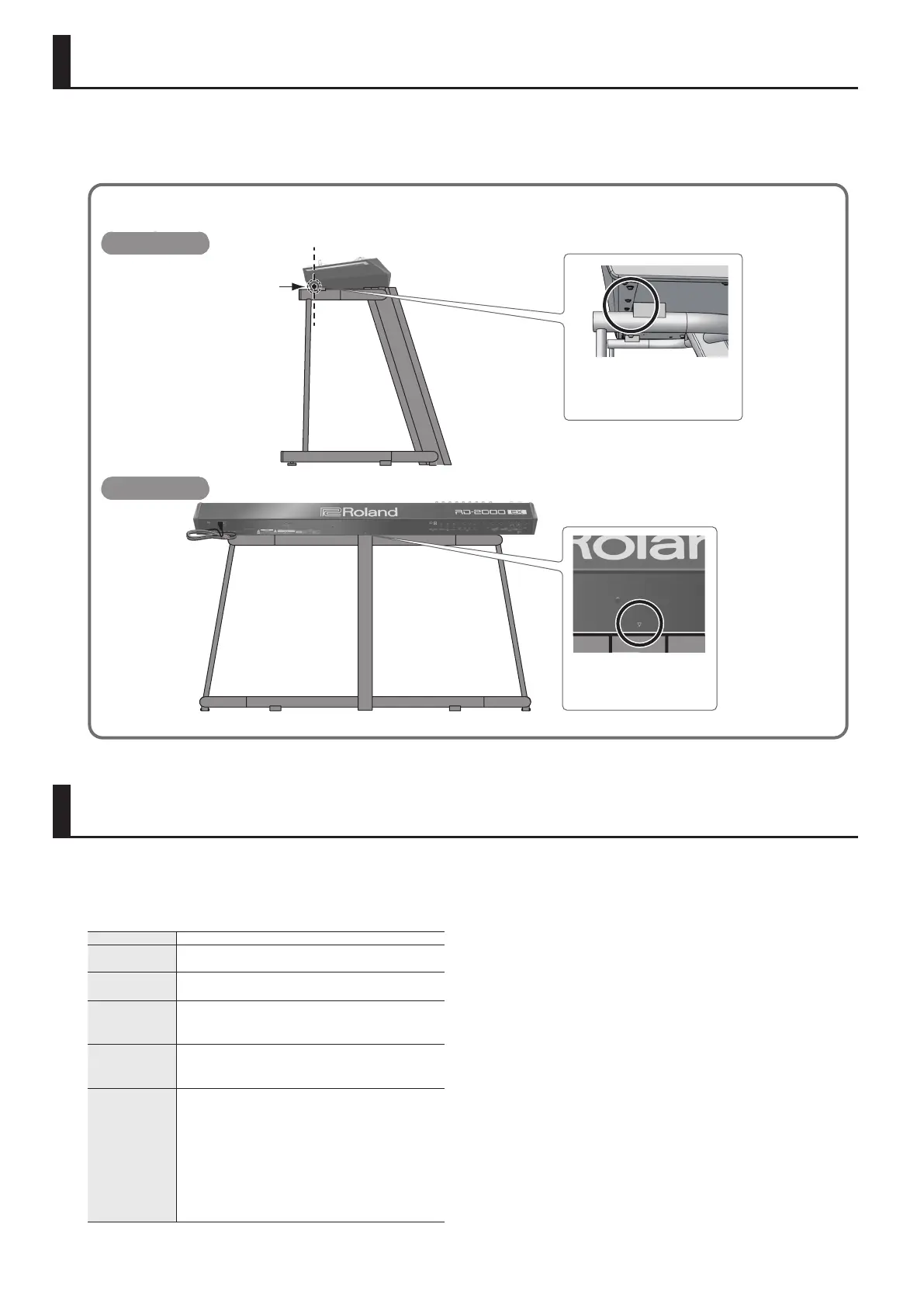
If you want to place the RD-2000EX on a stand, use the Roland KS-G8B.
Place the instrument on the stand as follows.
* Be careful not to pinch your ngers when setting up the stand.
KS-G8B
Align the mark on the
RD-2000EX’s rear panel with
the center of the stand
Seen from the rearSeen from the rear
Align the seam in the
RD-2000EX’s panel (on the
bottom, near the front) with the
corners of the stand’s rubber feet
Seen from the sideSeen from the side
Main Specications
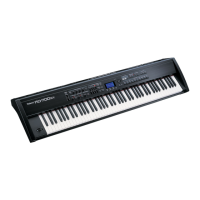
Roland RD-2000EX: Digital Piano
Keyboard 88 keys (PHA-50)
Power
Consumption
23W
Dimensions
1,412 (W) x 367 (D) x 140 (H) mm
55-5/8 (W) x 14-1/2 (D) x 5-9/16 (H) inches
Weight
21.7 kg/47 lbs 14 oz
* Actual weight can vary slightly from that indicated due
to the fact that wooden parts are involved.
Accessories
Owner’s Manual
Power Cord
Damper pedal (capable of continuous detection)
Options
Keyboard stand: KS-G8B
Piano pedal: RPU-3
Damper pedal: DP-10
Pedal switch: DP-2
Expression pedal: EV-5
USB ash drive (*)
* Use a commercially available USB ash drive. However,
we cannot guarantee that all commercially available
USB ash drives will work.
* This document explains the specications of the product at the
time that the document was issued. For the latest information,
refer to the Roland website.
* Please be aware that in some countries or regions, it might not be
possible to use Roland Cloud at this time.


 To Next Page